
[DAS] Auditing method for web and database business monitoring on different IP addresses
Problem Description
The web side and SQL database cannot be audited
Process——
- First, check which ports the database uses with the command netstat -ano
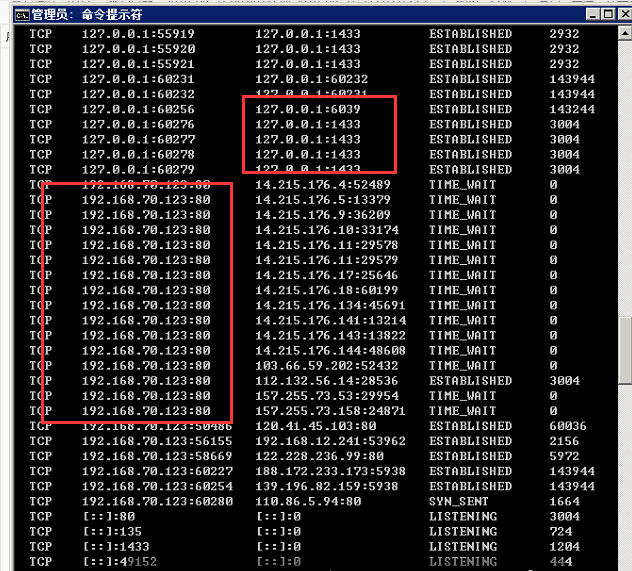
290825d6935ac2f545.png (187.45 KB) - It is found that the SQL database port is 127.0.0.1, and the web port 80 is the database IP.
- Filling in the database IP in the configuration file can only audit the data on the web side, and filling in 127.0.0.1 can only audit the database log
- At this time, you need to install two plug-ins to implement it, one to fill in the database IP, and one to fill in 127.0.0.1
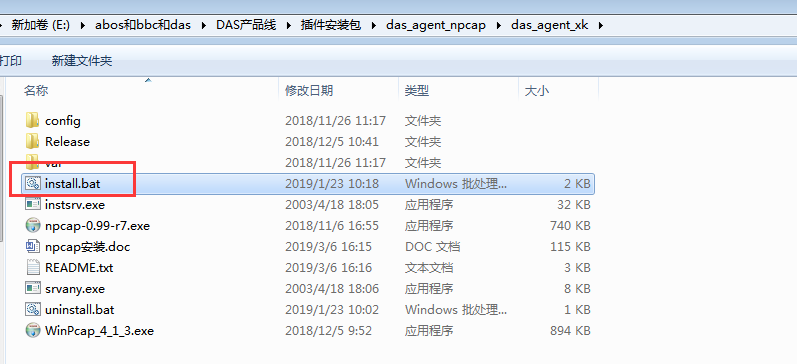
129435d67edd12bcb7.png (49.64 KB)
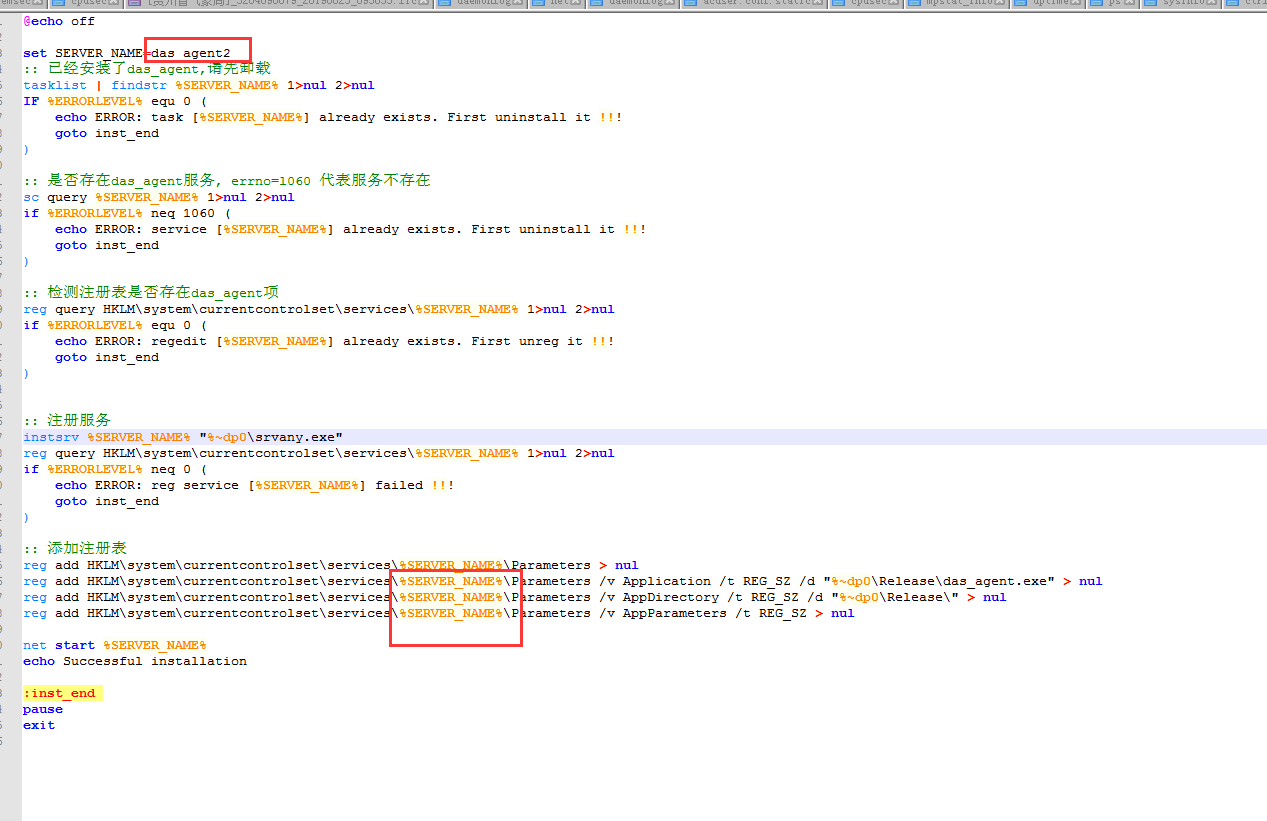
153495d67ee2be6fe7.png (96.75 KB) - Install the second plug-in to modify the service name, and then install it to audit normally
solution
Two plug-ins need to be installed to audit web and database logs
Original Link
https://support.sangfor.com.cn/cases/list?product_id=22&type=1&category_id=7141&isOpen=true