
[Cyber Command] When adding Endpoint Secure in Cyber Command Correlated Response, it prompts that adding instance fails and clicks test and fails
Problem Description
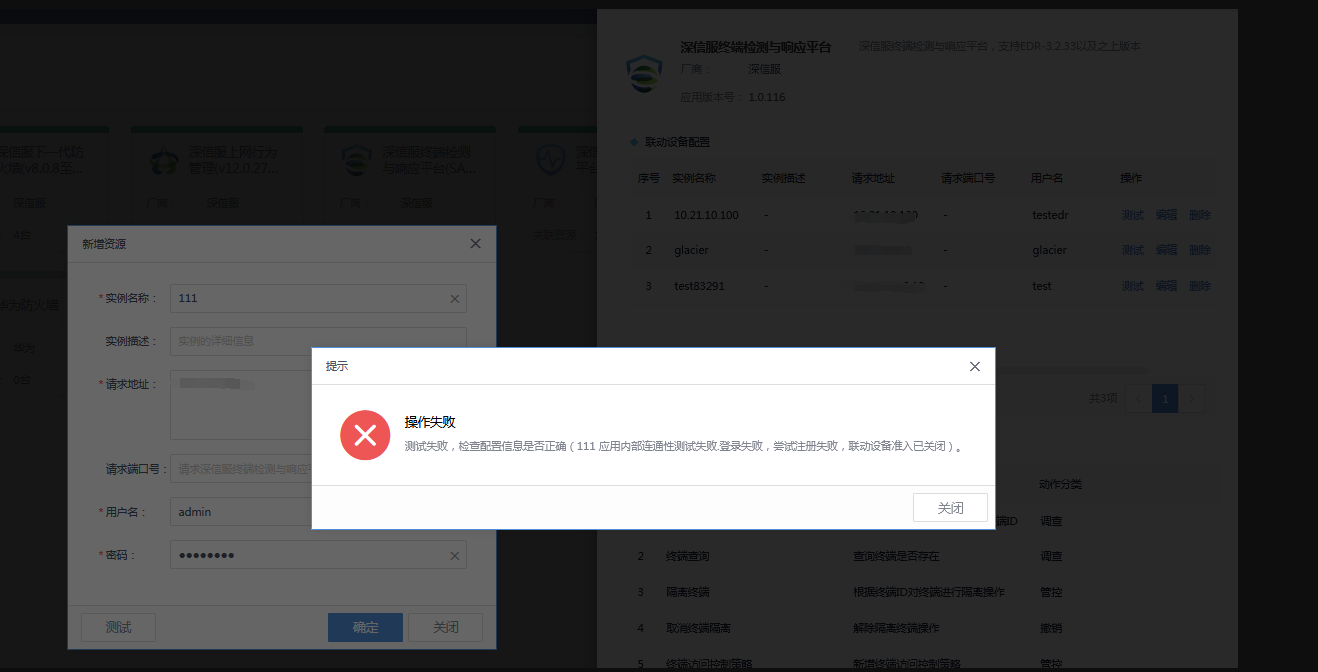
When adding Endpoint Secure in Cyber Command Correlated Response, it prompts that adding instance fails and clicks test and fails.
Test failure prompt: "Test failed, check whether Very-Low Risk configuration information is correct (11 Application internal connectivity test failed. Login failed, registration attempt failed, linkage device access is closed)"
Effective troubleshooting steps
-
Linkage access has been enabled on the Endpoint Secure platform
-
Both sides confirm that the port communication is normal and test the communication in Cyber Command device management.
-
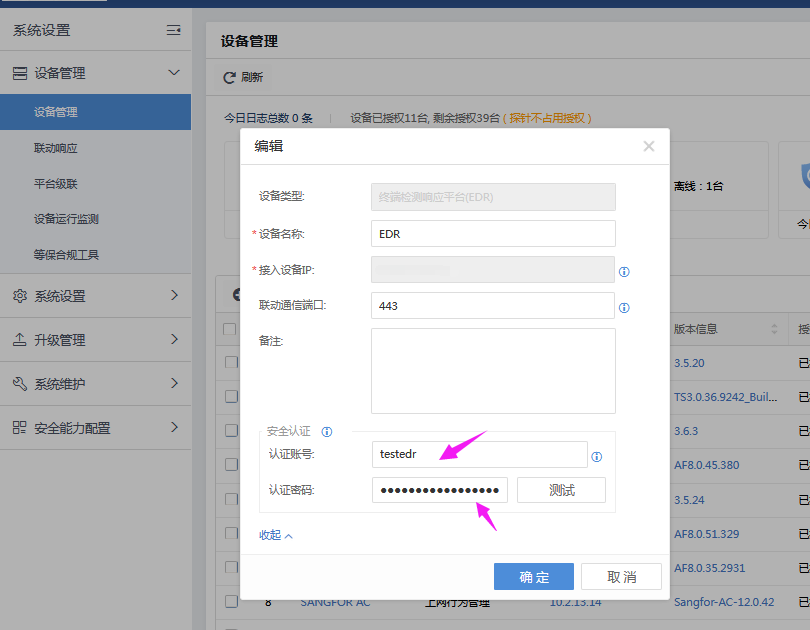
You need to pay attention to the linkage key at this time. In the Cyber Command device management, you need to customize the key settings when adding Endpoint Secure, and then write the corresponding key in the Correlated Response. It cannot be generated automatically. Use the custom key here to add it to Correlated Response to test successfully
solution
When accessing Endpoint Secure Fair device management, customize the linkage key, use the customized key to add Endpoint Secure in Correlated Response, and enter the linkage key to successfully link.
Original Link
https://support.sangfor.com.cn/cases/list?product_id=24&type=1&category_id=10053&isOpen=true