
[HCI-VN] HCI supports different aggregation modes. How do Node and switches configure the aggregation mode?
Problem Description
HCI supports different aggregation modes. When performing aggregation, how should HCI and switch-side aggregation be configured?
Effective Troubleshooting Steps
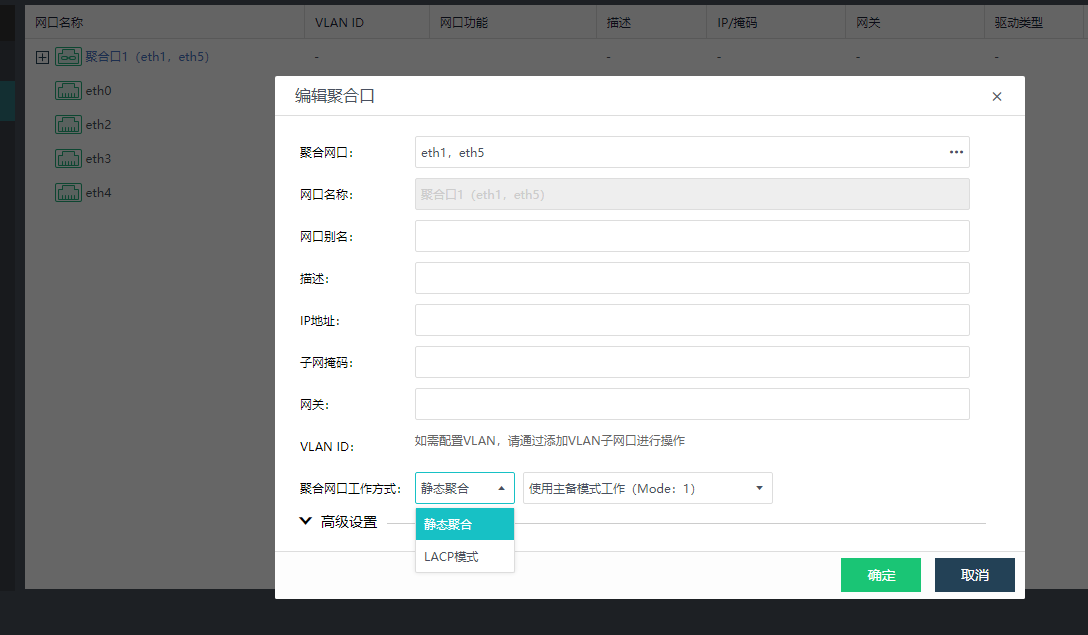
- There are two working modes Aggregate Interface, one is static aggregation and the other is LACP mode:
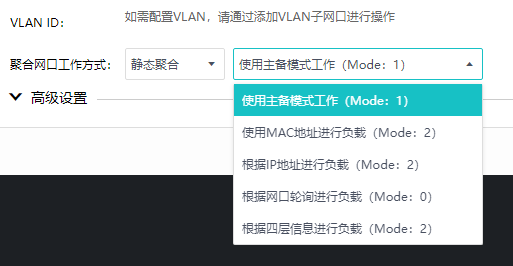
Static aggregation works in 5 ways
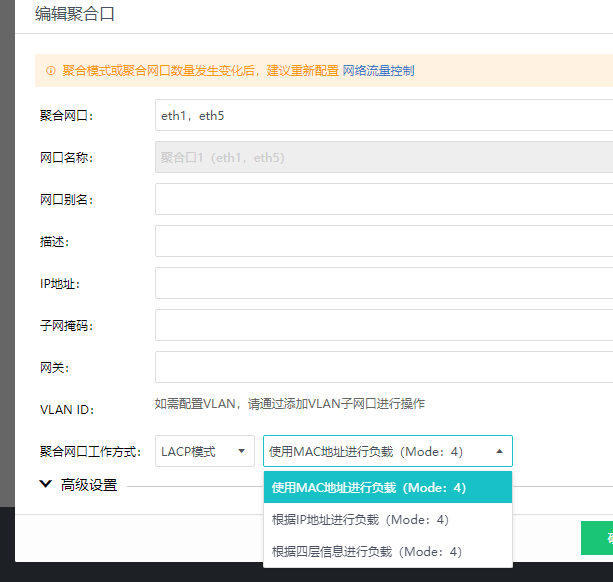
LACP mode has 3 working modes
- Link aggregation is seen on the switch side. There are two working modes: manual load sharing mode and LACP static mode.
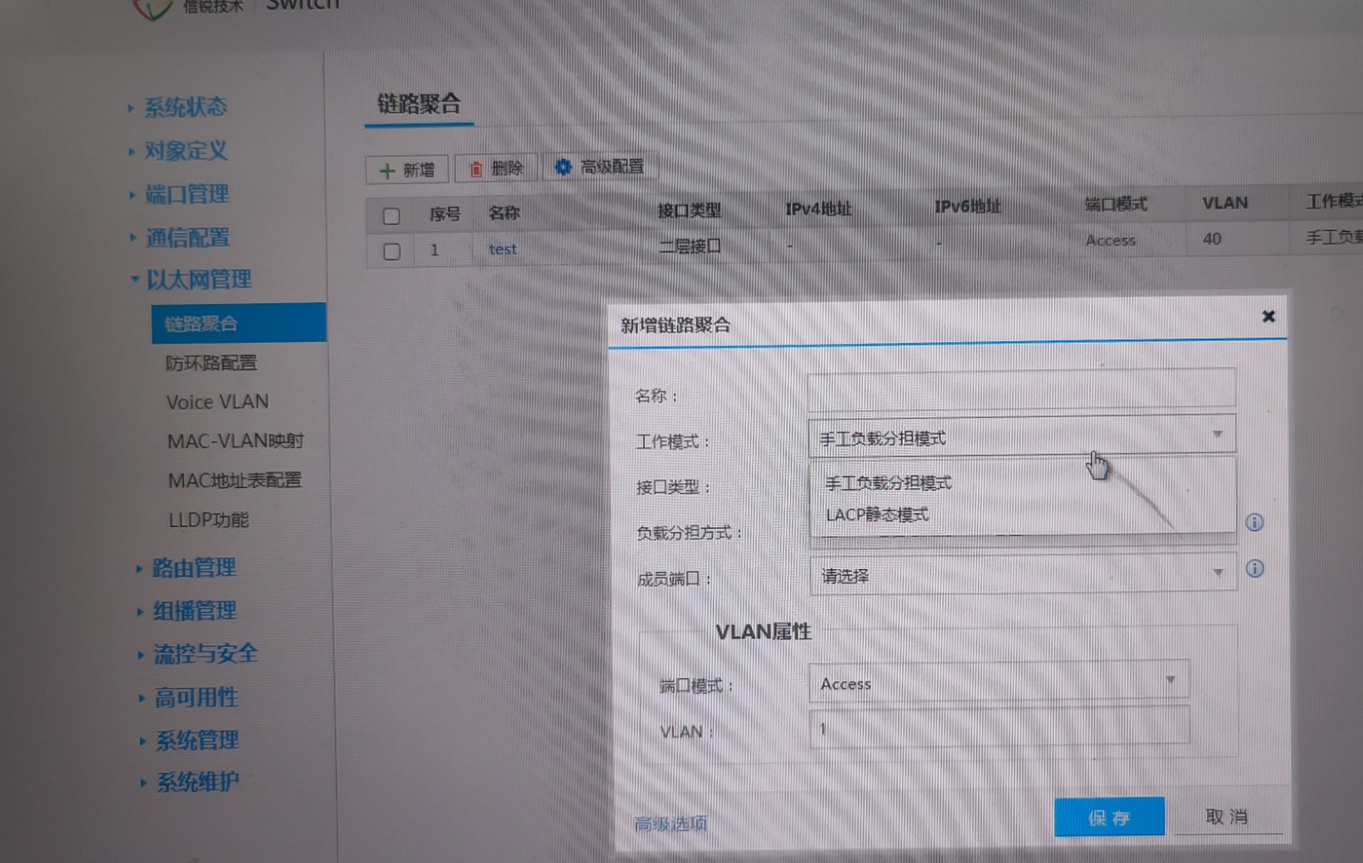
The load balancing modes are as follows:
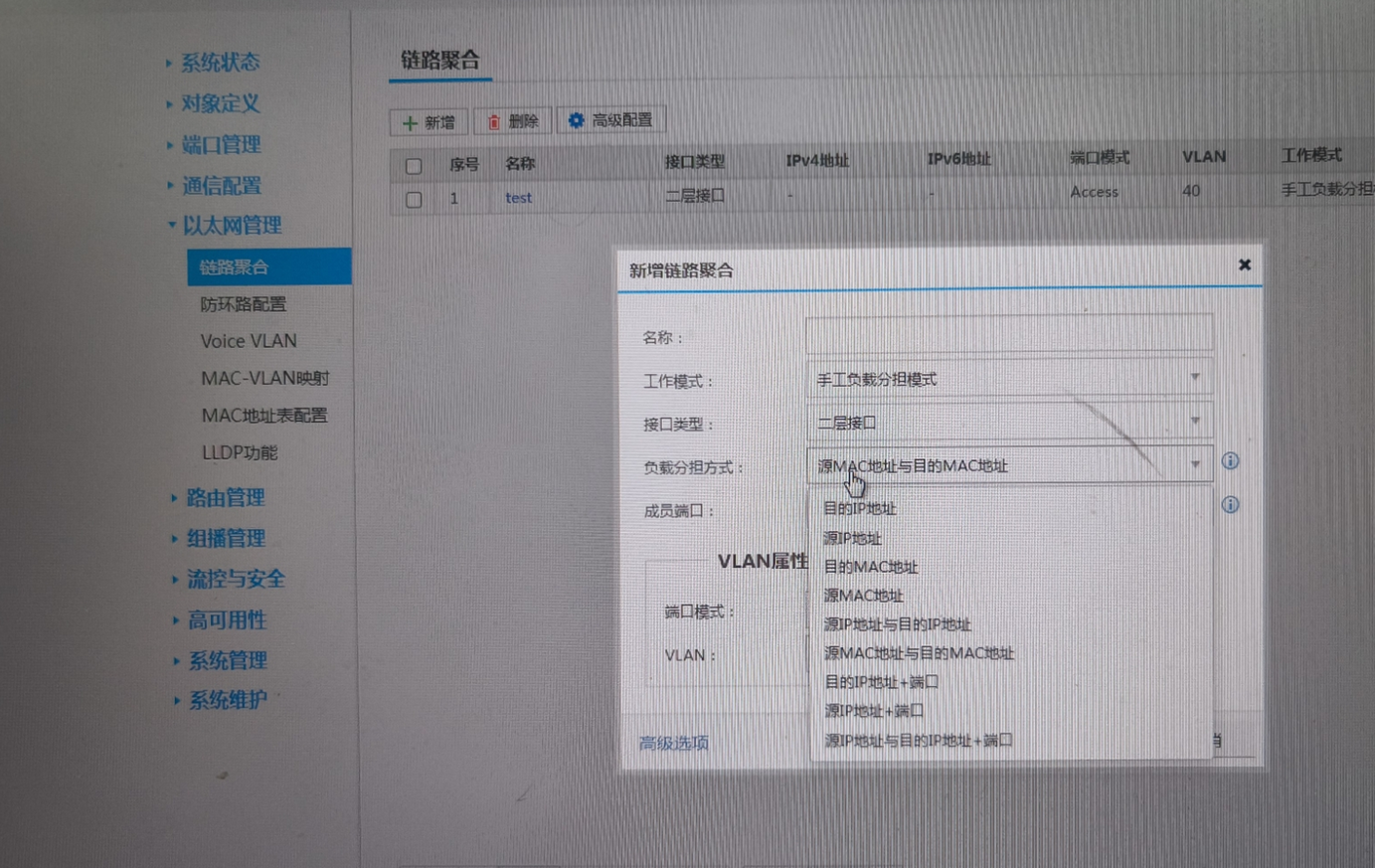
- When configuring aggregation on both sides, ensure that the working modes correspond one to one:
HCI: Static mode (except active/standby aggregation) —– Switch: Manual load balancing mode
HCI: LACP mode —– Switch: LACP static mode
Then the working mode of the HCI side should be consistent with the load sharing mode on the switch side as much as possible (inconsistency does not affect it). If there is no corresponding load sharing mode on the switch side, it does not affect you to choose another one. You only need to keep the working mode consistent with HCI.
HCI active/standby working mode —– The switch does not need to be configured with aggregation, but the peer switch needs to be configured with stacking or m-lag or two switches need to be connected with one cable
HCI uses MAC address for load —– The switch recommends using source MAC address and destination MAC address (selecting other addresses will not affect the switch)
HCI uses IP addresses for load —– The switch recommends using source IP addresses and destination IP addresses (selecting other IP addresses will not affect the switch)
HCI uses network port polling for load —– Aggregation can be configured on the switch side or not (polling mode is not recommended in any scenario at present. Packets are out of order in large traffic conditions, and there is no corresponding mode configuration on the switch side)
HCI uses layer 4 information for load —– The switch recommends using source IP address and destination IP address + port (selecting other options will not affect)
Solution
Configure aggregate
Original Link
https://support.sangfor.com.cn/cases/list?product_id=33&type=1&category_id=27174&isOpen=true