
[aDesk] Install error occurred while installing the agent, Tips: There is no File engine with the file extension “.vbs”
Problem Description
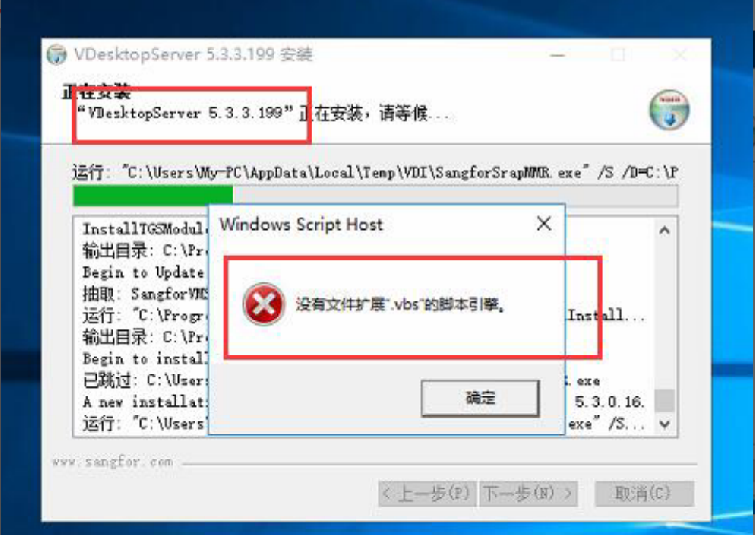
As shown in the figure below, the Install of the agent on VM Failed, and Tips: There is no File engine with the file extension ".vbs".
745865b6eea61241e0.png (255.95 KB)
Process——
- Passed error report, it can be basically determined Yes the lack of .vbs Script engine caused the agent Install Failed. In this case, it is necessary to check whether the .vbs-related Registry Yes Connected.
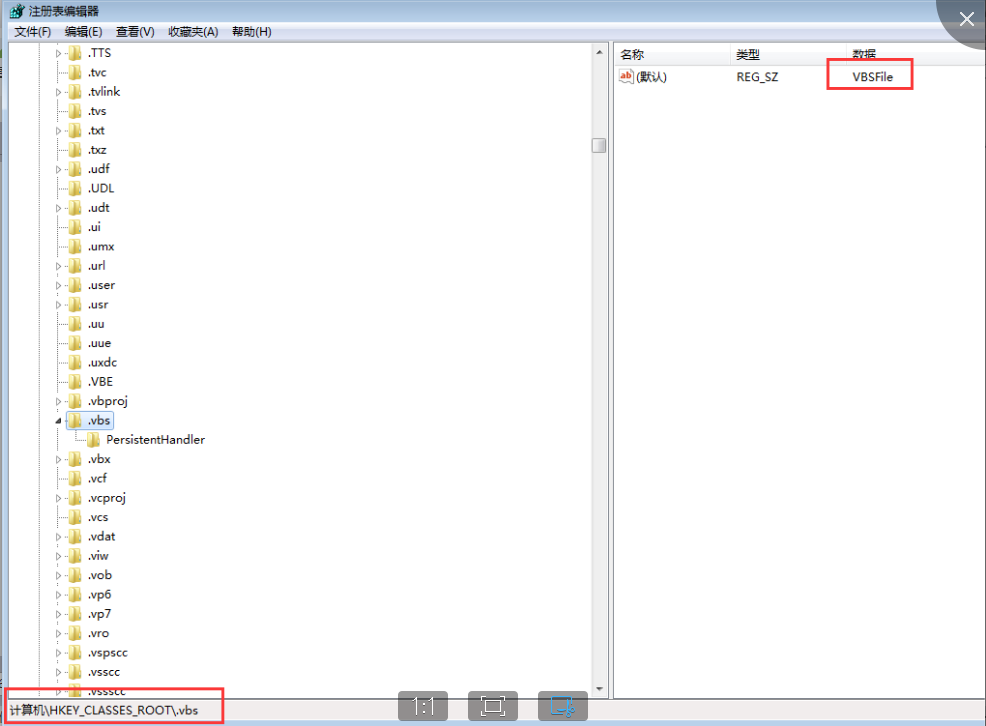
- Auto unlock after Powered On->Running->Enter regedit, View Registry Medium check whether the value of [HKEY_CLASSES_ROOT\.vbs] is = "vbsfile", as shown in the figure below.
342075b6eeaad74480.png (103.06 KB)
Root cause
The system lacks the .vbs Script engine, causing Install agent installation Failed.
solution
- The following registry entries need to be confirmed one by one to OK if Connected are normal. If not, you need to manually change the values.
[HKEY_CLASSES_ROOT\.vbs]
@="vbsfile"
[HKEY_CLASSES_ROOT\.vbs\PersistentHandler]
@="{5e941d80-bf96-11cd-b579-08002b30bfeb}"
[HKEY_CLASSES_ROOT\VBSFile]
@="VBScript Script File"
[HKEY_CLASSES_ROOT\VBSFile\ScriptEngine]
@="VBScript"
[HKEY_CLASSES_ROOT\VBSFile\ScriptHostEncode]
@="{85131631-480C-11D2-B1F9-00C04F86C324}"
[HKEY_CLASSES_ROOT\VBSFile\Shell]
@="Value not Settings"
[HKEY_CLASSES_ROOT\VBSFile\Shell\Edit]
@="&Edit"
[HKEY_CLASSES_ROOT\VBSFile\Shell\Open]
@="&Open"
[HKEY_CLASSES_ROOT\VBSFile\Shell\Open2]
@="Open in &Command Tips"
[HKEY_CLASSES_ROOT\VBSFile\Shell\Print]
@="&Print"
[HKEY_CLASSES_ROOT\VBSFile\ShellEx]
[HKEY_CLASSES_ROOT\VBSFile\ShellEx\DropHandler]
@="{60254CA5-953B-11CF-8C96-00AA00B8708C}"
[HKEY_CLASSES_ROOT\VBSFile\ShellEx\PropertySheetHandlers\WSHProps]
@="{60254CA5-953B-11CF-8C96-00AA00B8708C}"
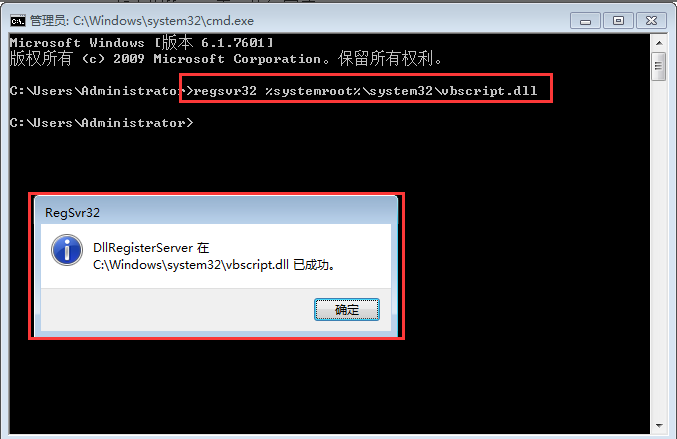
2. OK Registry Connected, execute the following 5 commands, Reset the computer, and Install agent again.
regsvr32 %systemroot%\system32\vbscript.dll
regsvr32 scrrun.dll
regsvr32 cscript.dll
regsvr32 wshom.ocx
regsvr32 wshext.dll
As shown in the following figure, the execution Finish.
187115b6eeadf8826f.png (28.96 KB)
Original Link
https://support.sangfor.com.cn/cases/list?product_id=26&type=1&category_id=10410&isOpen=true