
[aDesk] An error message appears when inserting audio into PPT: PowerPoint is upgrading this media File to optimize compatibility and playback
Problem Description
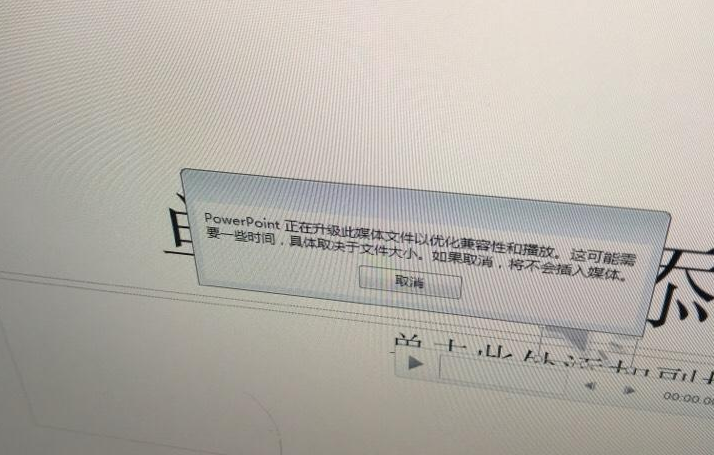
As shown in the figure below, Tips an audio prompt Auto unlock after PPT of office2010: PowerPoint is upgrading this media File to optimize compatibility and playback.
742515bb477669c55b.png (387.49 KB)
Process——
- Test the audio in Other VM or Other Cluster environments. It is found that Test Connectivity cannot be inserted, so it is suspected to be a compatibility issue.
- Find a Operation machine and the same operating system and office Version to Test Connectivity and see if the audio can be inserted Connected to rule out audio problems. Test Connectivity the physical machine Yes Connected, so the basic positioning Yes compatibility issue.
- Generally, the biggest difference and a physical machine and VM Yes agent. Therefore, as shown in the figure below, you can try to uninstall the agent Test Connectivity or find Mon clean VM (a clean VM means: VM without an agent installed) Test Connectivity.
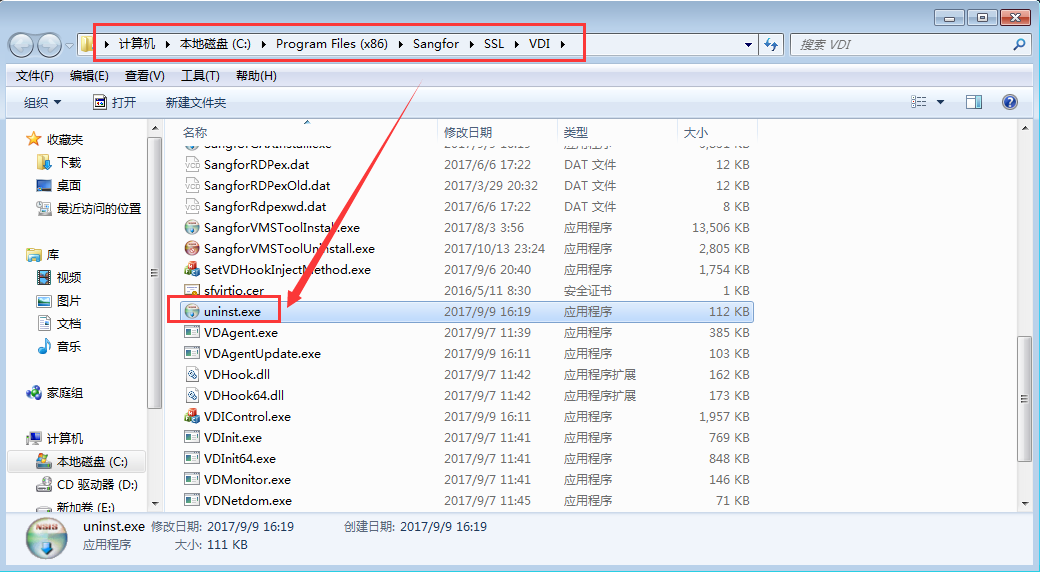
273745bb47782131de.png (134.34 KB) - The problem was fixed after uninstalling the agent, so it can be determined Yes compatibility issue. The SrapMMR component (audio Video video redirectionetc.,) involved in audio and video in Agent is therefore used to Test Connectivity the audio Video.
Root cause
There are compatibility issues and inserting audio and Video into PPT and redirecting audio and video, which causes audio insertion Failed.
solution
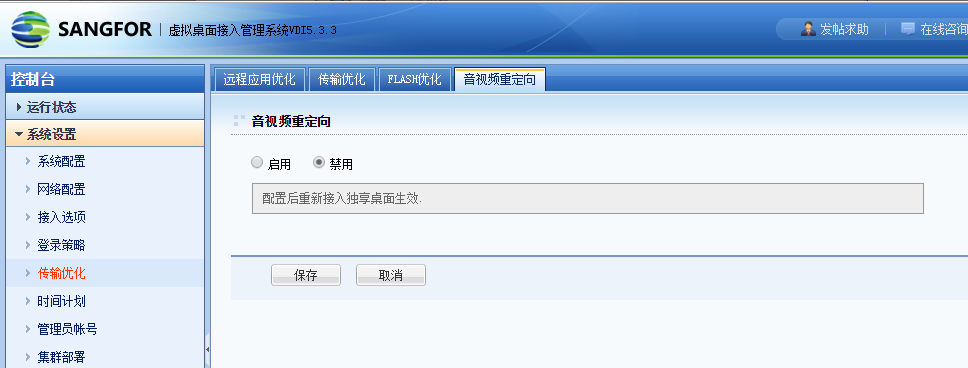
- As shown in the figure below, Log In the audio and video redirection function after Video into the VDC.
Note: If Disabled Video is not good after disabling audio and video redirection, contact 400 for processing.
164685bb477b472720.png (60 KB)
Original Link
https://support.sangfor.com.cn/cases/list?product_id=26&type=1&category_id=10519&isOpen=true