
[aDesk] The compressed package to Upload Open seen File the file Browse… window opened when Upload attachments to the OA system
Problem Description
The employee packed the project-related materials into Mon compressed package to Upload to the system. HoweverYes the Upload Attachment button Click, the File browsing window Auto unlock after Browse… up did not show the compressed package to be Upload in the corresponding Path on the computer and Yes empty.
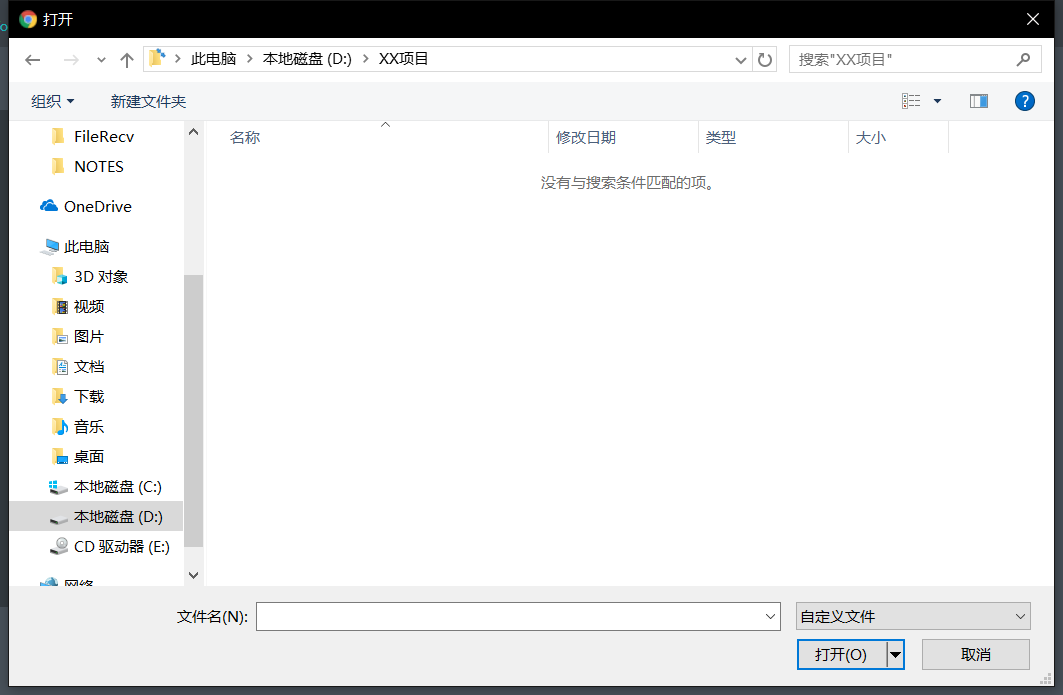
263755b9a0e59a392a.png (58.99 KB)
Process——
Check the Browse… window for uploaded attachments and change Type File type from Specified File Type to all File to see
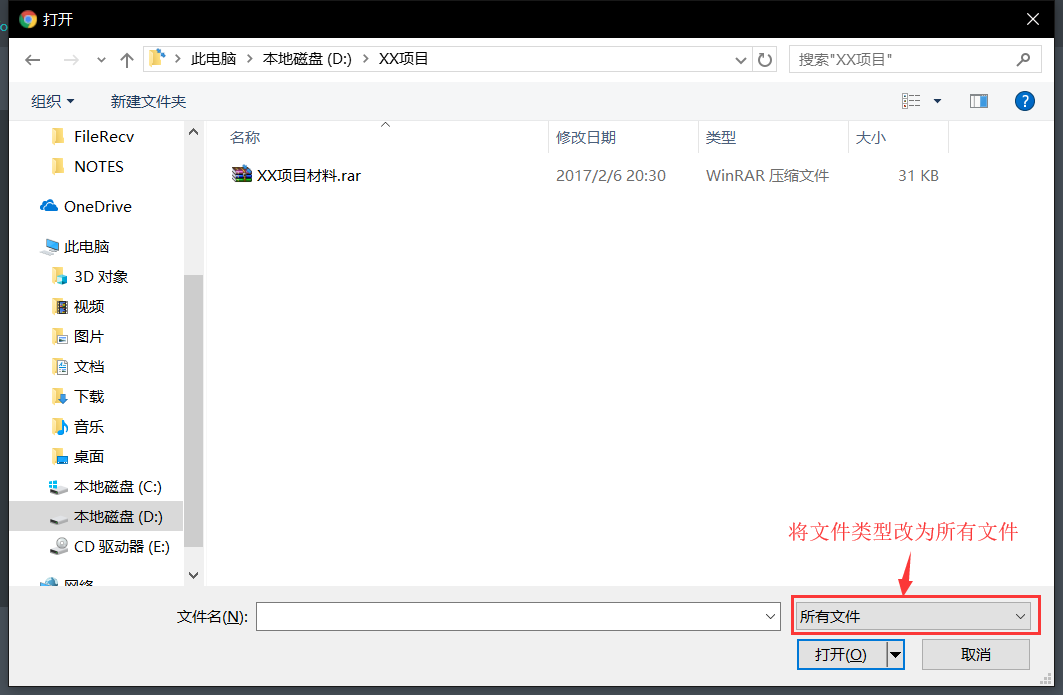
709905b9a0e96423d2.png (66.48 KB)
Root cause
Auto unlock after designing the function of uploading attachments, various systems will specify which types of files can be selected for the convenience of administration and management and security File. Therefore, when you Open the File Browse… window to upload Upload, you can only see files of these specified Type by Default. To see File other than the specified Type, you need to manually change the File Type in the File Browse… window to all File. The system security encountered in this problem is not particularly perfect. There is no restriction on the Type File can be Upload. If corresponding restrictions are made, even if you Switch to all File Type and select the corresponding files to upload, the File will Successful and will be automatically rejected. Please note.
solution
Switch the file type in the File Browse… window for uploaded File to all files.
Original Link
https://support.sangfor.com.cn/cases/list?product_id=26&type=1&category_id=10487&isOpen=true