
Optical Module Cannot Be Removed Operation Guide
Problem Description
Optical module** cannot be removed**Operation guide
solution
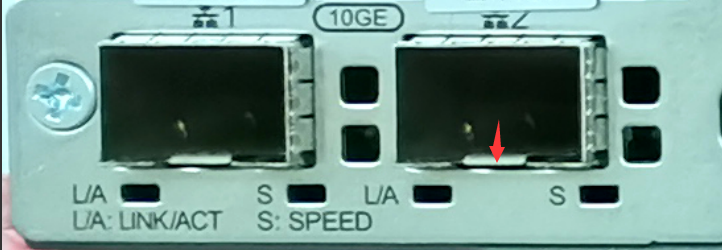
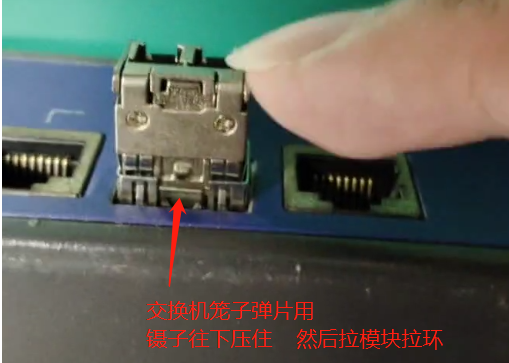
**Step One: **First pull out the optical fiber from the optical port of the module, prepare Mon pair of tweezers or a blade, use the tweezers to press the elastic sheet of the optical port cage, then turn the Unlock handle to 90 degrees (at this time the Unlock on the unlocker drops to Lowest), and then pinch the handle to pull the module out of the cage.
Original Link
https://support.sangfor.com.cn/cases/list?product_id=156&type=1&category_id=27549&isOpen=true