
Install Guide for Expansion NIC
Problem Description
Description
- Turn off the power to the device and unplug the power cord before installation;
- Install NIC, you need to wear anti-static gloves. If there is a lot of dust Slot Open the NIC slot of the device, you need to remove the dust first;
- A matching NIC is required to remove the network card tray to prevent the screws from stripping;
- If you find that NIC is difficult to plug in or out during installation, do not use forceful means. You should carefully check whether Sensitive foreign object blocking it, and then reinstall it after processing.
solution
Step One: Prepare the NIC module.
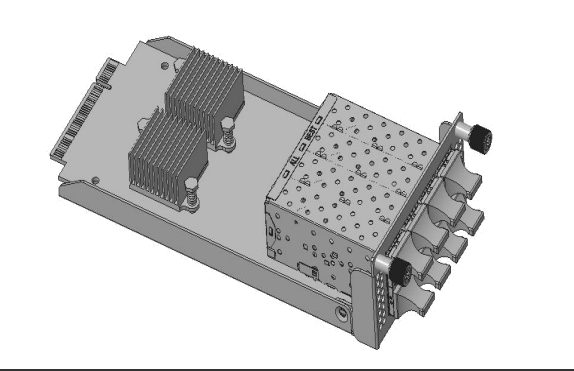
Step Two: Align the NIC module with the chassis NIC guide.
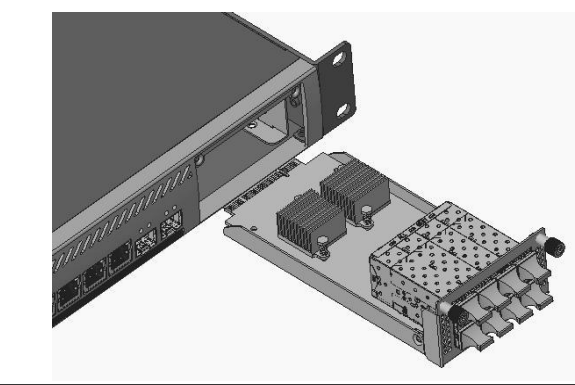
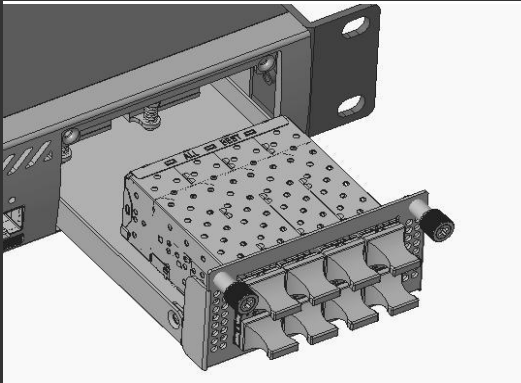
**Step Three:**Insert the NIC module into the chassis along the guide rail to the inner surface of the module panel is close to the chassis.
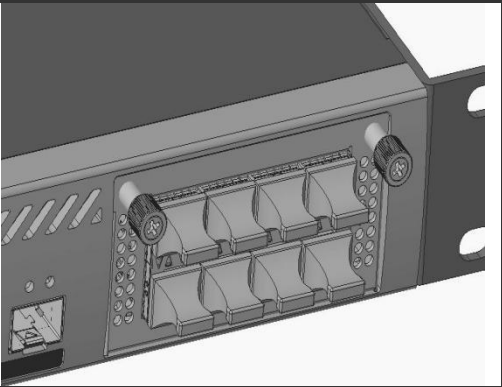
Step Four: Use tools to tighten the captive screws
Original Link
https://support.sangfor.com.cn/cases/list?product_id=156&type=1&category_id=27546&isOpen=true