
Licensing raid with server serial number FDS* Passed BMC
Problem Description
How to set up raid on FDS* server Auto unlock after BMC interface
Alerting Info
None
Effective troubleshooting steps
Services with SN starting with FDS can perform group raid operations on BMC
Root cause
None
solution
- Log In bmc;
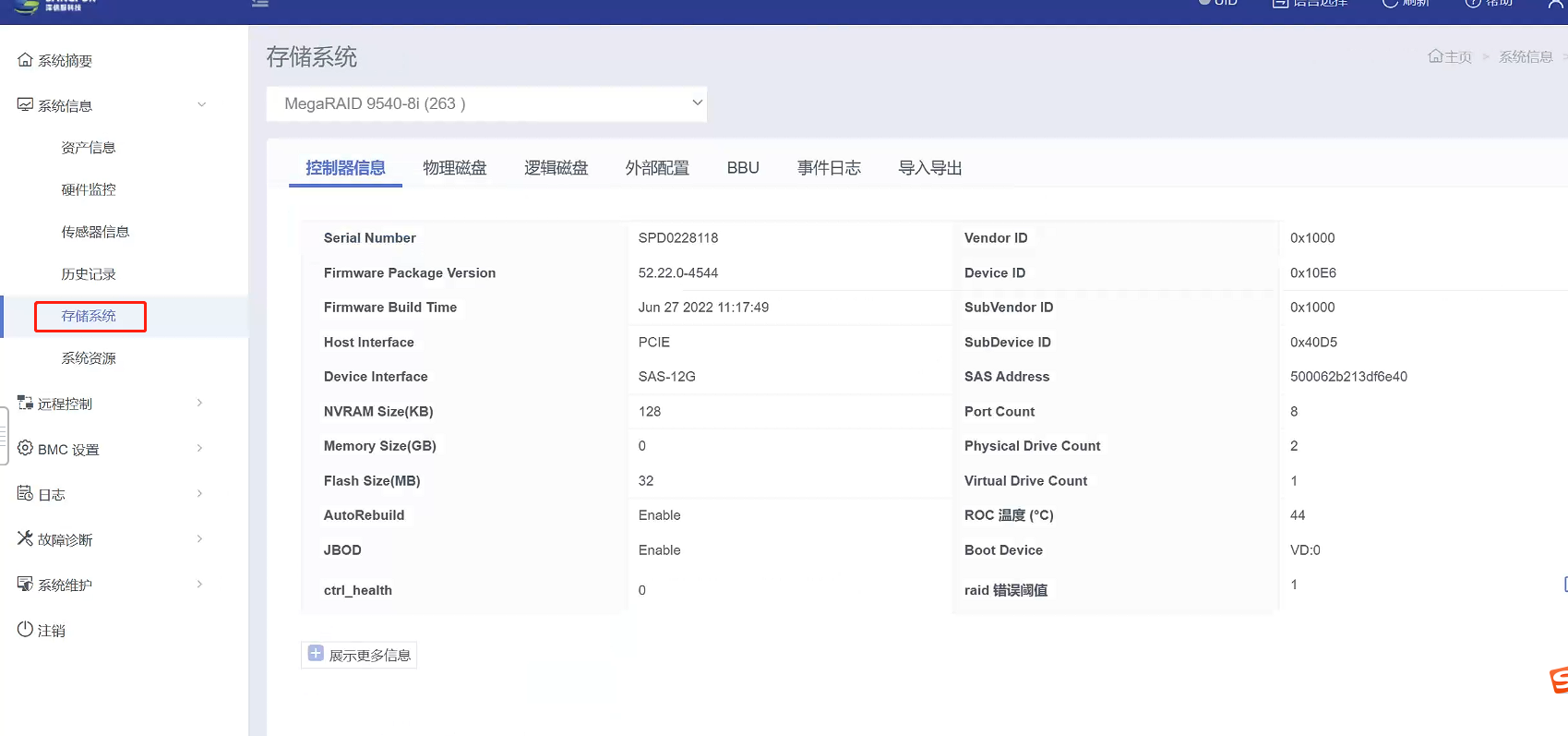
- System Info datastore System (you can View such as RAID card, physical disk, logical disk, etc.,)
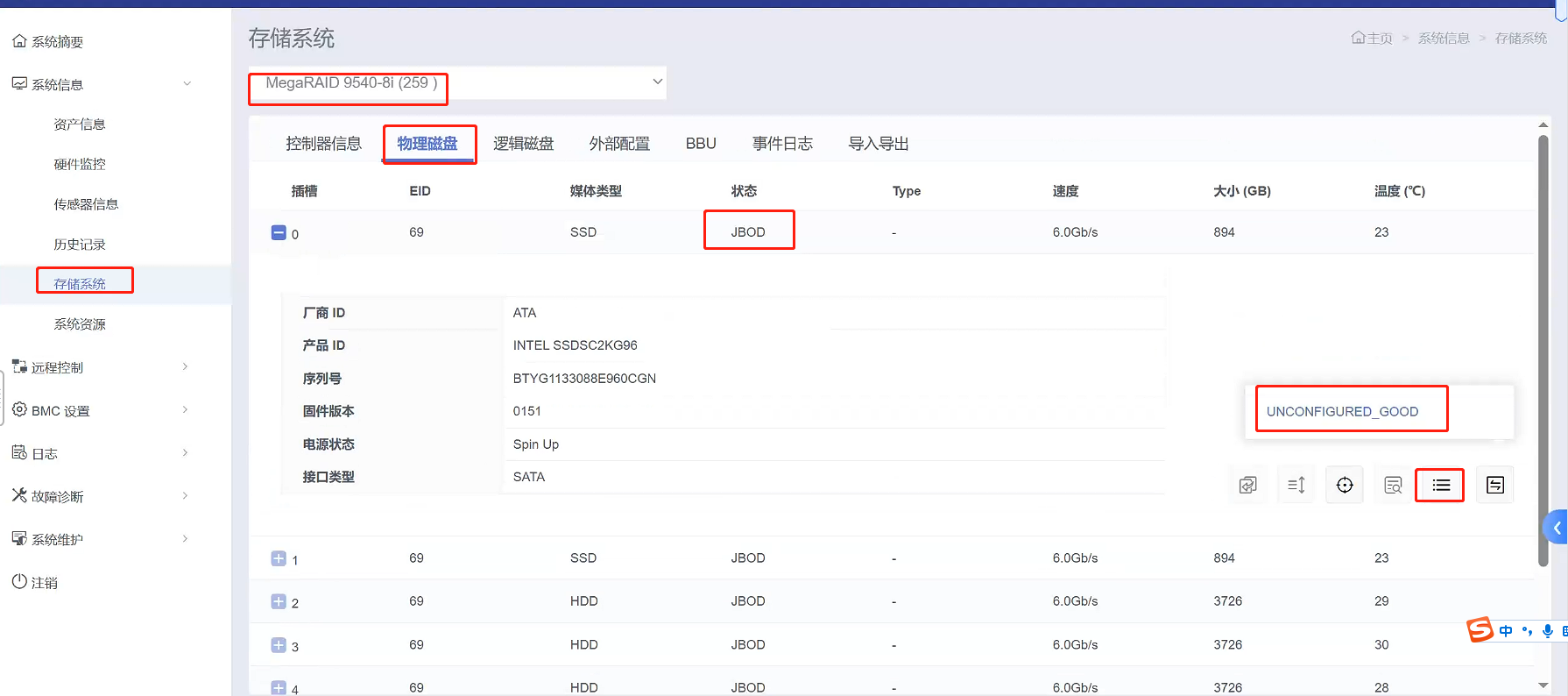
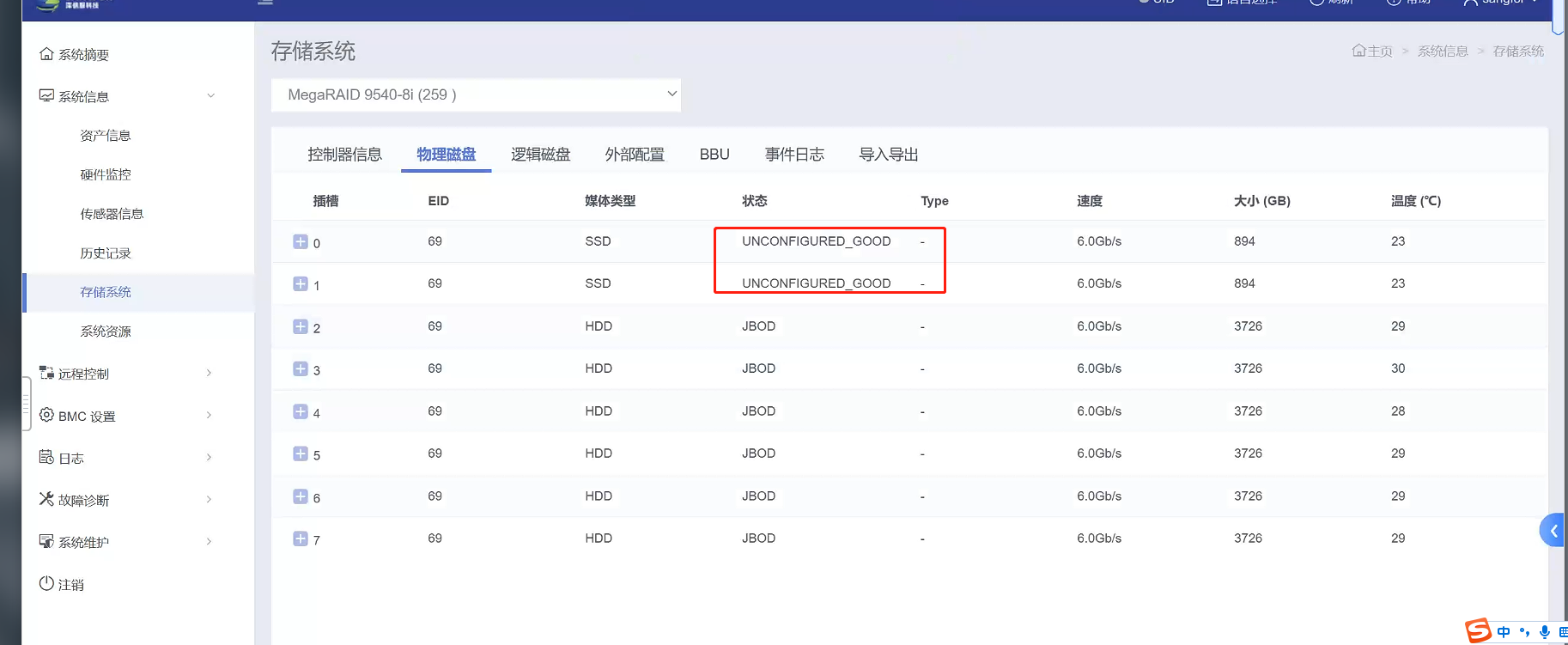
- Select RAID card that needs to be grouped into raid, select the physical disk and adjust the hard disk Status to UNCONFIGURED GOOD (the hard disk can only be grouped into raid in this Status)
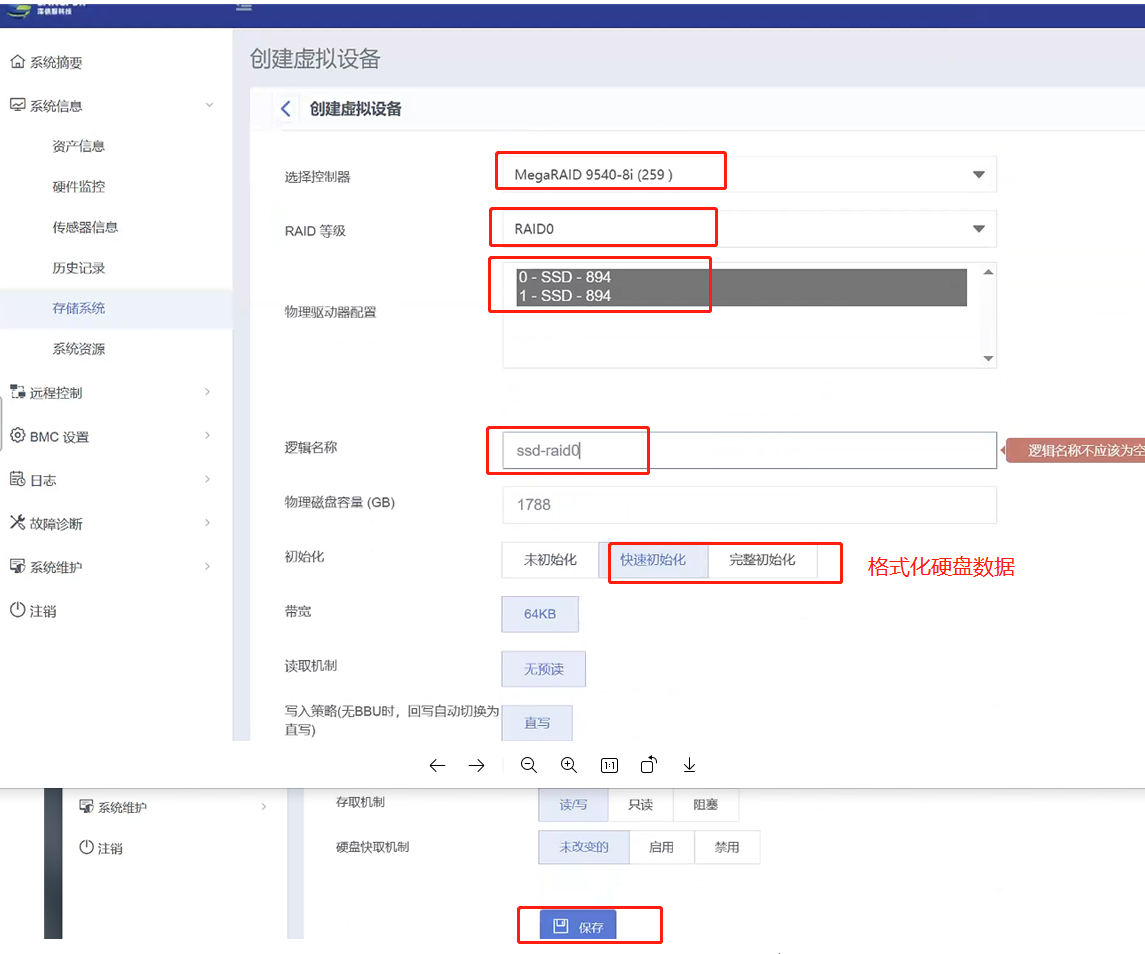
- Select logical disk to create Virtual Disk
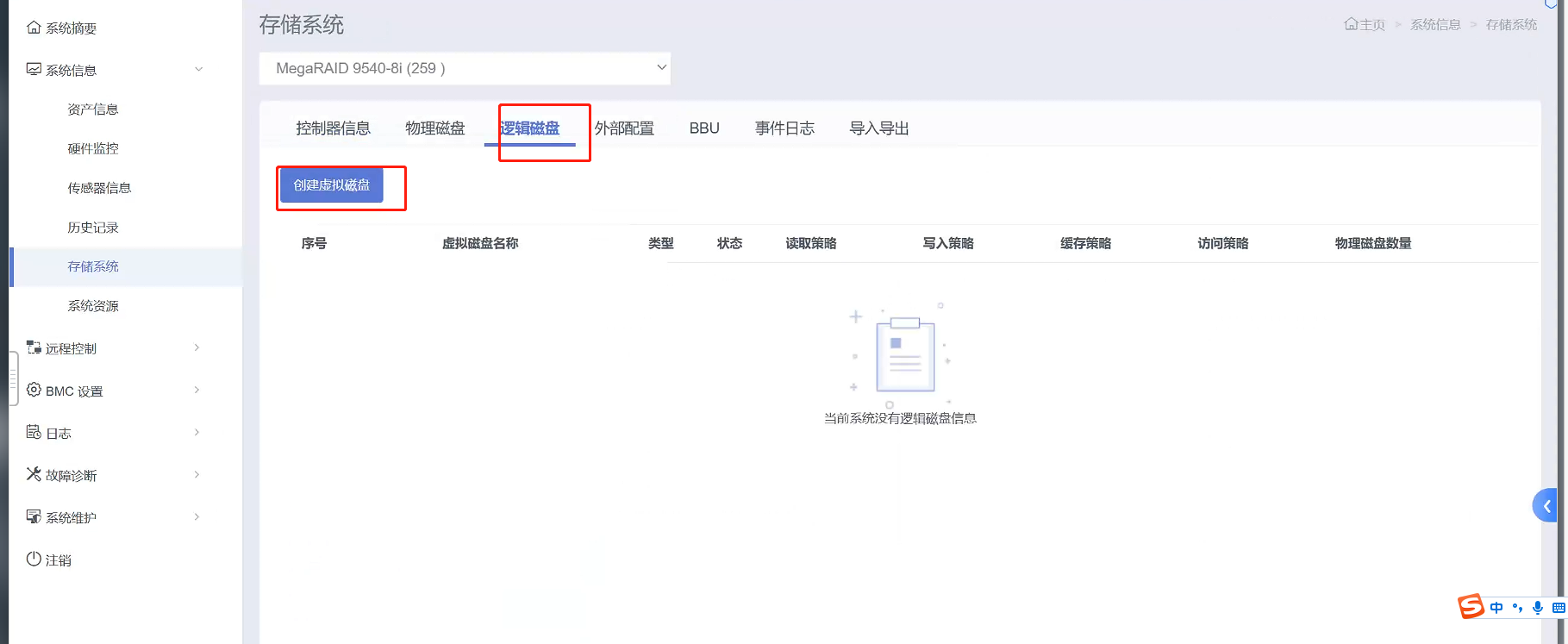
- Select Tips RAID card, level, hard disk and other configurations and Select them etc., to the prompts and requirements;
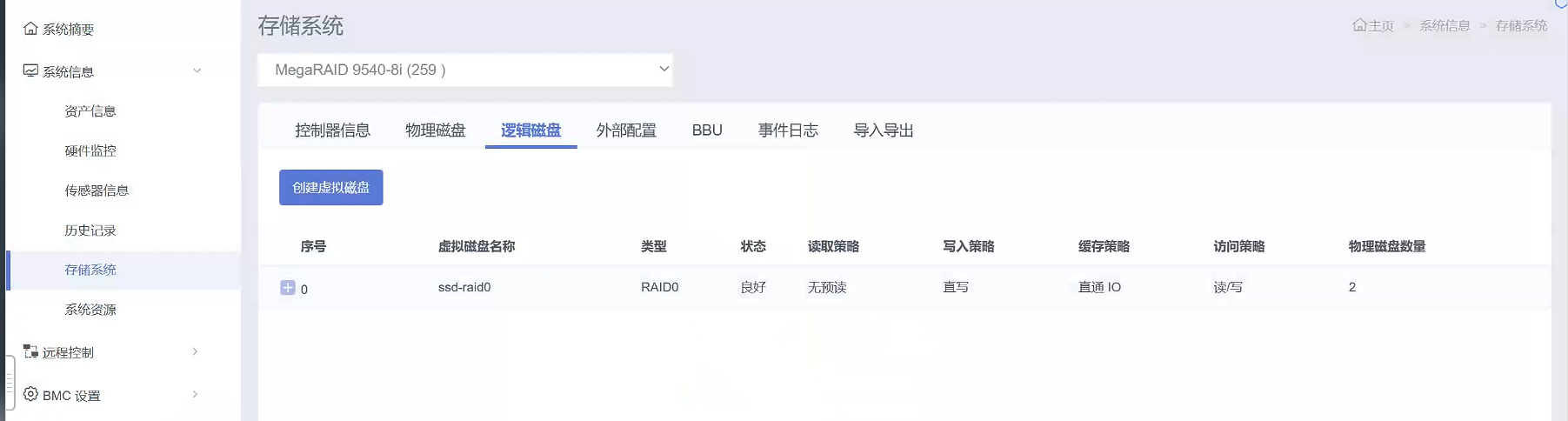
- The raid Successful.
Operation Impacts Applicable To
After the system is started, the data of the raid hard disk Lost and Connected business operations cannot be Operation.
Is Yes temporary solution?
No
Suggestions and Conclusion
Services with SN of FDS* can form raid groups Passed BMC Operation.
Troubleshooting content
None
Original Link
https://support.sangfor.com.cn/cases/list?product_id=156&type=1&category_id=27086&isOpen=true