
[Hardware troubleshooting] How to fix the problem that the BIOS Services with SN Save with F6N or FBN cannot save Settings settings
Problem Description
After Change the BIOS options, press F4 to Save and then Restart the BIOS to find that the options have Restore to the original Settings.
solution
**Step One: **Enter the BIOS interface and change the device boot Mode to traditional Mode. After Change F4 Save, enter the BIOS View check that it is still the original UEFI Mode, and the BIOS Time Connected (the battery has power).
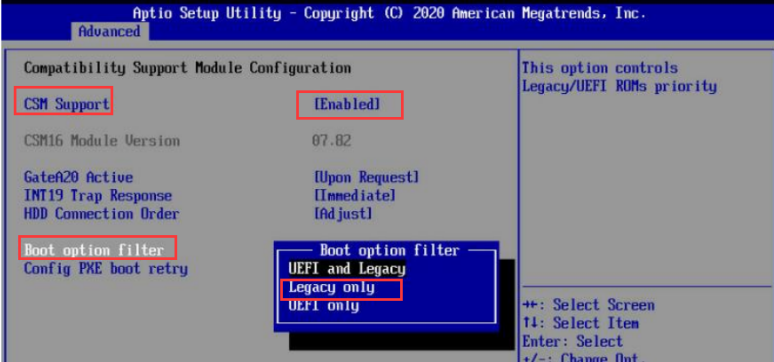
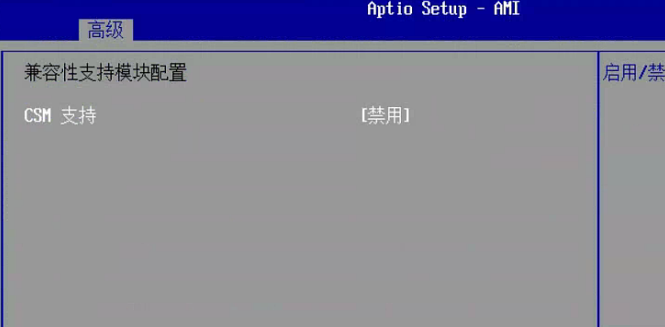
**Step Two: **Press F3 Restore Defaults Settings, press F4 Save, and then change the BIOS options, the phenomenon is still Mon same.
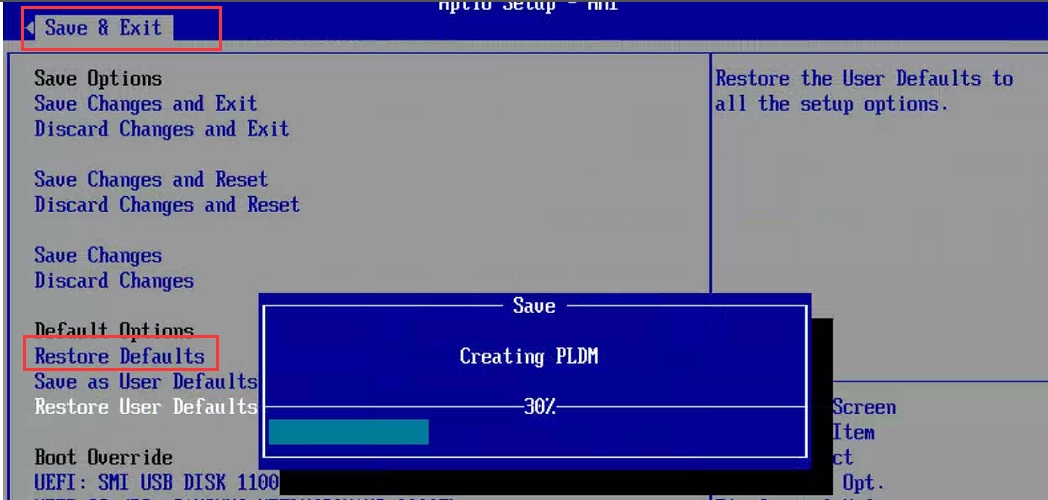
**Step Three: **Restore BIOS to factory Settings. Select Restore Defaults Auto unlock after Save$Exit interface. After the Restore Finish, restart the BIOS and Change BIOS options to save and Test Connectivity whether it can be saved. If Save still cannot be saved, proceed to step Thu.
Step Four: Turn off the power and open the box, remove the motherboard button battery, etc., 2 min and then Install back, enter the BIOS Test Connectivity whether Connected is normal. If there is still a problem, contact the hardware technical support colleague for troubleshooting.
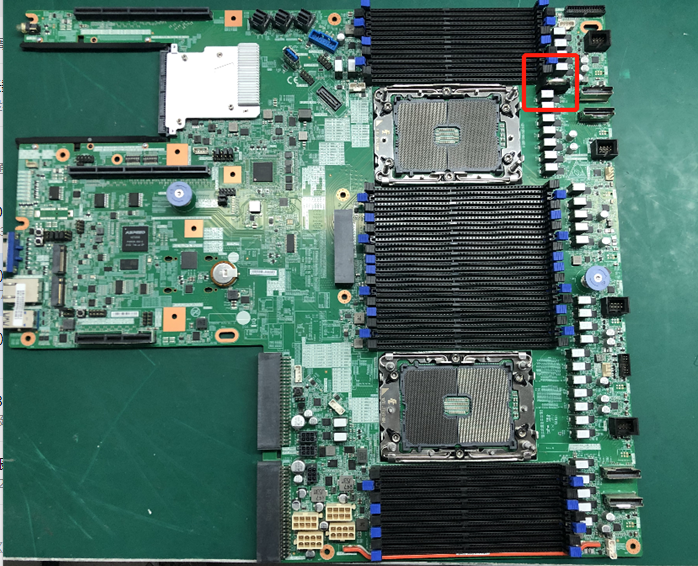
SN is the button battery location of the F6N server motherboard:
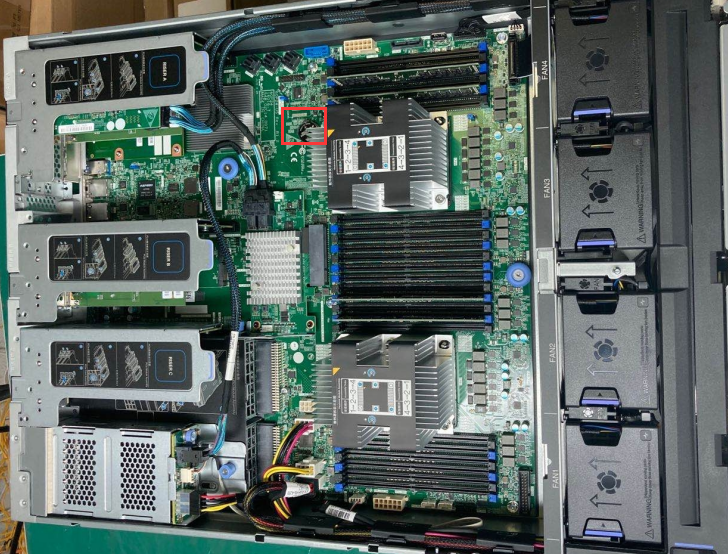
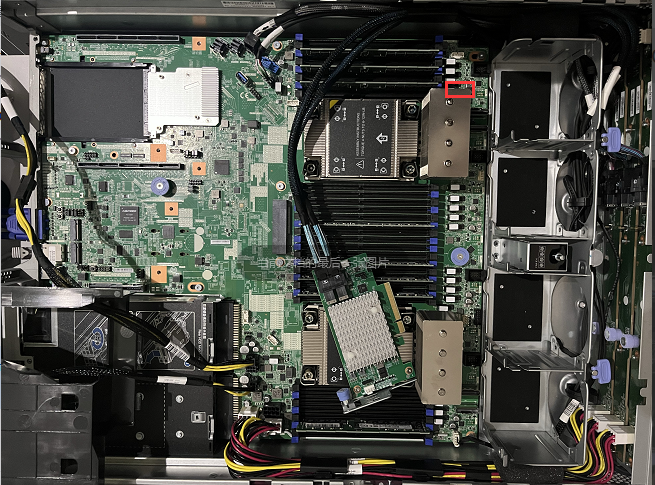
SN is the button battery location of the FBN server motherboard:
Description
SN is the GPU server of FBN. The button battery is blocked by the heat sink and cannot be plugged in or out. The BIOS configuration cannot be Restore.
Original Link
https://support.sangfor.com.cn/cases/list?product_id=156&type=1&category_id=23416&isOpen=true