
[Hardware Troubleshooting] How to use the Serial Port (console port)
Problem Description
A pair of USB to Serial Port (console port) cables Mon required, Mon the Serial Port of the device, and Mon end is connected to the USB port of the PC.
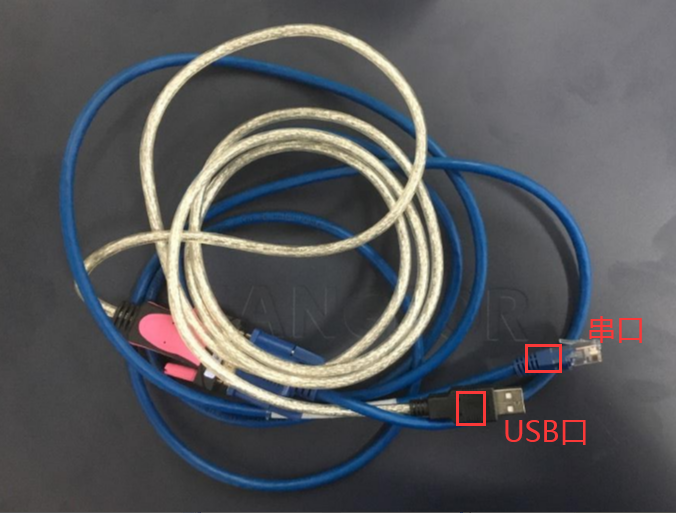
solution
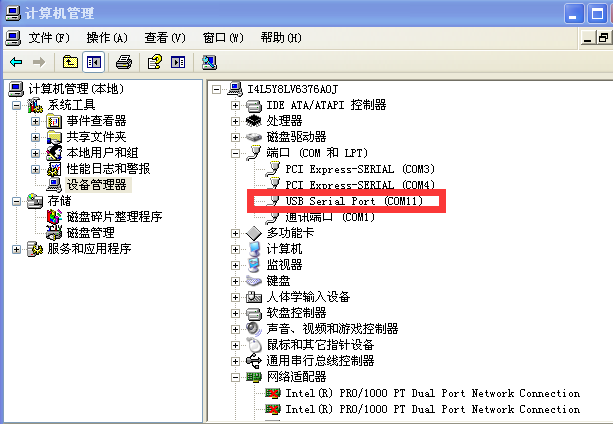
Step One: Use USB Serial Port directly connect the PC and device serial Serial Port (console ports), and then View whether the PC can recognize the corresponding Serial Port Info. Path: Computer administration and management–>Device Manager–>Port.
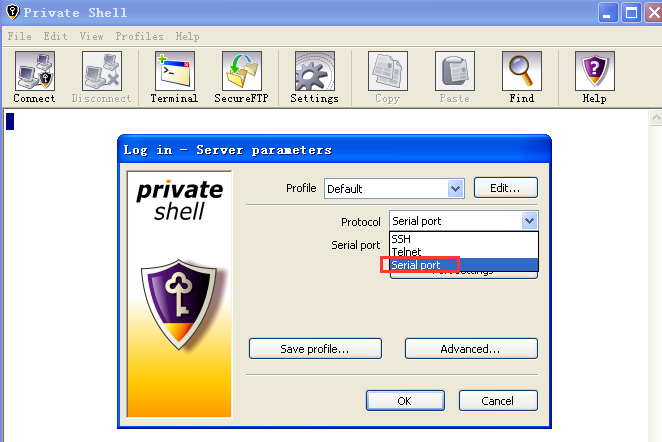
Step Two: Open tools such as pshell or xshell and Select Serial port.
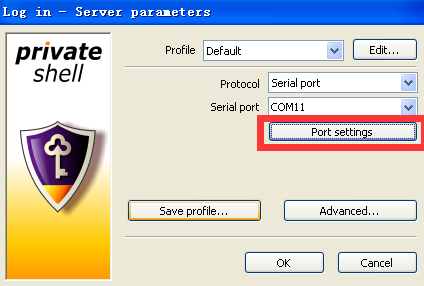
Step Three: , Select the corresponding Serial Port, Click Interfaces Settings, change the frequency to 115200, Data bits: 8, parity: NO, stop bits: 1, Flow: RTS/CTS (hardware).
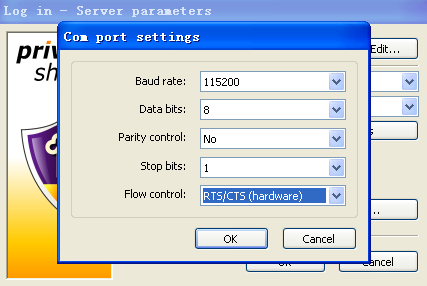
Step Four: Restart the device and see if there is any output. Keep pressing the delete key or F7.
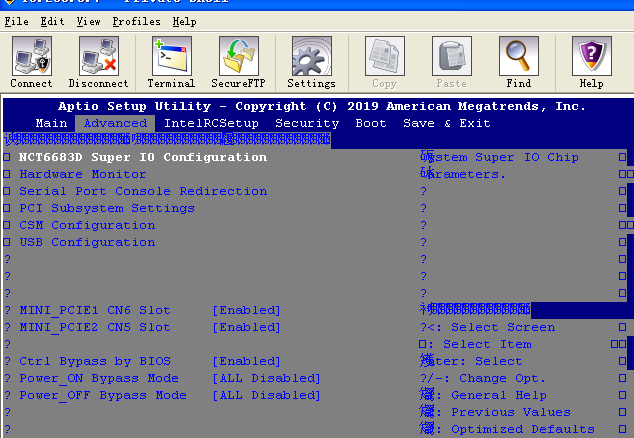
Description
Some product lines have Disabled Serial Port System level. If you need to use the Serial Port, you need to enter single-User Mode to Open the Serial Port. You need to ask the product line R&D for the method.
Original Link
https://support.sangfor.com.cn/cases/list?product_id=156&type=1&category_id=23029&isOpen=true