
[Hardware troubleshooting] View the device SN and model
Problem Description
View the device SN and model
Root cause
The SN of our equipment is a ten-letters SN consisting of pure letters OR digits + letters, Example 5017530497; F6H4CAH531.
Obtain.
solution
How to View server SN (our server SN starts with 9 or F)
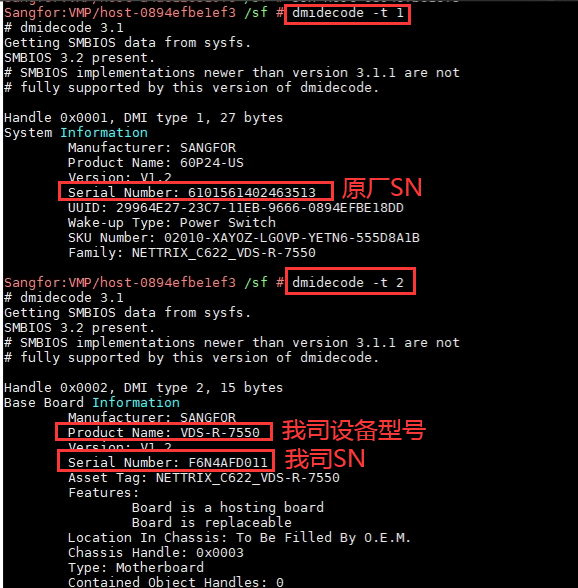
Method Mon: Go to the backend to View
Command: dmidecode -t1;dmidecode -t2
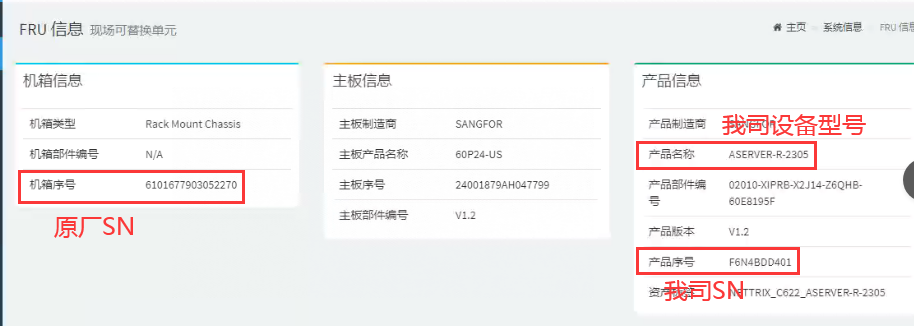
Method Tue: Enter IPMI View FRU Info
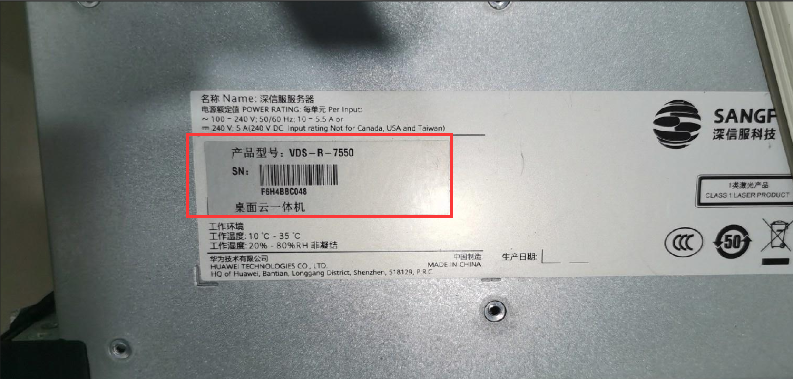
Method Wed: View nameplate Info the device (nameplate on the left side of the device or nameplate on the front of the upper cover)

How to View SN of network security equipment (the SN of network security equipment starts with 5 or W)
Method Mon: Go to the backend to View
Command: dmidecode -t1;dmidecode -t2
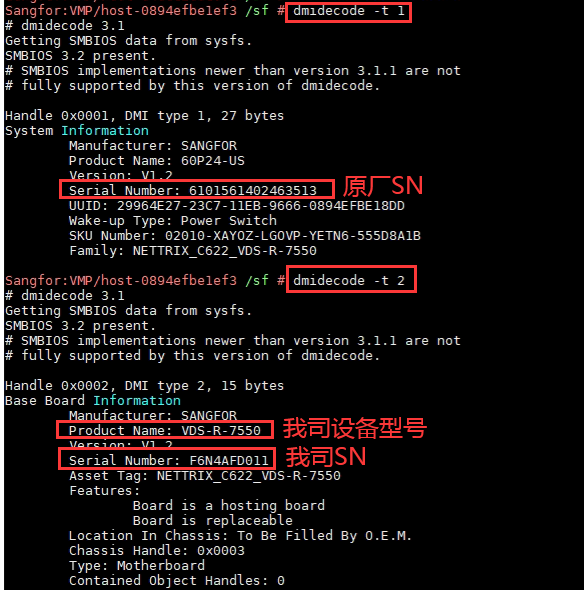
If the read value is Value, the device is a C3000 or C246 platform device and needs to be read using a special command.
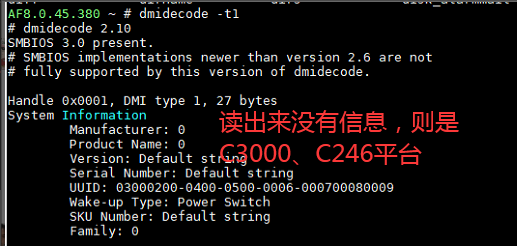
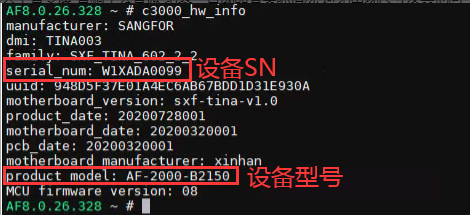
C3000, C246 View SN instruction:
C3000/C246 devices:
IAG: read_hwsysinfo
NGAF: C3000 device: c3000_hw_info C246 device: read_hwinfo
AD:dmidecode_ex
STA: c3000_hw_info
aTrust:read_hwinfo
SSL: read_hwinfo
WOC: C3000 device: sangfor_hw_info C246 device: c3000_hw_info
Central Manager_read_hwinfo
aBOS: C3000 device: c3000_hw_info C246 device: read_hwinfo
Cyber Command: /usr/sbin/hw/c3000_hw_info
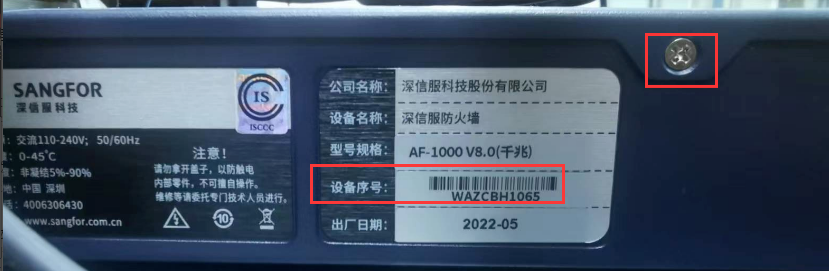
Method Tue: View nameplate Info (on the back or side of the device)
Method Wed: View SN Info Passed Administrator Console Gateway ID (enter Administrator Console Obtain the device Gateway ID, and then query it in the order System)

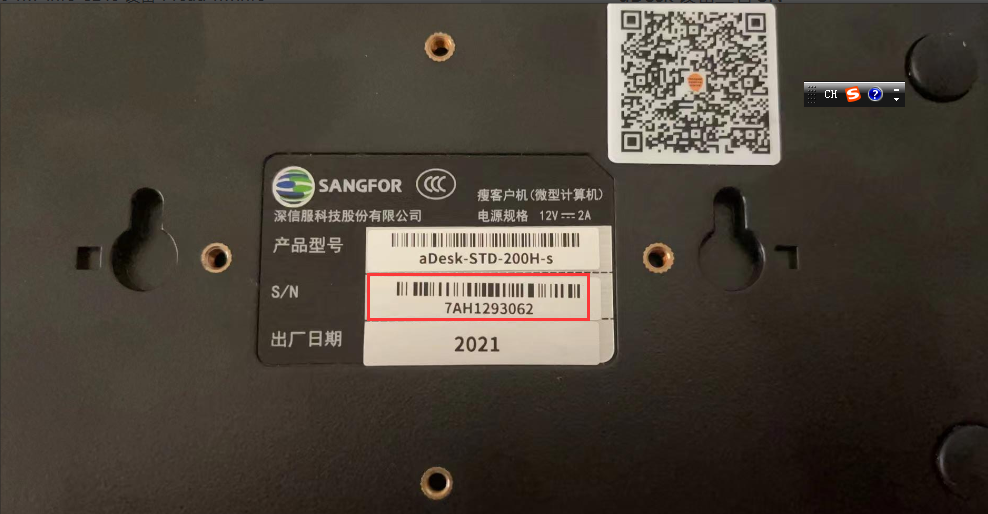
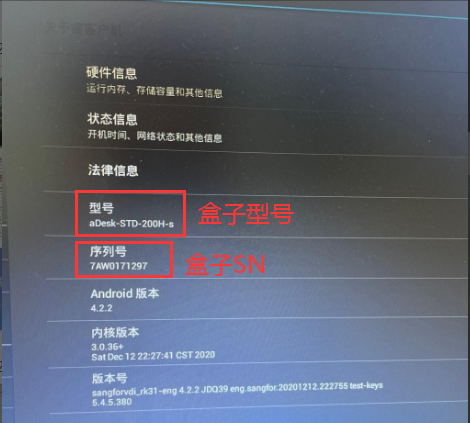
aDesk Device View SN
Method Mon: View nameplate information on the box (the nameplate is attached to the bottom of the box)
Method Tue: View the box settings interface
Original Link
https://support.sangfor.com.cn/cases/list?product_id=156&type=1&category_id=22693&isOpen=true