
[Hardware troubleshooting] Troubleshooting: When forced bypass is enabled for a device starting with SN WEC, only 4 Interface are recognized
Problem Description
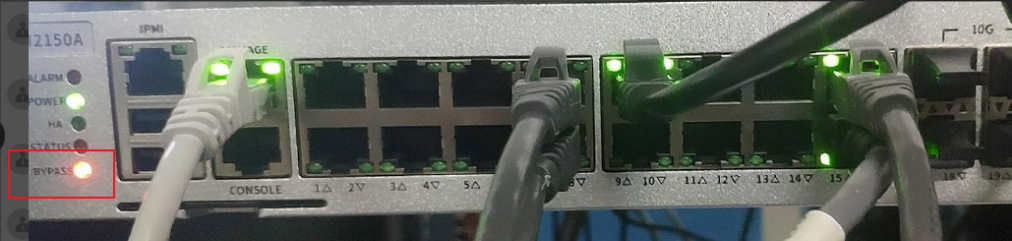
Alerting light screenshot
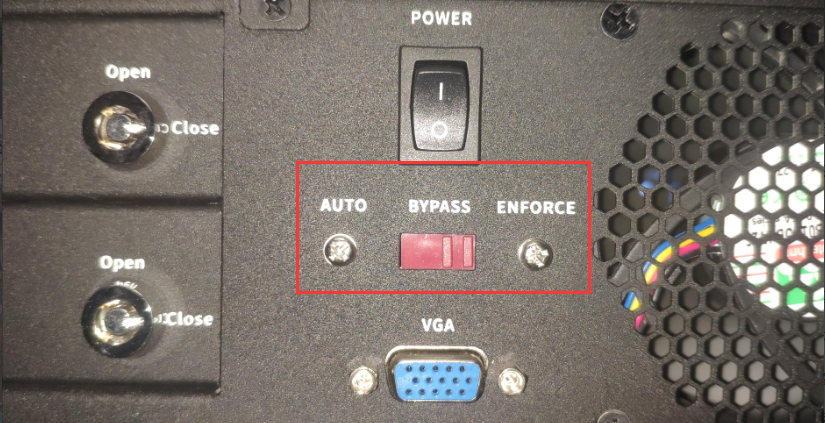
Enable forced bypass screenshot (Default auto)
solution
- Enter the device background and use lspci |grep Eth View Interface chip. Connected, there are 2 X553 plus 2 switch chips.

- Use ifconfig View Interface you will find that there are only 4 Interface.
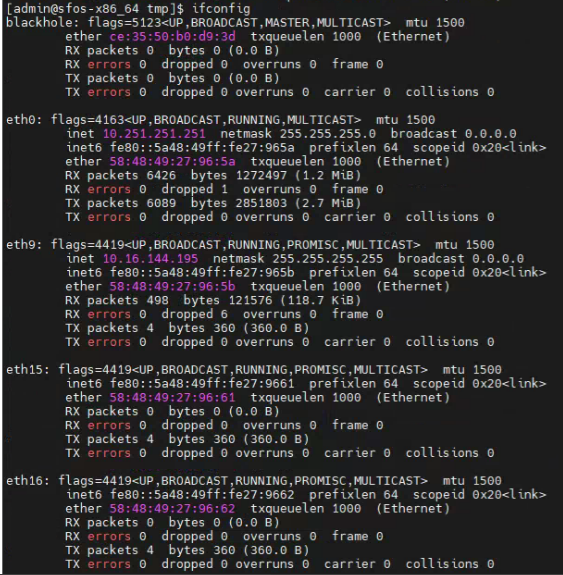
- Check Alerting light and find that the bypass light is always on. Check the bypass switch at the rear and find that it is turned to the forced bypass side. Turn the bypass switch to the auto side, Restart the device, and enter System View Interface Restore Connected.
Cause:
Since forced bypass is enabled, Mon light will not turn on when the network cable is plugged in once this function is enabled. The Interface without bypass function Connected. This problem often occurs when new equipment arrives and forced bypass is mistakenly enabled. If the bypass light is always on, first check whether the bypass switch on the rear is turned to the ENFORCE side. If yes, turn it to the AUTO side, Restart the device and enter the system background to check whether Interface Connected.
Original Link
https://support.sangfor.com.cn/cases/list?product_id=156&type=1&category_id=22689&isOpen=true