
[Hardware troubleshooting] Troubleshooting for beeping sound Services starting with SN 9C or F6C
Problem Description
Description
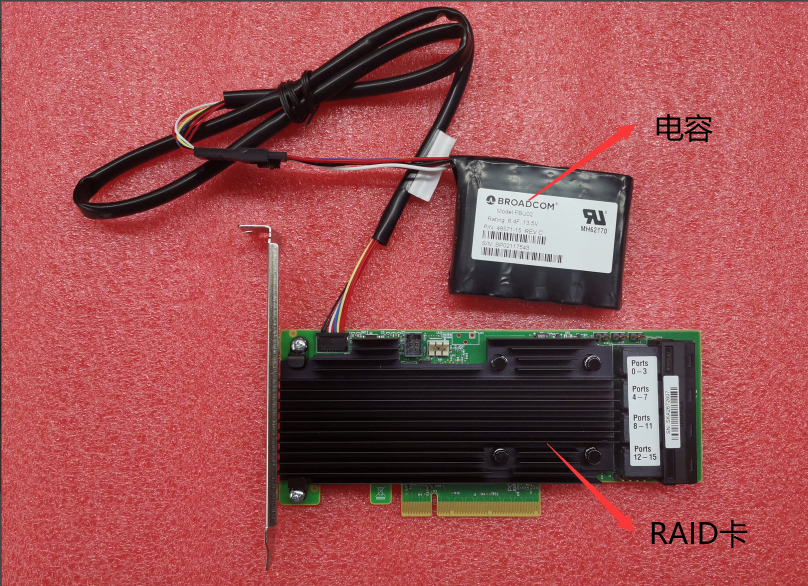
Mega RAID card (such as LSI 9361 card) has a cache device with capacitor. When RAID card Status Error, RAID card will make a beeping sound. At this time, you need to enter the background to check the disk and RAID card Status.
solution
- Enter the device background and View RAID card tool Path (VDS/HCI: /sf/bin/raidtools/bin/ Cyber Command:/home/fantom/bin/checkplatform/raidtools/bin/). If you don’t know the tool Path, find / -name MegaCli64
- Use the RAID card tool View disk Status, command: ./MegaCli64 -PDList -aAll -NoLog | grep -Ei "Enclosure Device ID|Slot Number|Firmware state|WWN|Raw Size|Inquiry Data|Device ID"
- If Yes disk status of the RAID is faild, unplug the disk, etc., 30 seconds and then plug it back. If it Yes still faild, there are Other empty slots. Insert it into the empty slot Test Connectivity. If Yes still faild, return the disk for repair. If it can become UG BAD, change it to UG, command: ./MegaCli64 -PDMakeGood -PhysDrv[E:S] -a0 (E is Enclosure Device ID, S is Slot Number, you need to find the Enclosure Device ID and Slot Number of the disk), and then activate the original Settings, command: ./MegaCli64 -CfgForeign -Import -a0. If the disk Status Yes UG BAD and the Capacity is 0kb, return the disk for repair directly.
- View Rebuild progress, command: ./MegaCli64 -PDRbld -showprog -physDrv [E:S] -a0 (E is Enclosure Device ID, S is Slot Number, you need to find the Enclosure Device ID and Slot Number of the disk). Generally, Time a 4T disk is about Thu to Fri hours, depending on the amount of data. The larger the data, the longer the Rebuild Time. The Rebuild time of SSD Time half an hours.
- Check the smart status of the disk. Use the RAID group to check View smart method. You can check the smart status of the disk during the Rebuild. You don’t need to complete the Rebuild to check. Link: https://support.sangfor.com.cn/cases/read?product_id=156&category_id=22726
- Close Alerting sound. You can Close (Restart will fail) and Always (Always Cancel Alerting sound, not recommended).
./MegaCli64 -AdpSetProp -AlarmSilence –a0 Temporarily Close Alerting sound
./MegaCli64 -AdpSetProp -AlarmDsbl –a0 Always Close alarm sound
./MegaCli64 -AdpSetProp -Alarmenbl –a0 Turn on the alarm sound
./MegaCli64 -AdpgetProp -Alarmdsply –a0 View alarm Status - If the disk Status Connected and the RAID card Status Need, check the capacitor. If the capacitor is low on power, an alarm will be Alerting. Ignore the Alerting and View capacitor Status command: ./MegaCli64 -AdpBbuCmd -GetBbuStatus -aALL
Original Link
https://support.sangfor.com.cn/cases/list?product_id=156&type=1&category_id=22687&isOpen=true