
[HCI-VN] Migrate router error: Currently in migration state, operation not Allow
Problem Description
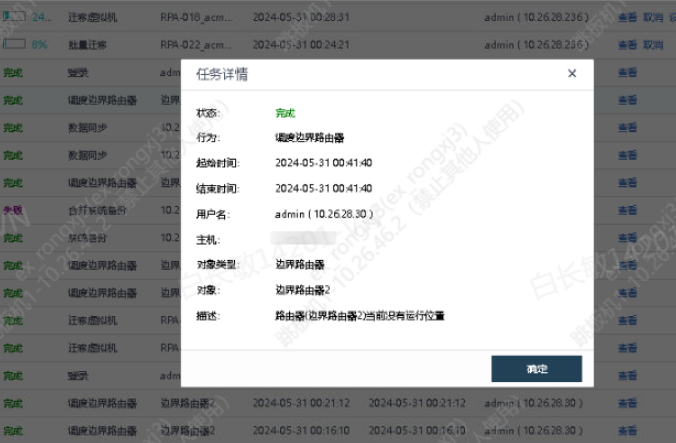
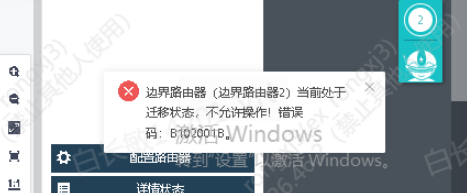
Migrate or operate the router. Error: The router is currently in migration state and operation is not Allow!
Warning Information
Possible warning messages:
Effective troubleshooting steps
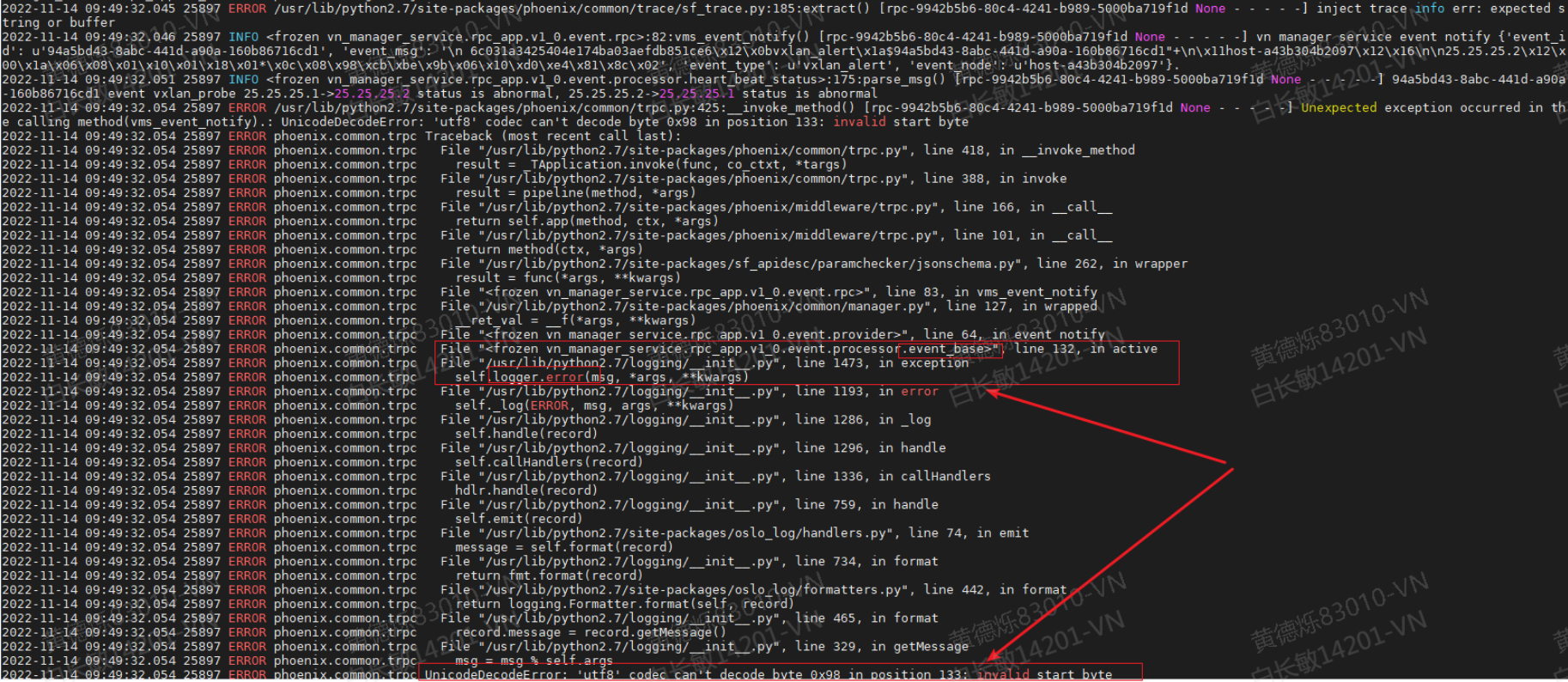
- Check the vn-manager-service-rpc service log of the HCI Cluster Controller node (path: /sf/log/today/vn/vn-manager-service-rpc.log). You can see that there is an event decoding error log repeated printing, as shown in the following figure. There are three key error information points:
- Error type and error description are: UnicodeDecodeError: 'utf8' codec can't decode byte … * The error code appears around line 132 of vn_manager_service.rpc_app.v1_0.event.processor.event_base * The operation that directly caused the error was the logger.error statement
Root Cause
When using the oslo_log package to print serialized event information, there is a possibility of decoding errors, which ultimately causes the management plane to be unable to process the router role events reported by the data plane.
Solution
Temporary Solution:
- Connect to the backend of all HCI node in sequence; 2. Delete the alarm node in the vxlan alarm directory on the node;
rm/tmp/vnet_event/vn-reporter/vxlan_alert/``*
node the vn-agent container on the node and restart the vn-reporter service;# Enter the containercontainer_exec -n vn-agent# Restart the service/sf/vn/etc/init``.d``/vn-reporterrestart - Enter the database, query the name of the router in the migration state, and delete the migration flag;
# Connect to the database nodesshmysql-master# Enter the container where the database service is locatedcontainer_exec -n plat# Connect to databasemysql --login-path=root -D network# Query the name of the router being migratedselectid``, name, migrate_host from router where migrate_host !=""``;# Remove migration flagupdate routersetmigrate_host=``""``; - In the network topology of HCI, search by the router name queried in step 4, and edit the **primary Run Location by one to a new node node other than the current primary and backup Run Location). Then, you can observe that the Run Location is restored to one primary and one backup within seconds.
Permanent Solution:
680 currently has a technical support patch package, it is recommended to upgrade to 6.8.0R1 and above
Operation Impact Scope
Loss of some vxlan alarm events
Is this a temporary solution?
no