
[HCI-VN] After Node host network port is plugged in, Node goes offline (NIC can send packets but cannot receive packets)
Problem Description
Node HCI host X722 NIC, after a port is plugged into the network cable, causes Node to go offline;
The phenomenon is not necessarily offline. It may be that the network port captures the packet and can capture the outgoing request packet but does not receive the reply packet.
Warning Information
none
Effective troubleshooting steps
1. First, we need to capture the packet on site to confirm
After plugging in the cable, ping the external network, such as the Gateway Node, and any test that allows packets to be sent out will do;
Then capture the packet to see if it is only the request packet sent from HCI? If yes, please read on.
2. View network port statistics
There are two situations in which packet loss occurs:
- Lost in the Physical Network * Lost in the physical NIC
To confirm whether it is lost in the physical NIC,
- Check the network port statistics to see if there is drop/err. If not, check again
- Check whether the network port statistics of sent and received packets have increased, i.e. rx packets/tx packets
If,tx packets do not increase, it means that the packets are lost in the TX direction of the NIC
If the rx packets do not increase, it means that the request packet has been sent and the reply packet has been lost in the RX direction of the NIC
In this case, the number of rx packets did not increase:
If the network port is taken over by dp, check: echo -e "show interface eth2"|cli|grep -Ei "drop|err" # If not taken over, check: ifconfig eth2

3. Dump network port register for further confirmation
Basically, the problem can be confirmed in the previous step, but in order to further confirm it, you can dump the NIC register to confirm whether it is a problem with the NIC
PS: The following operation needs to be performed twice, and the second time should be performed after about 1 minute
If NIC is taken over by dpdk, such as dump eth4 register echo -e "dpdk dump reg-info 5 /sf/data/local/eth4_reg_info.txt" |cli
If it is not taken over, dump the kernel port eth8 register realethtool -d eth8 > eth8_reg_info.txt
Run the above command again every 1 minute
Then open the file and compare the results of the two times (you can use software such as Beyond Compare), mainly to see if the RX value is increasing, as follows:
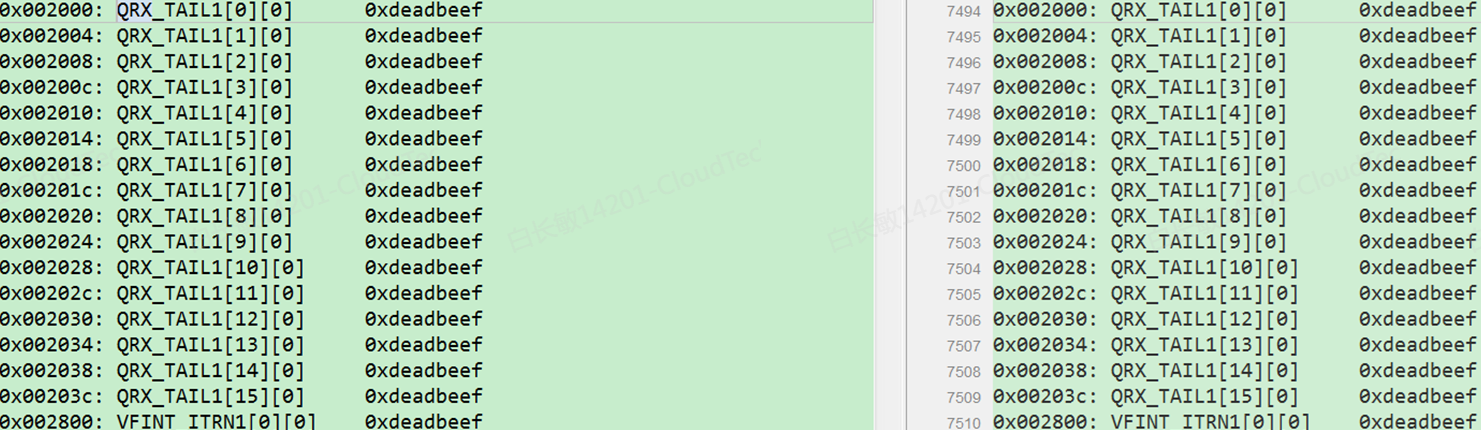
If it is not increasing, then there is a problem with the register, which is consistent with the problem in this case.
Root Cause
There is a problem with the NIC
Solution
In this case, you can only restart Node to reset the NIC card register;
NodeRemember to migrate the business before restarting the host)
Operation Impact Scope
Restart NodeNode the services on the current host
Is this a temporary solution?
no
Suggestions and Conclusion
Pay attention to the NIC packet statistics rx_packets and tx_packets