
[HCI-VN] After version upgrade, MySQL database upgrade failed and network configuration delivery failed
Problem Description
When upgrading the HCI hyper-converged version (670 and later versions), or upgrading the same version, there is a probability that the database upgrade fails, resulting in the failure to send the network configuration. Here is a description of the repair method
Effective Troubleshooting Steps
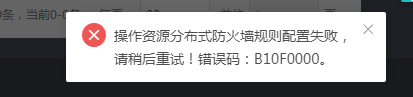
The network configuration fails to be delivered, which is manifested by the interface prompting a configuration error. Checking the MP management plane background log indicates a database operation error.
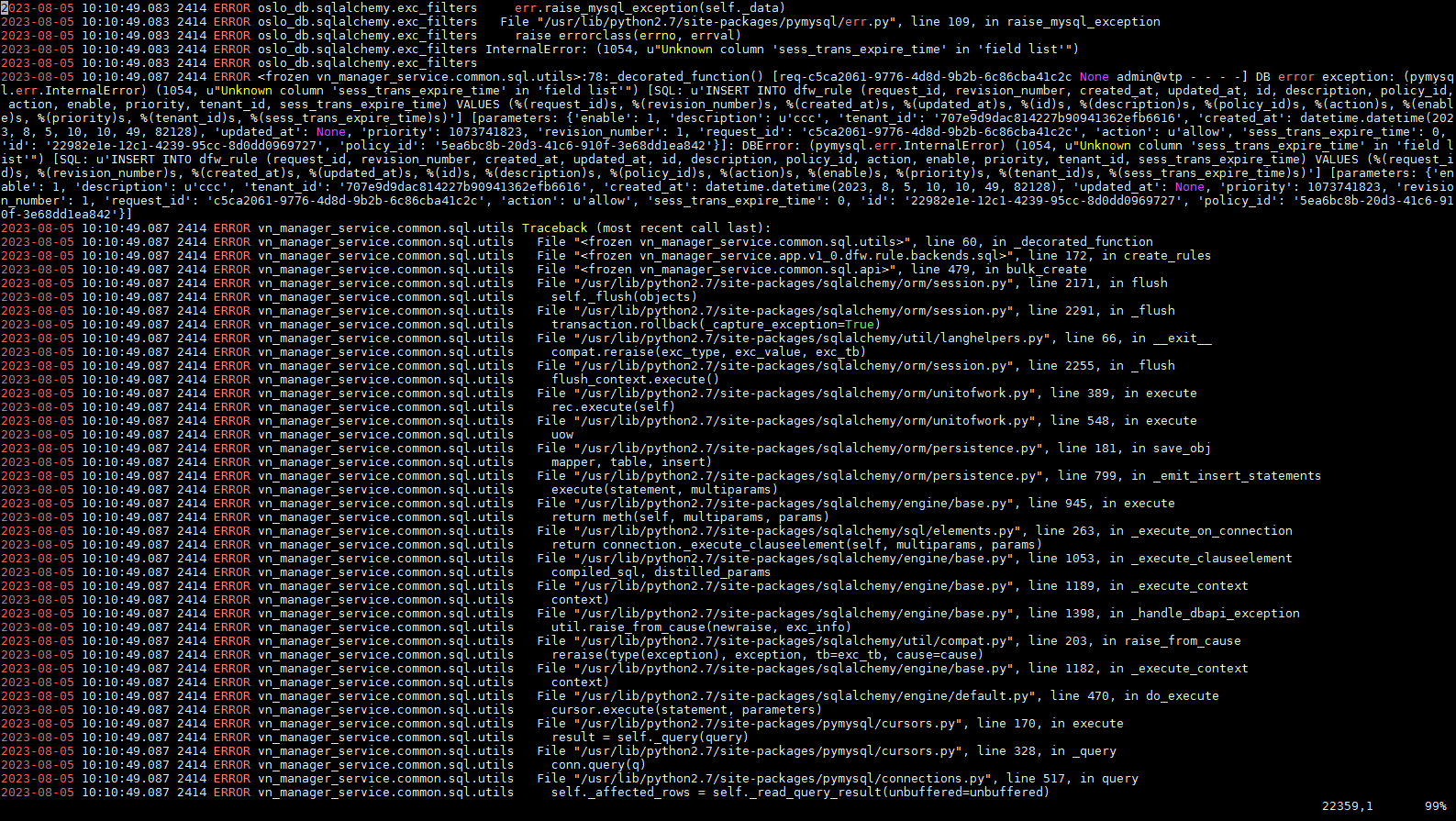
cat /sf/log/today/vn/vn-manager-service-api.log
Tip: "Unknown column 'xxxx' in 'field list', indicating that the MySQL database is missing a field
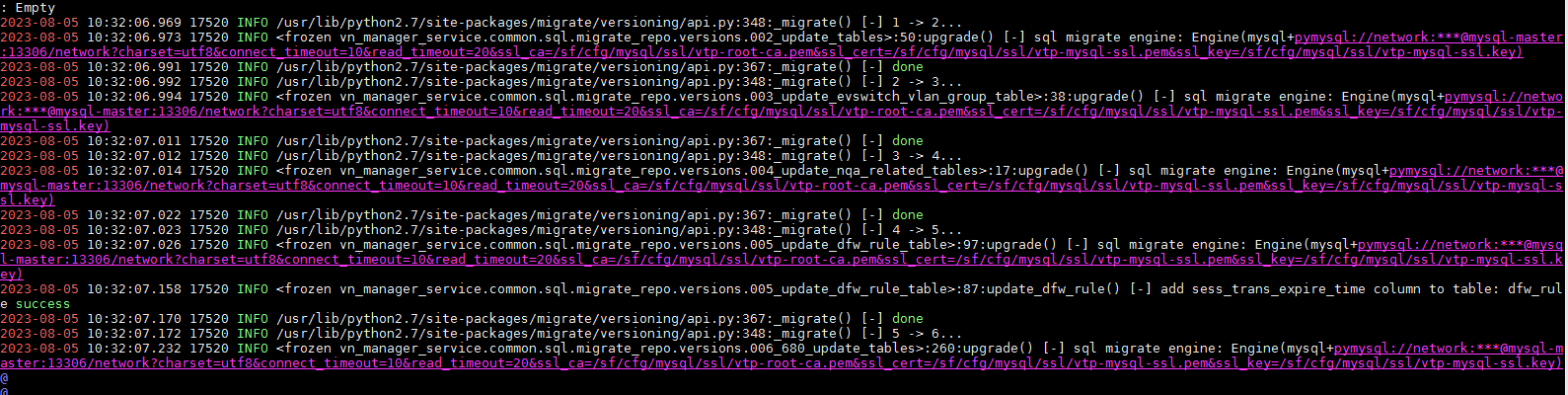
Check the database upgrade log and find errors.
/sf/log/today/vn/vn-manager-service-manage.log
Root Cause
When the version is upgraded, the database table structure determines the upgrade content according to the version number.
After 680, you need to enter the container/sf/vn/debug/container-util.sh -e platform-module
mysql –login-path=root
use network
select * from migrate_version;

Each version number represents an upgrade script. For example, 7 means that the file 007 is executed.
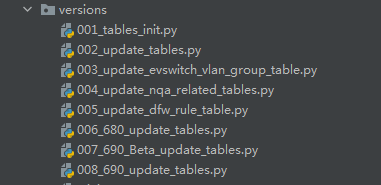
The following 680 indicates the upgraded HCI version. If the upgrade is to version 680, it means that at least file 006, version = 6, must be executed. If the version in the database is not equal to 6, it means that the database upgrade has failed.
Solution
Execute the vn-manager-service-manage db_sync command to re-upgrade the database and restore it. For version 680, you need to enter the vn-c container.
If the version number has been upgraded to the desired version, you can manually set the version number to 1 and upgrade again.
update migrate_version set version=1 where repository_id = 'vn_manager_service';

Then execute the vn-manager-service-manage db_sync command
Check vn-manager-service-manager.log, no error message
Check the version number, it has been upgraded to 7

After the operation, the configuration was successfully delivered.
Original Link
https://support.sangfor.com.cn/cases/list?product_id=33&type=1&category_id=23304&isOpen=true