
[SCP] SCP Unable to Add HCI Cluster
Issue Description
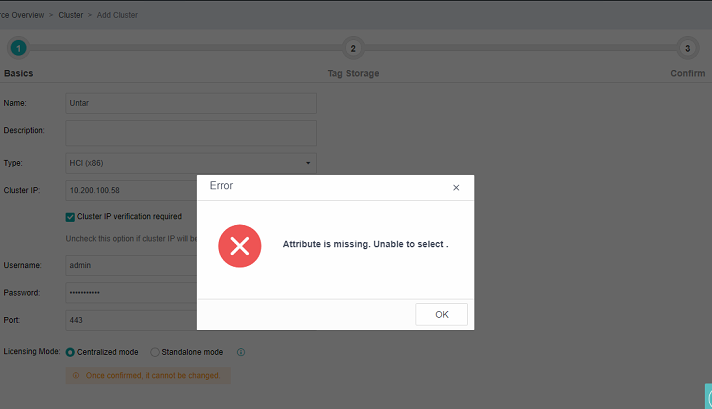
When attempting to add a HCI cluster in SCP, the following error occurs: "Attributes are missing. Unable to select."
Error/Warning Information
Handling Process
- Check the HCI backend. The file /cfs/acenter.json is empty.

- Manually add the following content to the file:
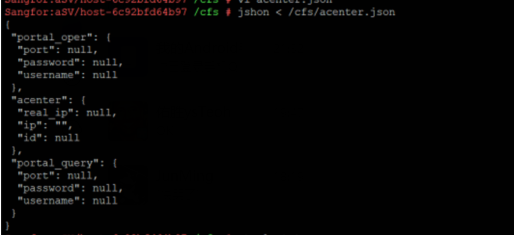
{ "acenter": { "ip": "", "id": null, "real_ip": null }, "portal_query": { "password": null, "port": null, "username": null }, "portal_oper": { "password": null, "port": null, "username": null } } - After modifying the file, run the command
jshon < /cfs/acenter.jsonto ensure the file is parseable as valid JSON.
- After this, HCI clusters can be added successfully.
Root Cause
This issue is a known issue in HCI 6.3.0, where an empty /cfs/acenter.json file causes the problem.
Solution
By modifying the contents of the /cfs/acenter.json file, the HCI cluster can be added successfully.