
【SCP】Duplicate VM Name Shows in aCMP/SCP
Issue Description
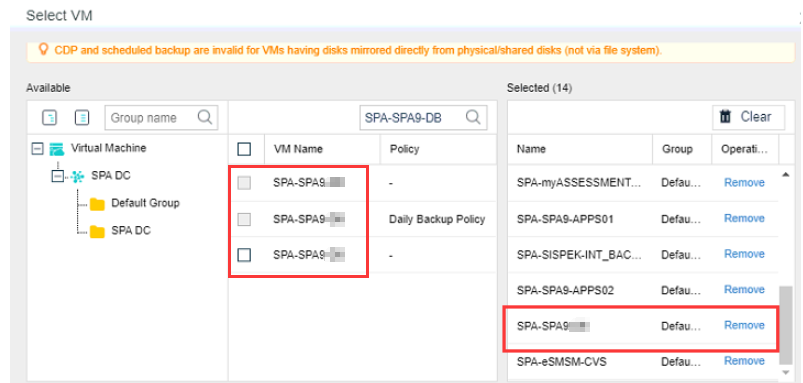
When the user creating a new schedule backup policy, found that one of the VM have 3 duplicate name.
Error/Warning Information
Handling Process
-
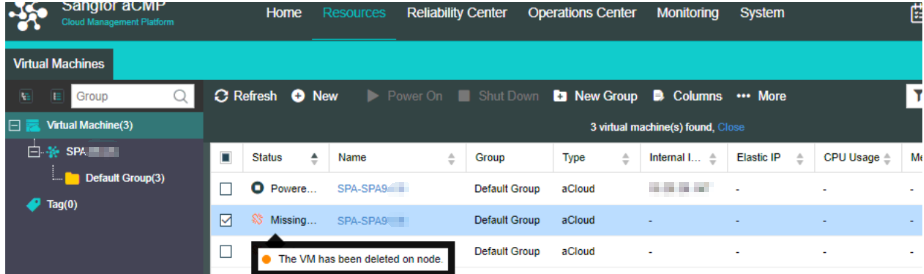
Try to filter the VM name on the virtual machine tab, found 1 VM is on powered off status, and 2 VM is in "Missing" status.
-
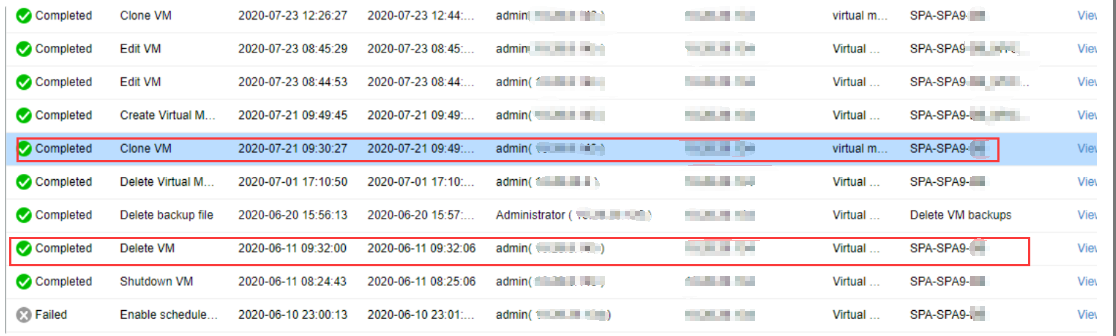
Check on the HCI task list, found that the VM has been deleted 2 times on the HCI side and cloned as a new VM now.
-
Try to remove the "Missing" status virtual machines with duplicate name on aCMP/SCP. Ensure now aCMP/SCP only show one VM name.
-
Now user able to create a new schedule backup policy with the correct VM name.
Root Cause
Virtual Machines removed/deleted from HCI side will become "Missing" status in aCMP/SCP side.
Solution
Remove the "Missing" status virtual machinese on aCMP/SCP.