
[AF] Command Injection rule ID and adding exceptions do not work
Problem Description
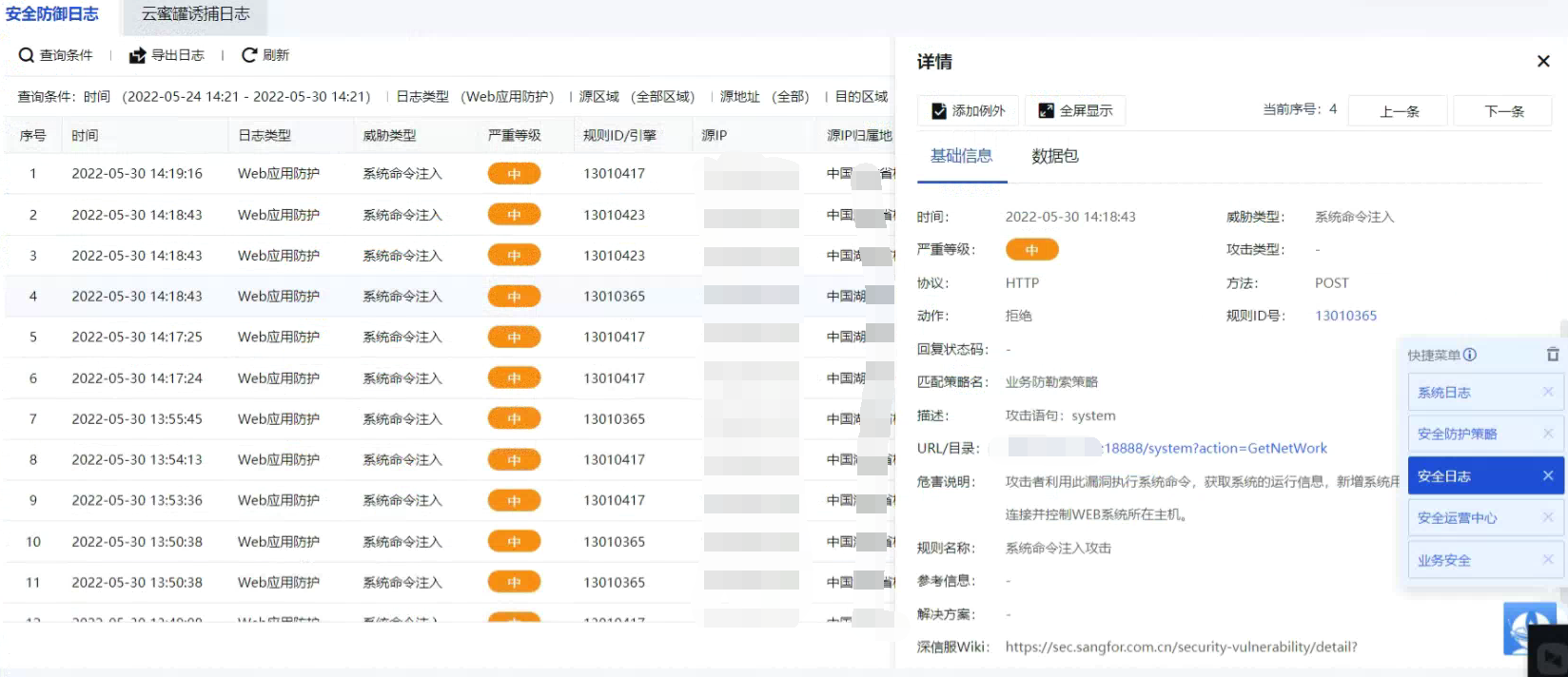
Local Security Logs reports many Command Injection attacks, including rule IDs. I modify the action based on the rule ID, enable it, and release it after detection. The action is still interception. I add exceptions, but there are still Logs interceptions, which affects Internet access.
Warning Info
Effective troubleshooting steps
- Check the detailed Logs to confirm whether there is a rule ID and the threat type. There are two ways to detect attacks on Local: engine detection and rule detection. Rule interception can be released by modifying the rule ID action, but engine interception cannot.
- Some pre-rules are also detected by the engine, but they have rule IDs. The engines with rules have command injection and Java code injection. The above is command injection. The name of the pre-rule is unified as command injection detection, so it cannot be released by using the rule ID action.
- The exceptions added still do not work. Both relative and absolute paths are still added. Confirm with R&D that this is not reported based on a certain keyword. The pre-filtering rules are only for the engine to capture data. After matching the system, the entire package is sent to the engine for detection.
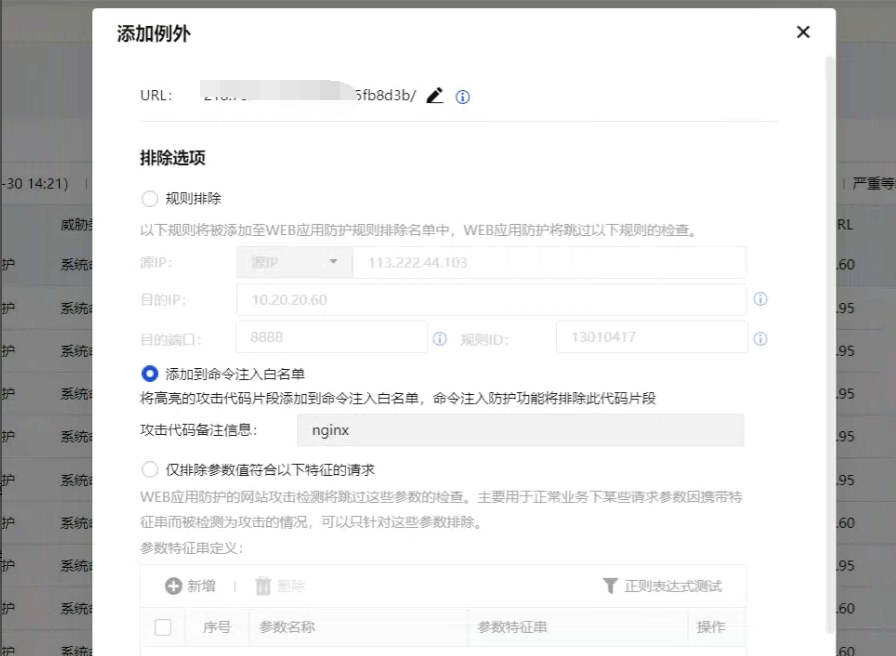
- For engine interception and rule ID, you can disable the rule ID to achieve no detection. There is no difference between blocking and releasing the pre-filter rule. If it is disabled, it will not be detected.
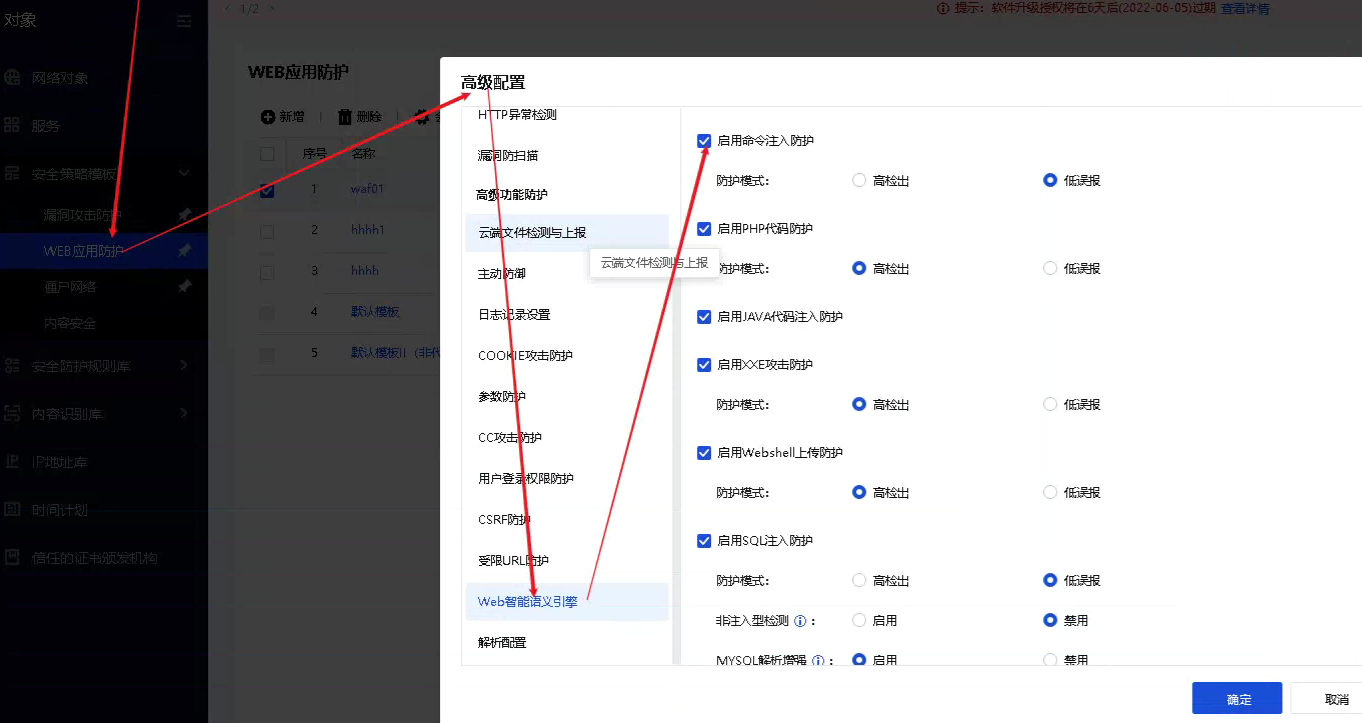
- You can also add a new security protection Policies, reference the new template, and turn off the corresponding option of syntax engine detection, as shown above command injection protection
Root cause
The syntax engine cannot be detected by the release rule ID action to achieve the release. If adding an exception does not work, you can use the following method to release
solution
- For engine interception and rule ID, you can disable the rule ID to achieve no detection. There is no difference between blocking and releasing the pre-filter rule. If it is disabled, it will not be detected.
- You can also add a new security protection Policies, reference the new web protection template, and turn off the corresponding option of syntax engine detection, as shown above command injection protection
Operation Impact Scope
No detection for release
Original Link
https://support.sangfor.com.cn/cases/list?product_id=13&type=1&category_id=1671&isOpen=true