
[AF] The console cannot be logged in. Only using Firefox browser cannot log in
Problem Description
When customers use Firefox to log in to NGAF manager, they are prompted with "This URL has been restricted" and "This URL uses a port that is usually used for purposes other than Network browsing. Firefox canceled the request for security reasons."
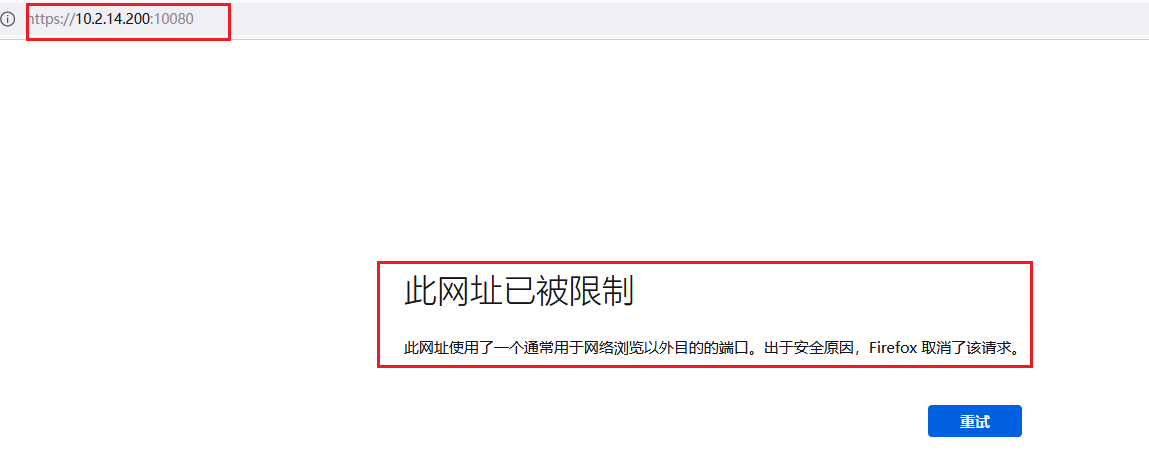
Effective troubleshooting steps
You can open it using other browsers, such as Google, IE, and edge.
Root cause
Because the accessed port is not a common port and the port number is greater than 1024, the Firefox browser security Policies blocks the access request
solution
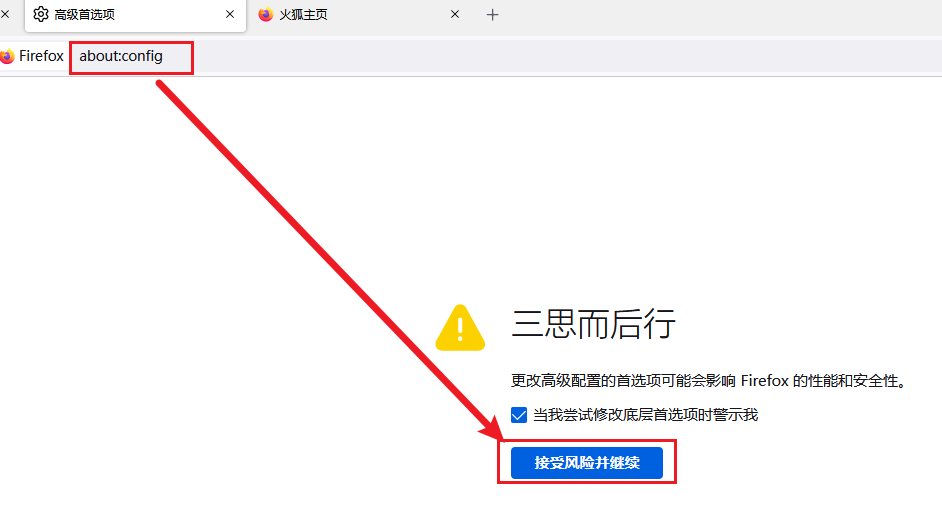
Enter about:config in the address bar, press Enter, and select "Accept the risk and continue" as shown below:
Create a new string type key value network.security.ports.banned.override
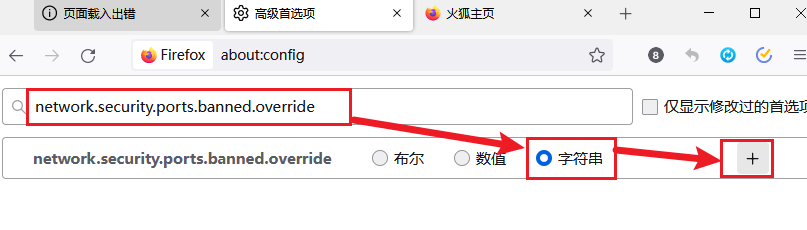
Directly enter the port range 0-65535; separate multiple ports with commas

Then log in to the Local console again.
Operation Impact Scope
No impacts on Services
Original Link
https://support.sangfor.com.cn/cases/list?product_id=13&type=1&category_id=1963&isOpen=true