
[AF] Local ACL Logs Policies restricts the login to the console and does not take effect
Problem Description
AF8.0.45 version needs to allow only bastion host Access Control console, and does not allow internal and external networks to access the NGAF manager separately. After configuring the Local ACL Logs Policies, Policies does not take effect
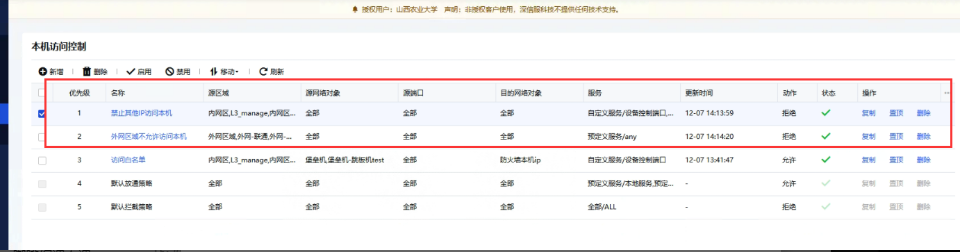
Warning Info
The AFweb interface can still be accessed normally through the public network and intranet
Effective troubleshooting steps
-
The source and destination IP Zones of the Policies configuration are normal and correct, the Services selection is any, the current login port of the Local has also been tested, and Policies is placed first;
-
The built-in Whitelist is disabled and the test still continues;
-
No mapping is done Local. The ad_appd process is normal in the background, and there is no Restart record in the softdog log;
-
Local has no relevant source or destination access log records when it opens direct access to the source or destination, and Local ACL Logs Policies has no relevant log records
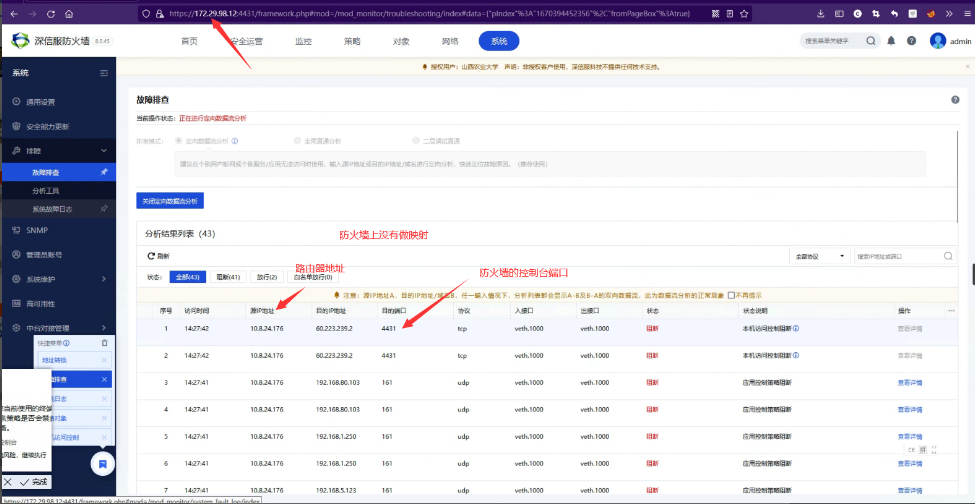
-
Check that Interfaces is set to eth0 as the WAN attribute, and the default address 10.251.251.251 is not filled in. Check that the Management Interface configuration IP in the System parameters has deleted the default address 10.251.251.251, causing the IP Address on the current physical Interfaces to become the management address. The management address is white-out by default and cannot be manually cancelled. Delete the IP configuration in the Management Interface and change it to another IP for Policies to take effect;
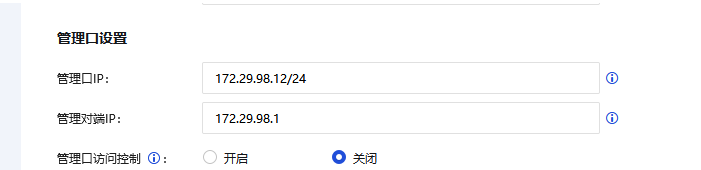
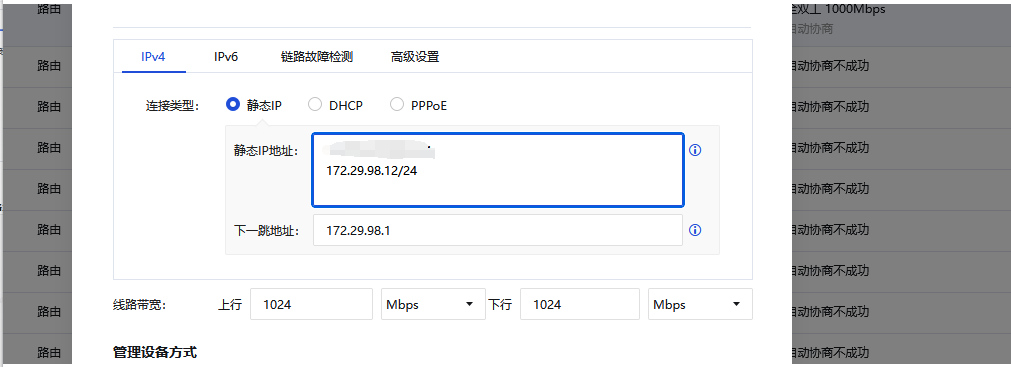
Root cause
Management Interface IP is whitelisted by default and is not subject to Policies restrictions.
solution
Modify System configuration-Network parameters-Management Interface IP solution
Original Link
https://support.sangfor.com.cn/cases/list?product_id=13&type=1&category_id=2032&isOpen=true