
[HCI-ASEC] asec authentication failed, cloud security center service abnormality
Problem Description
In HCI6.8.0, the IP address of asec was modified, resulting in asec console connectivity Connectivity Test success but authentication failure! Failure reason: Network request failed, please confirm that the platform type or IP parameters are correct and try again

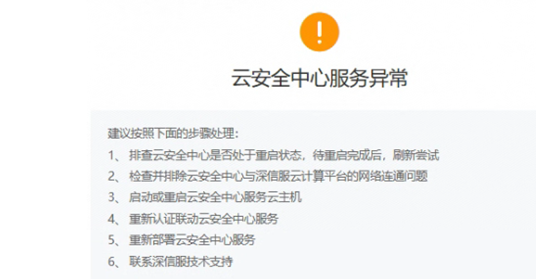
aSecurity Error
Effective Troubleshooting Steps
-
Check whether the IP of the asec virtual machine has been modified. If so, change the IP of asec back and try again to establish authentication normally.
-
If authentication still cannot be established after changing the IP back, you need to go to the advanced service on scp to turn off asec and then re-link. It is recommended not to modify the IP of asec. Changing the IP of asec will cause the SCP and EDR linked to it to be unable to communicate.
Root Cause
Changing the IP address of asec will cause the SCP and EDR associated with it to be unable to communicate.
Solution
- Change the IP back and re-authenticate
- If you must change the IP, you can first go to the scp advanced service to turn off asec and relink, and then go to the asec virtual machine to reauthenticate.
Scope of Operation Impact
No impact on business.
Is this a temporary solution?
Disabled
Original Link
https://support.sangfor.com.cn/cases/list?product_id=33&type=1&category_id=19278&isOpen=true