
[AF] AF7.3 is connected to Session Initiation Protocol, Session Initiation Protocol cannot display AF access Info because TLS protocol is not supported
Problem Description
AF 7.3 is connected to Session Initiation Protocol 3.0.58 version, and the Session Initiation Protocol interface does not display AF access Info
Warning Info
N/A
Effective troubleshooting steps
- Test the Session Initiation Protocol address and port 4430 on AF to communicate successfully
- Capture packets on AF and Session Initiation Protocol. Both devices can receive the round-trip data packets for testing connectivity.
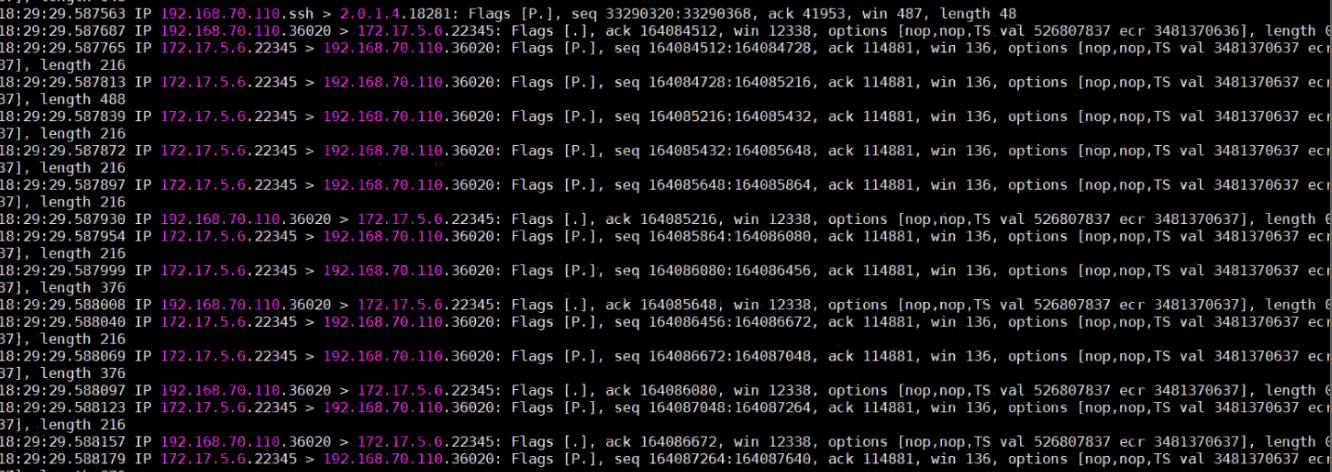
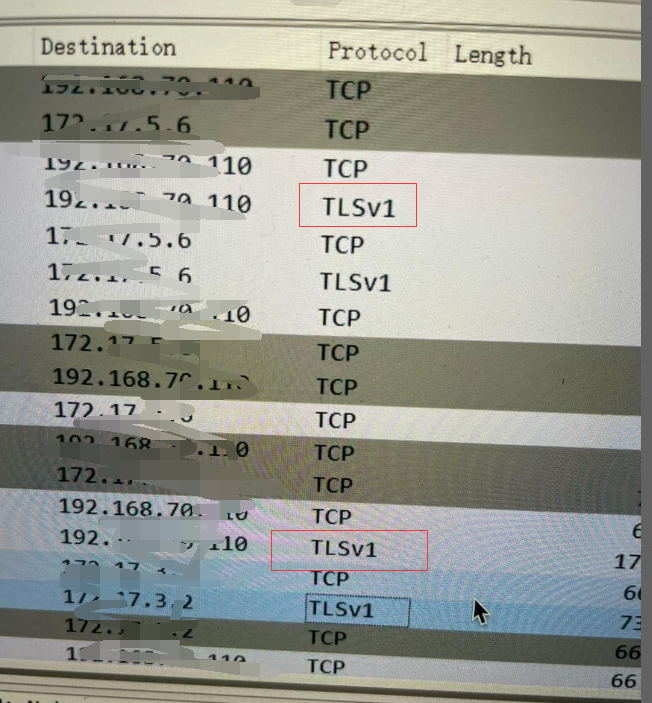
- After capturing the packet on AF and further analyzing the data, it is found that the data protocol transmitted by AF is TLSv1.0
Root cause
Due to security issues, Session Initiation Protocol has disabled the TLSv1.0 protocol and supports TLSv1.2 and above. The lower version of AF does not support the TLS1.2 protocol, resulting in incompatibility.
solution
Temporary solution: Session Initiation Protocol backend releases TLSv1.0 protocol restrictions, and AF access is successful. (Subsequent Session Initiation Protocol upgrades or device Restart will disable the protocol)
Permanent solution: Install JG_21 hardening package on AF or upgrade to 8.0.26 or above to support TLS1.2 protocol transmission
Operation Impact Scope
AF will Restart some Services after installing JG_21 reinforcement package. Please communicate with the customer before operation.
The AF upgrade will Restart the device, so it is recommended not to perform this operation during business hours.
Is this a temporary solution?
Temporary solution: Session Initiation Protocol backend releases TLSv1.0 protocol restrictions, and AF access is displayed successfully. (Subsequent Session Initiation Protocol upgrades or device Restart will disable the protocol) — R&D operations
Original Link
https://support.sangfor.com.cn/cases/list?product_id=13&type=1&category_id=1653&isOpen=true