
[AF] Some Logs Policies application control policy logging are empty
Problem Description
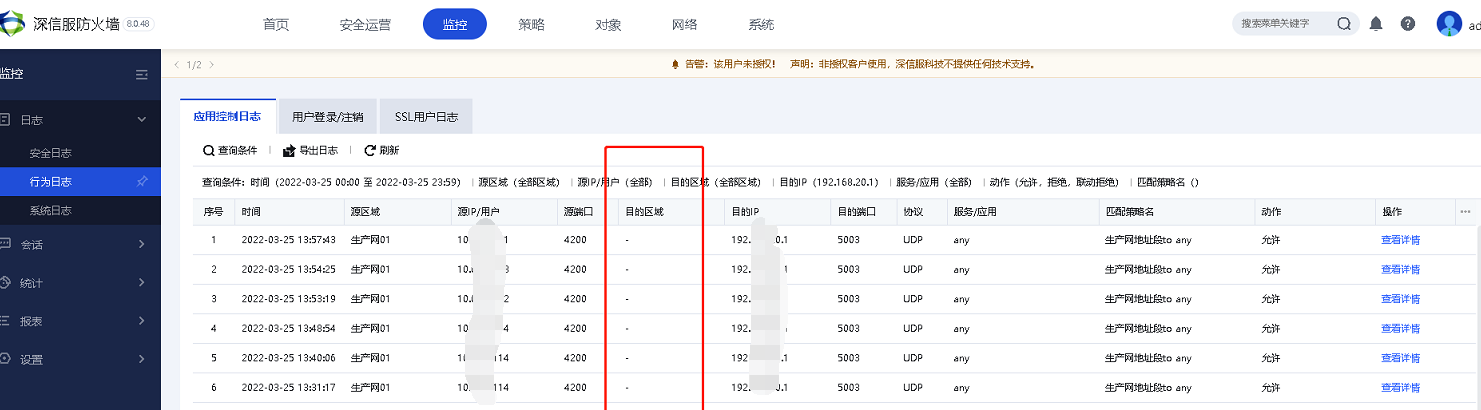
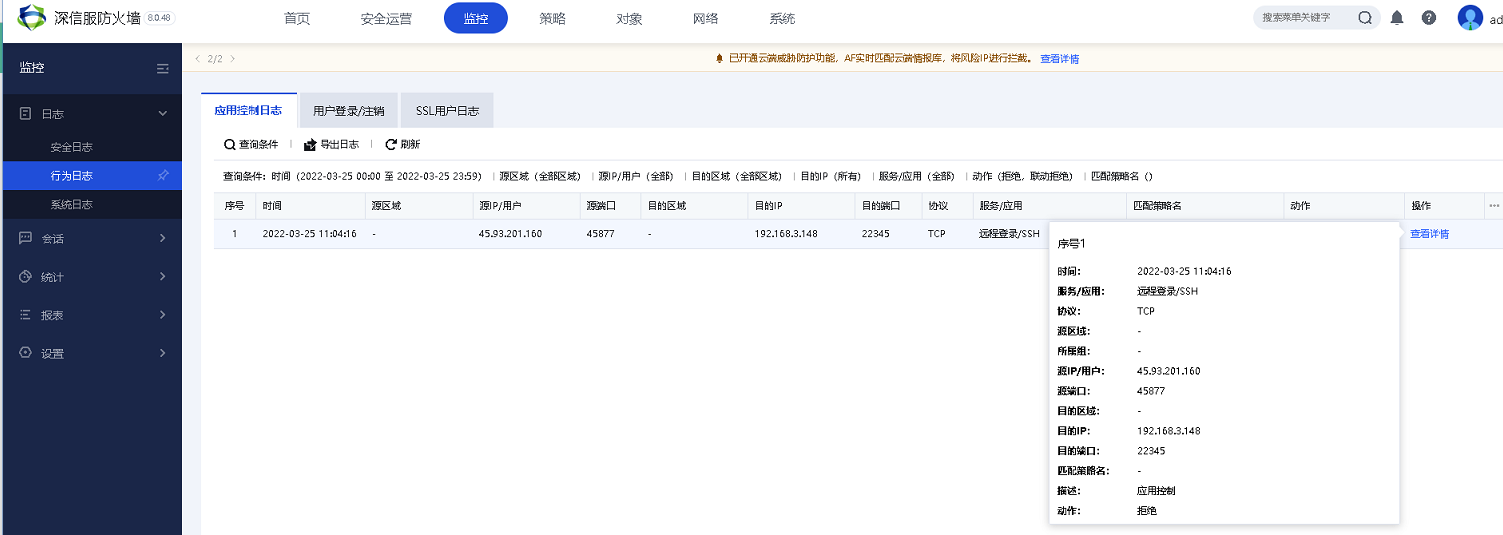
When checking the Access Logs of the device, Zones source area or destination Zones some Logs records is displayed as empty, and the corresponding Logs does not display the matching Policies name.
Warning Info
Effective troubleshooting steps
- After confirming the Deployment of the Local, capture the packets for analysis. The accessed data packets can be captured normally on the Local.
- Log merging is enabled on the device.
- The background analysis shows that the device process is normal and the load is normal.
- Check that the Local is configured to enable asset scanning.
- After canceling the Local asset scan, Logs displays normal.
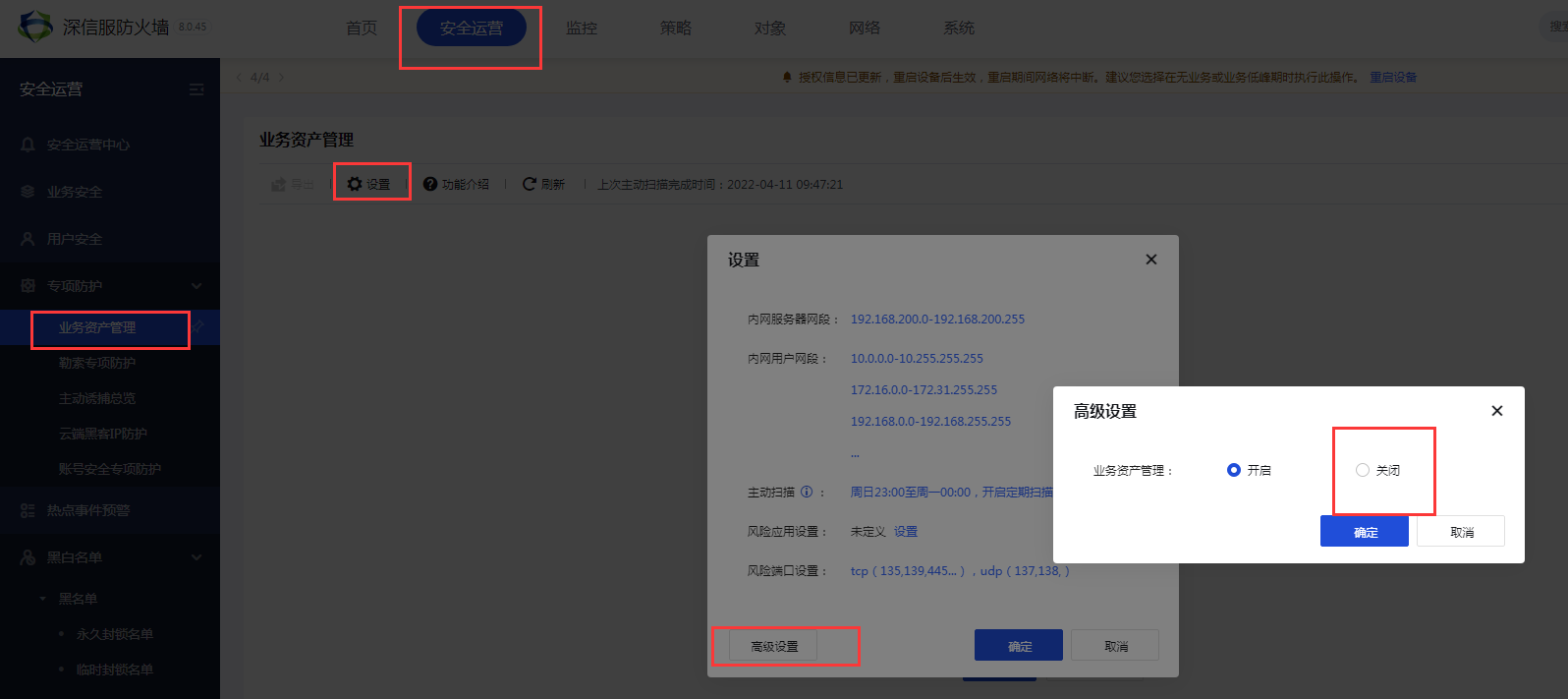
In [SecOps] – [Specialized Protection] – [Asset Management] – [Settings] – [Advanced Settings] – [Close]
Root cause
After asset scanning is configured, Local will automatically enable ACL logging for auditing assets. This will cause Local to log the data scanned by itself and will not display the Zones and matching Policies name.
solution
Cancel the asset scan after the customer's asset identification is completed.
Suggestions and Conclusion
Asset Scanning Enabled:
- Local automatically records ACL Logs, and asset scanning Logs are also recorded on the device itself
- Will Scheduled Active Scan the assets on the intranet
If the asset scan has been identified, you can cancel the asset scan.
Original Link
https://support.sangfor.com.cn/cases/list?product_id=13&type=1&category_id=1563&isOpen=true