
[AF] Example of configuring rules for password cracking and weak password detection after 8035
Problem Description
In versions after AF8035, the rules for password cracking and weak password detection need to be customized, which is different from earlier versions. More flexible and precise, but requires a configuration method;
solution
- Preparation before writing rules:
Use the Packet Capture (Wireshark) to capture the packets of successful login (Figure 1) and failed login (Figure 2):
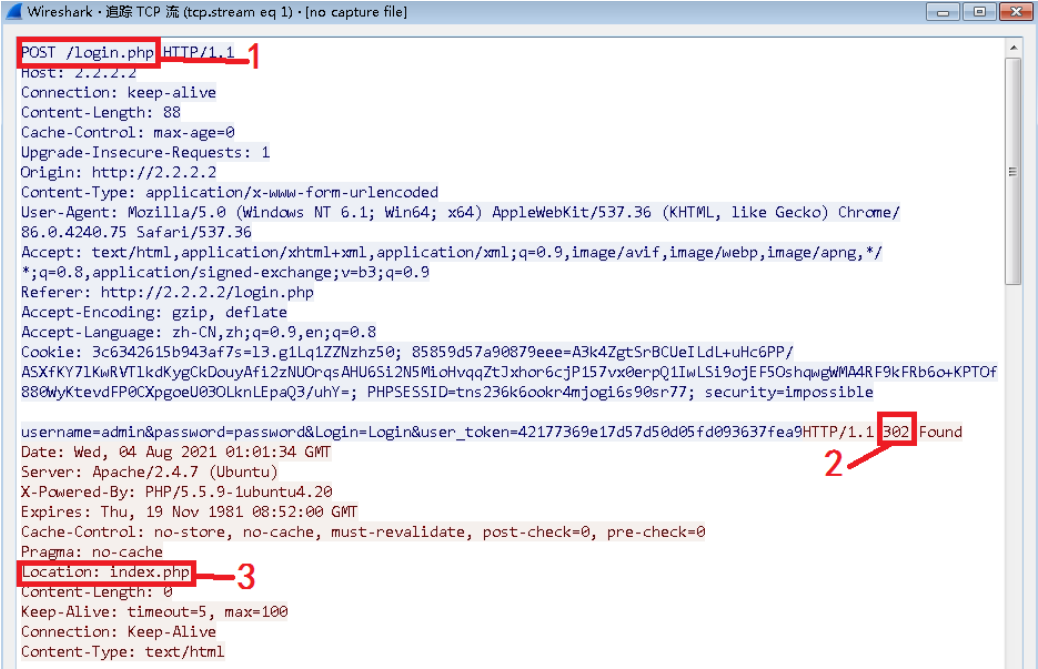
Figure 1 Login success message
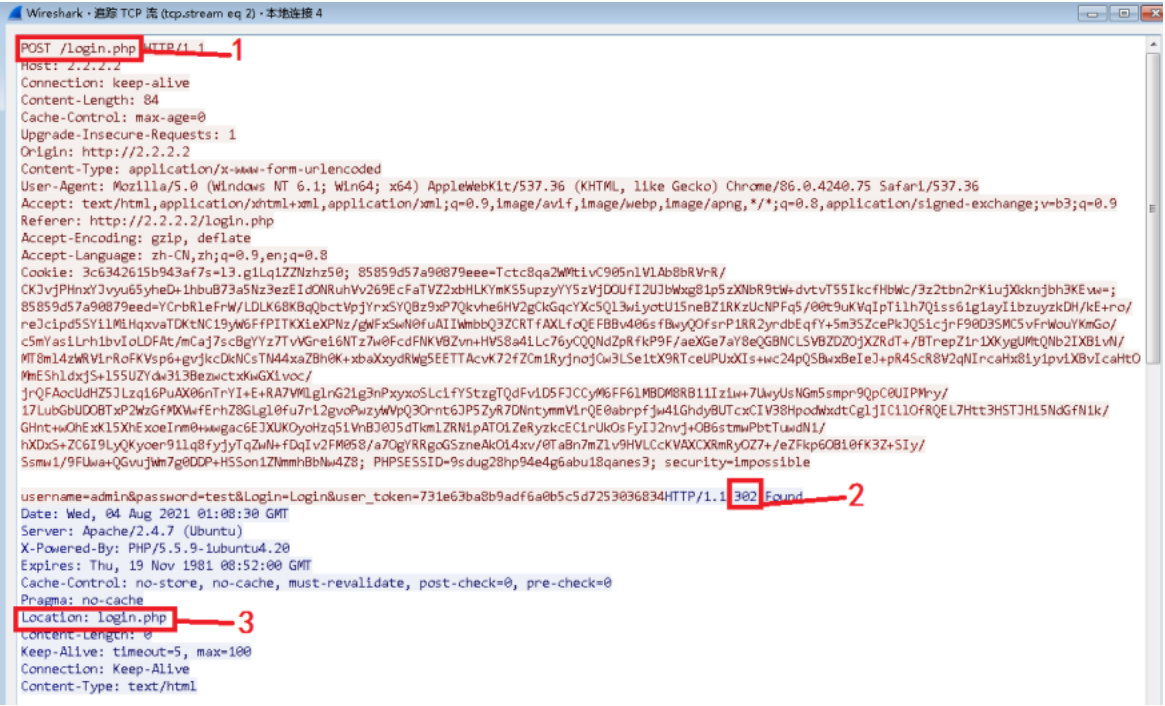
Figure 2 Login failure message
2. Write rules
- Add Custom Databases rules in the custom Password Protection library
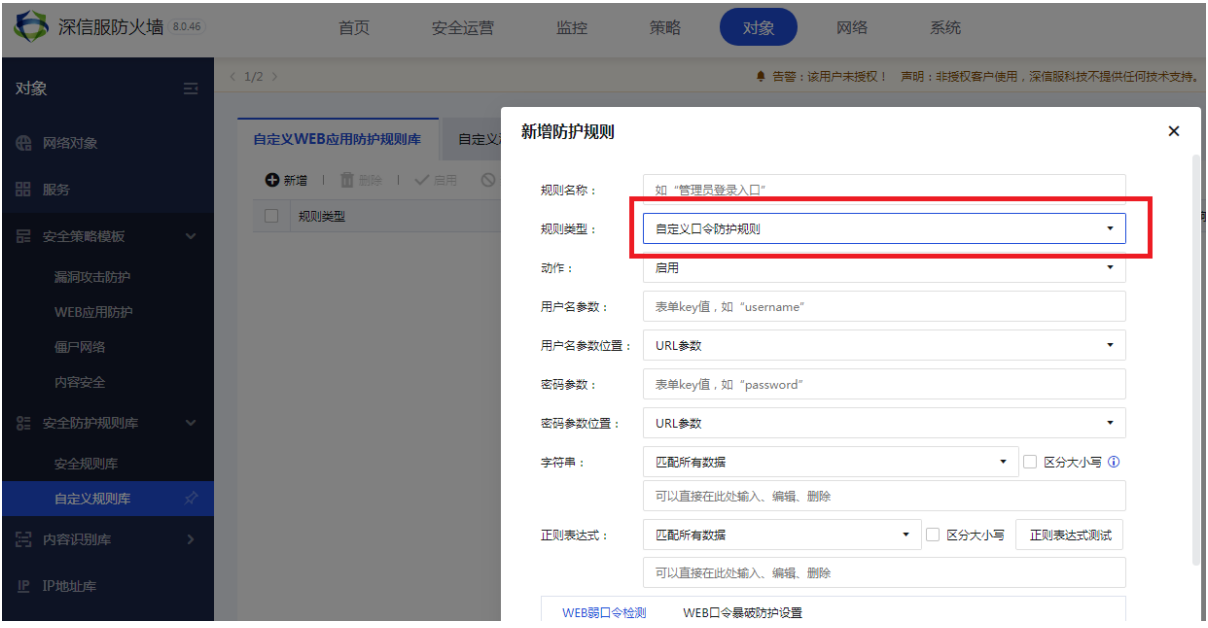
Figure 3 Adding custom blasting rules
2. Fill in basic blasting Info
As shown in Figure 4 below, the username parameter and password parameter names refer to Figure 1 and Figure 2, and the parameter positions are all in BODY (optional: URL parameter/BODY parameter/COOKIE parameter/URL parameter and BODY parameter), fill in the login URL in 3 places
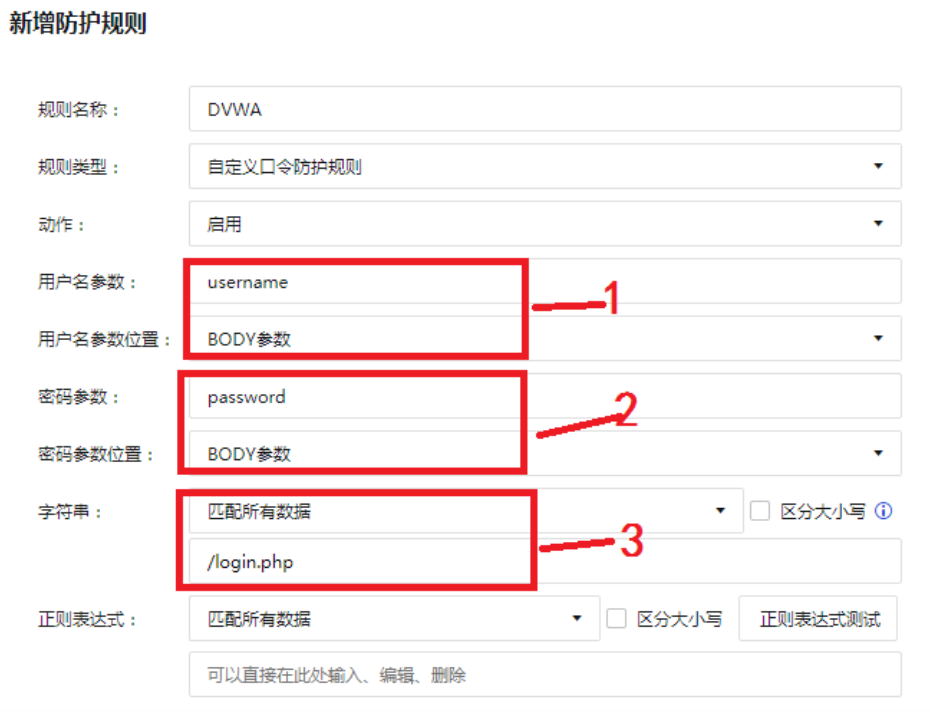
Figure 4 Basic Info blasting
3. Writing successful login rules
Refer to the successful login message in Figure 1, the Response Status Code is 302, and the character string is filled with the characteristics of successful login. Note that the characteristics here need to be distinguished from the characteristics of failed login, and this feature can only be found in the successful login message. By comparing the failed login and successful login messages, you can find the unique index.php string in the successful login message (you can also look for words such as success).
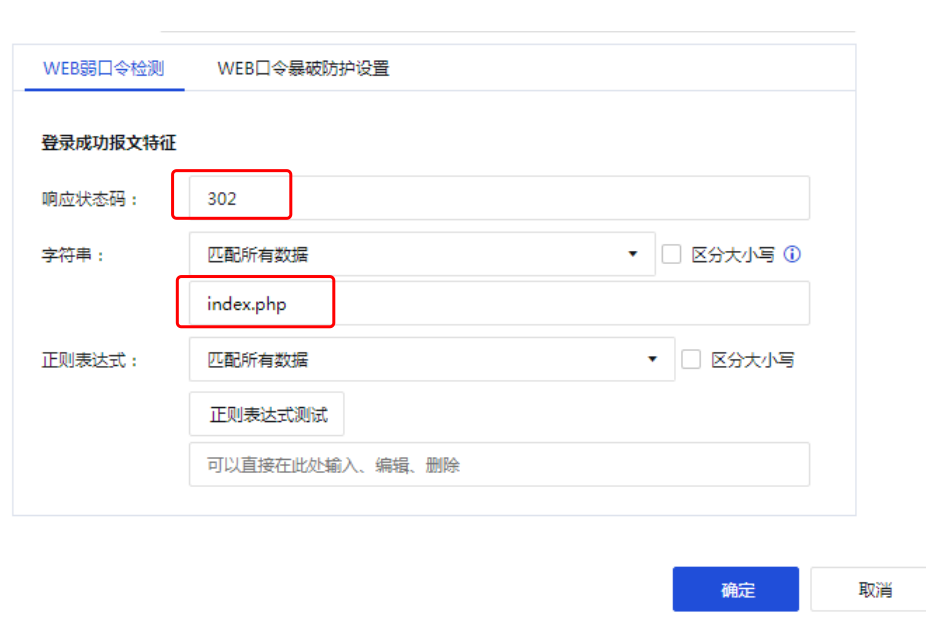
Figure 5 Login success rules
4.Writing login failure rules
The default burst rate is 15 times/min, which can be customized to a suitable value. Refer to Figure 2 for the login failure message. The Response Status Code is 302. Fill in the string with the login failure characteristics. Similarly, fill in login.php
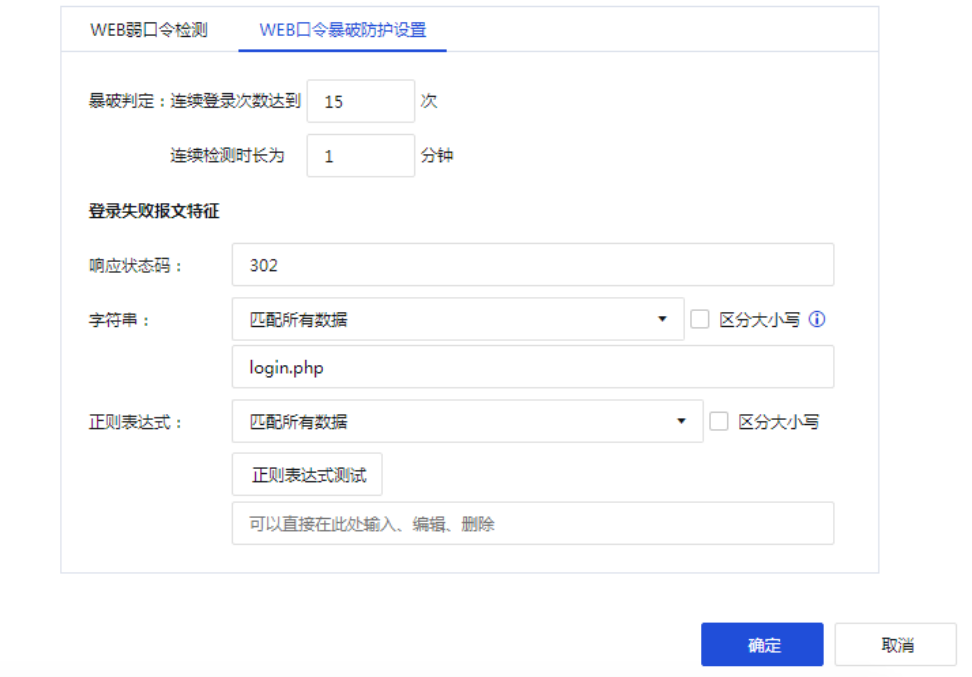
Figure 6 Login Failure Rules
Notes
- The extraction of rules needs to be based on the response message of the current request message and cannot jump to the feature extraction of the next response message.
- The features of failed login and successful login cannot be the same. If any feature is not matched, the rule will be invalid.
- After configuration, the corresponding rules must be checked in the template, otherwise they will not take effect.
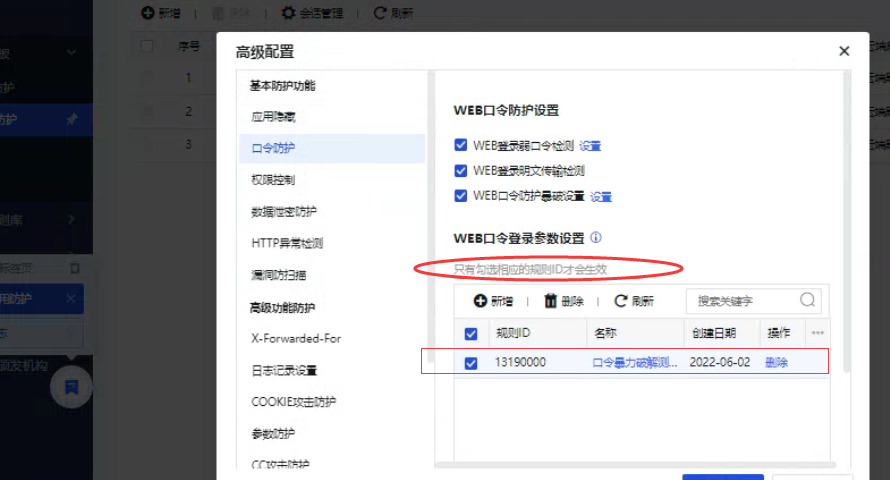
Operation Impact Scope
N/A
Original Link
https://support.sangfor.com.cn/cases/list?product_id=13&type=1&category_id=1309&isOpen=true