
[AF] Connection Control does not take effect, TCP reset is not checked
Problem Description
Connection Control is not effective, and the maximum number of concurrent connections per IP is limited to 10. You can still open many web pages at the same time.
Effective troubleshooting steps
- Check the configuration is ok
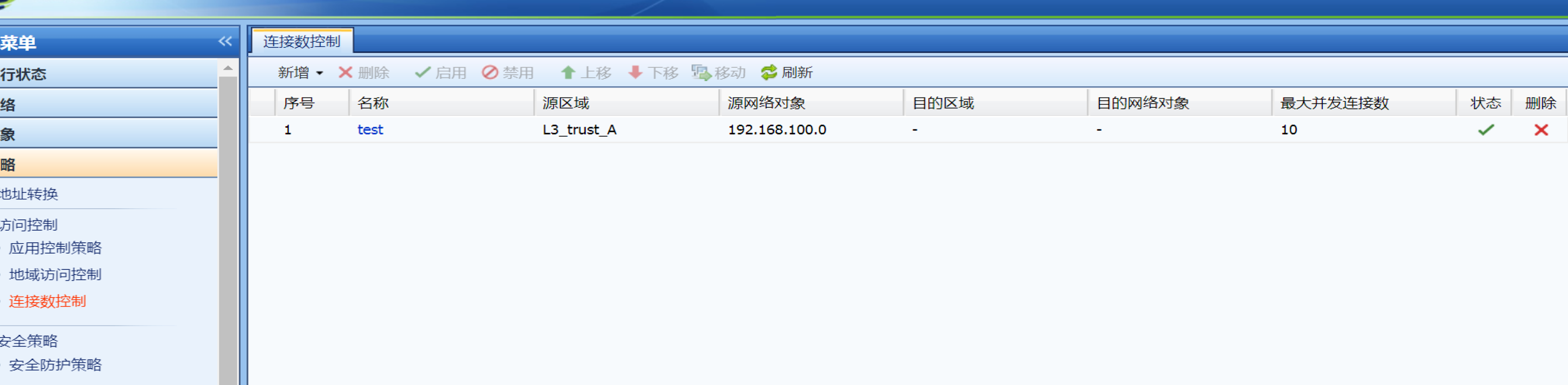
- Observe the phenomenon. The original question is whether the number of feedback connections is not effective, or whether many web pages can be opened at the same time.
First of all, the method of opening a web page to test is not very rigorous, and you cannot see how many Sessions there are. Here we recommend using a multi-threaded download tool
IDM, the principle is to download an http file and establish multiple Sessions transmit data at the same time to increase the speed. I won’t go into detail on how to use it here, but you can find many tutorials on this tool by searching.
First test multi-threaded downloading to see if more than 10 links can be established.
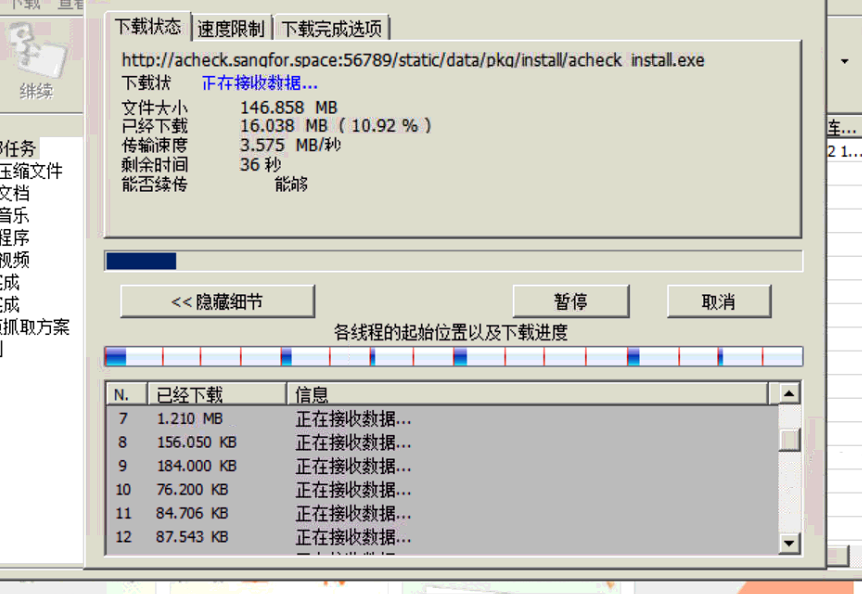
The moment the download started, it exceeded 10, which clearly showed that Policies was not effective. - Open the interception log to see if Logs matches Policies
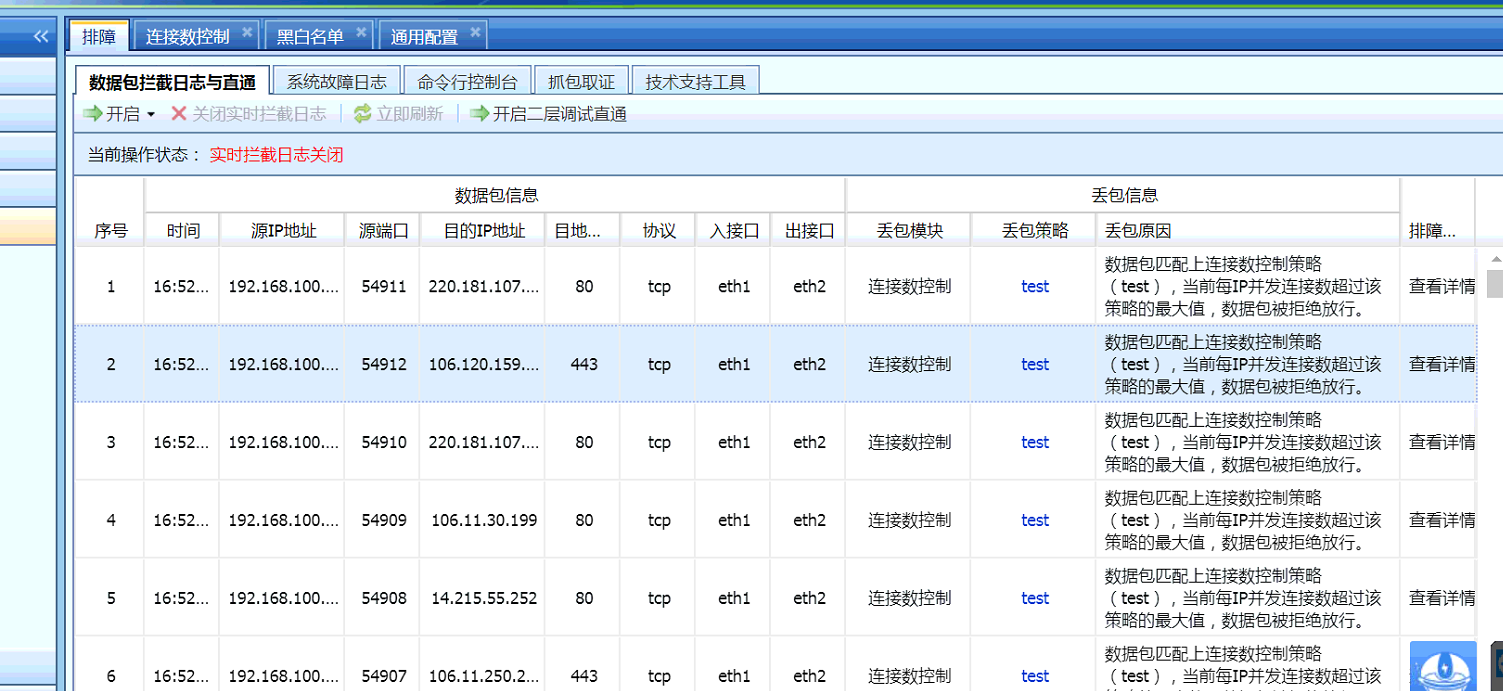
The direct connection shows that the data packet has matched Connection Control and has been rejected. Why does it not take effect? - Check other configurations and analyze the reasons why they are not effective
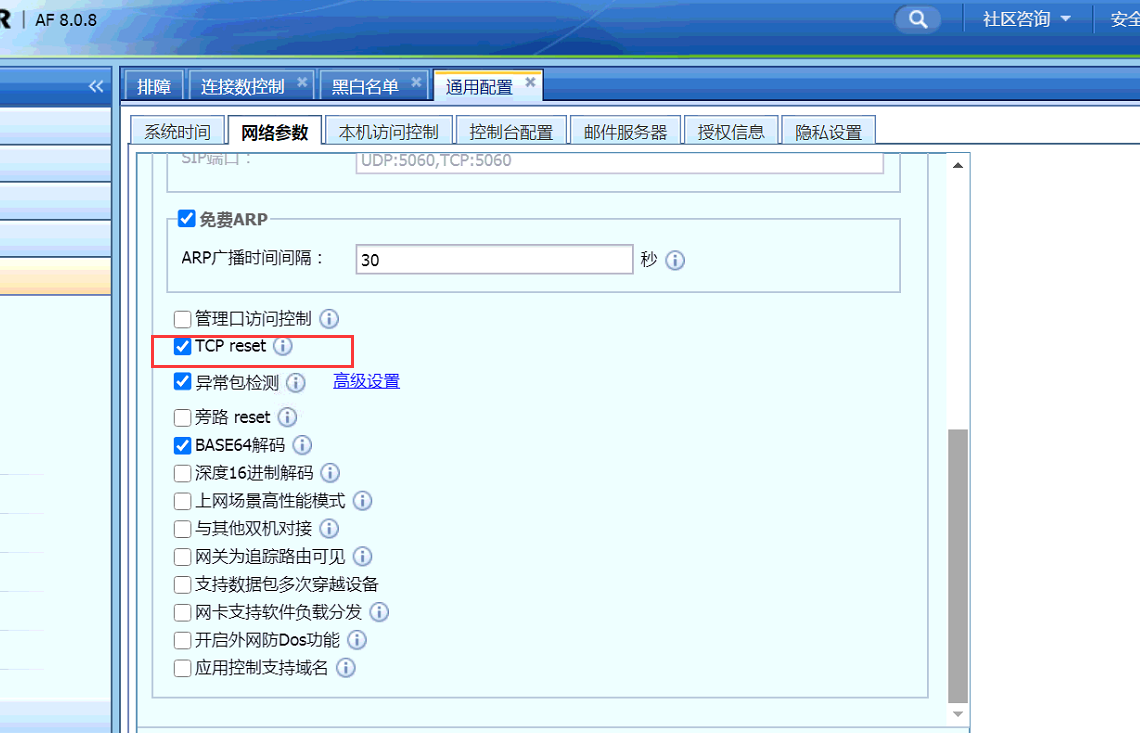
In the Network configuration, you can see that TCP reset is not checked. Not checking this will cause Connection Control to fail to take effect.
Check the box and see the effect
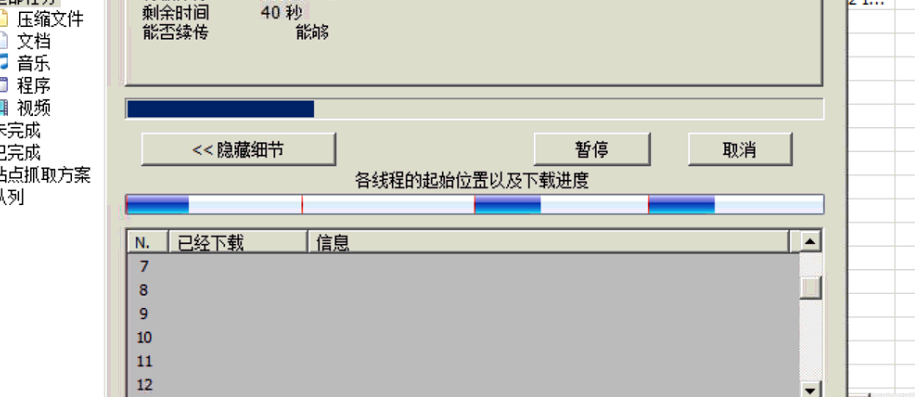
The number of concurrent connections is limited to 10
Root cause
The principle of Connection Control is that one connection is counted after three handshakes are completed. If the number of concurrent connections for a single IP exceeds the limit, the device will send a TCP reset to interrupt Sessions to achieve the purpose of limitation. If the TCP reset function is not enabled, it cannot be restricted.
PS: Connection Control will always put a three-way handshake
solution
Check the TCP reset function
Original Link
https://support.sangfor.com.cn/cases/list?product_id=13&type=1&category_id=892&isOpen=true