
[AF] IPS missed detection: Intelligent IPS did not enable automatic identification of HTTP port
Problem Description
Network topology: AF—LAN Zones (real server address)
|
dmz Zones (nginx proxy)
Data flow direction: AF–dmz Zones nginx proxy–LAN Zones real server.
Warning Info
Problem phenomenon: Customers reported that when querying IPS Logs, only attacks in the DMZ Zones–LAN Zones were found, but no attack logs in the WAN-LAN were Logs.

The source is the nginx address and the destination is the real server address.
Effective troubleshooting steps
- Check Policies configuration
Confirm that the protection source and Zones and Network Objects are normal.
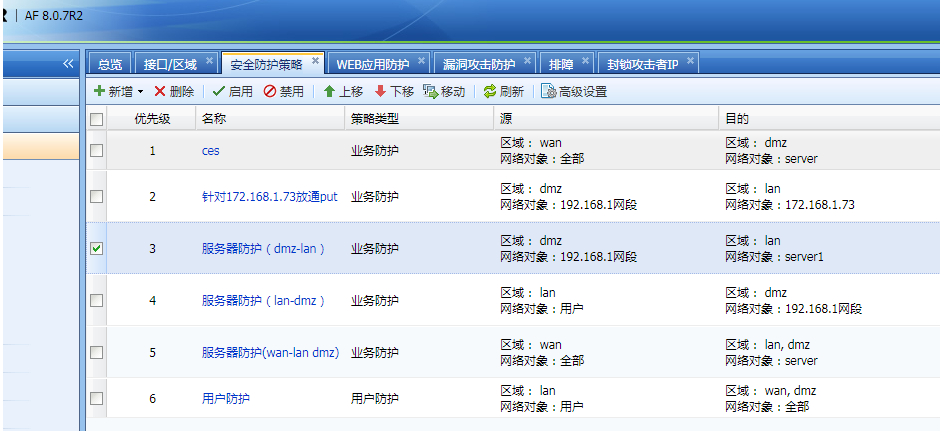
- Policies is normal, the DMZ-LAN area can be detected and identified, but the WAN-DMZ Zones cannot be identified, indicating that the data flow is inconsistent. The data captured by the background in the WAN-DMZ area is as follows:

As you can see, the destination port for accessing the server is 8088, which is not a non-standard port.
This involves the principle of IPS. The implementation of IPS is divided into the kernel and application layers. The kernel mainly checks non-HTTP traffic, and the application layer mainly checks HTTP traffic.
The customer's server is HTTP, which is mainly detected by the application layer. When the application layer identifies HTTP data, non-standard ports need to be manually configured, or automatic identification of HTTP ports Medium the intelligent IPS needs to be enabled. The HTTP port identification of the IPS module supports some common ports by default. For a specific port list, you can view this file
cat /etc/sinfor/fw/ips_http_port.ini
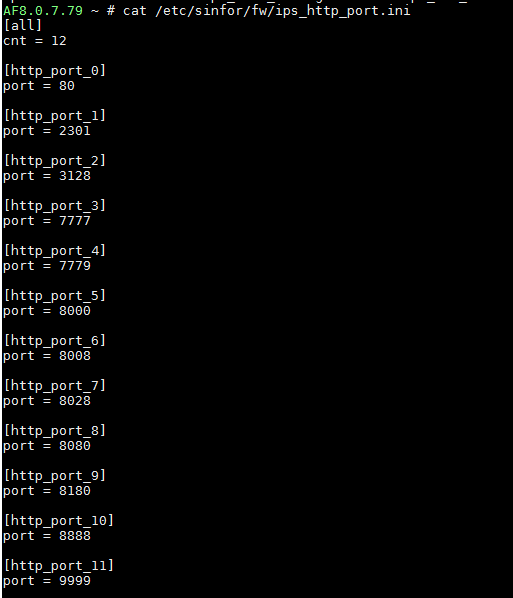
As you can see, there is no port 8088 Medium the default HTTP port list.
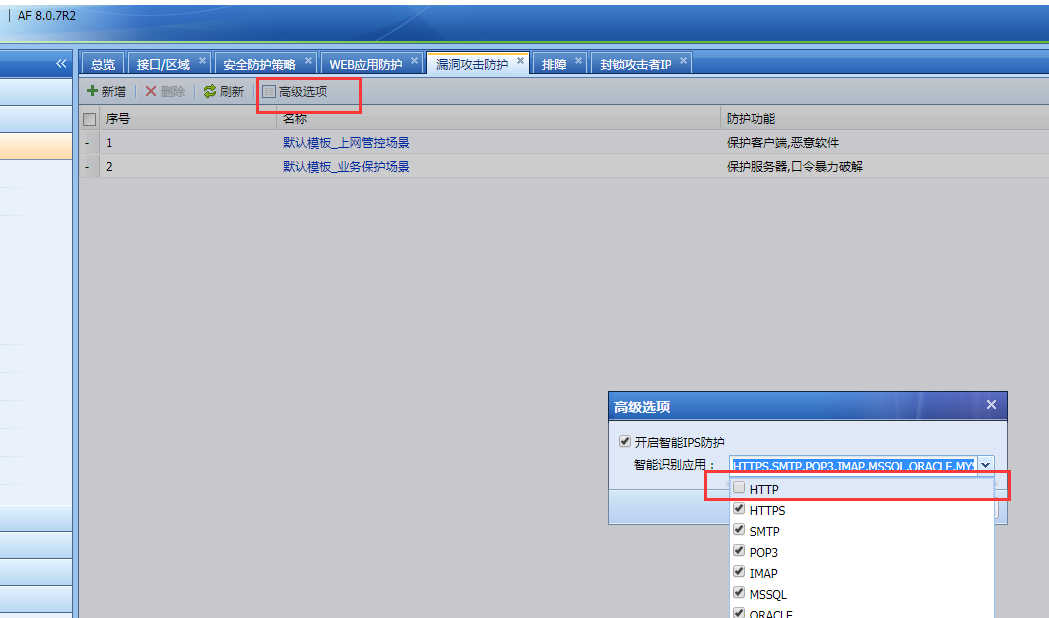
Check the Smart IPS Policies Medium the IPS template and find that the automatic identification of HTTP ports is not checked.
Root cause
The automatic identification of HTTP ports is not checked in the smart IPS, which results in the failure to match HTTP data.
solution
On the interface, in IPS Template–Advanced Options–Enable Intelligent IPS Protection and check the HTTP option. Implement automatic identification of HTTP ports.
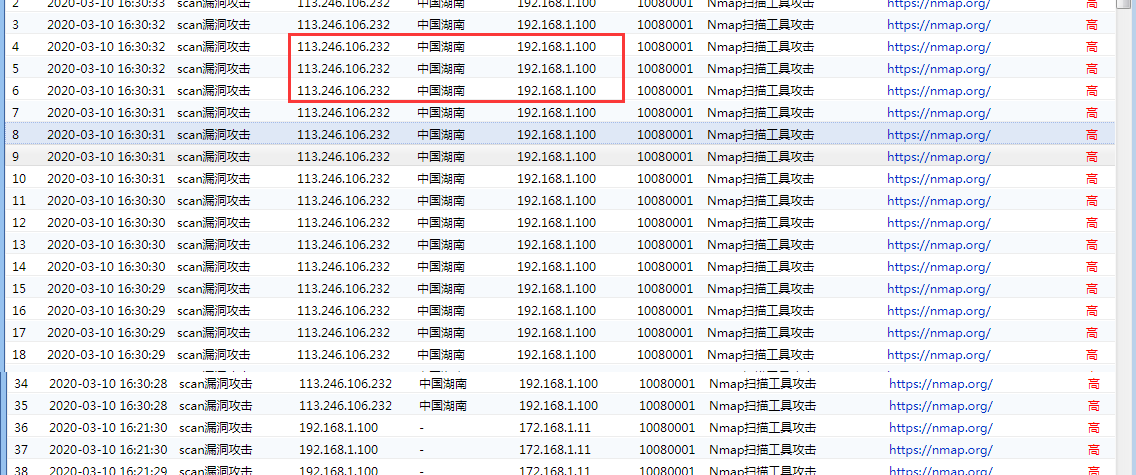
After changing the configuration, you can see that the attacks in the WAN-dmz zone can be protected normally.
Suggestions and Conclusion
HTTP non-standard ports are one of the common reasons for missed detection by WAF and IPS modules, so be sure to check them.
Original Link
https://support.sangfor.com.cn/cases/list?product_id=13&type=1&category_id=833&isOpen=true