
[AF] Local is directly connected to a router via a dedicated Layer 3 and cannot learn the MAC address of the other end.
Problem Description
[attach]550085[/attach]Local is directly connected to a router via a dedicated line. The IP configuration is in the same Network Segment. It cannot learn the MAC of the other end. It can be learned normally by replacing Local with a PC
Process——
- First, determine that the other end may have done MAC binding, change the Local Interfaces MAC to the PC's MAC, and find that the other end MAC still cannot be learned;
- Then change the mac of the PC to the mac of the Local to test, and find that it can be learned normally;
- It can be concluded that it is a Local problem. After packet capture and analysis, it is found that the data has reached the other party, and the other party has received the ARP request packet and responded.
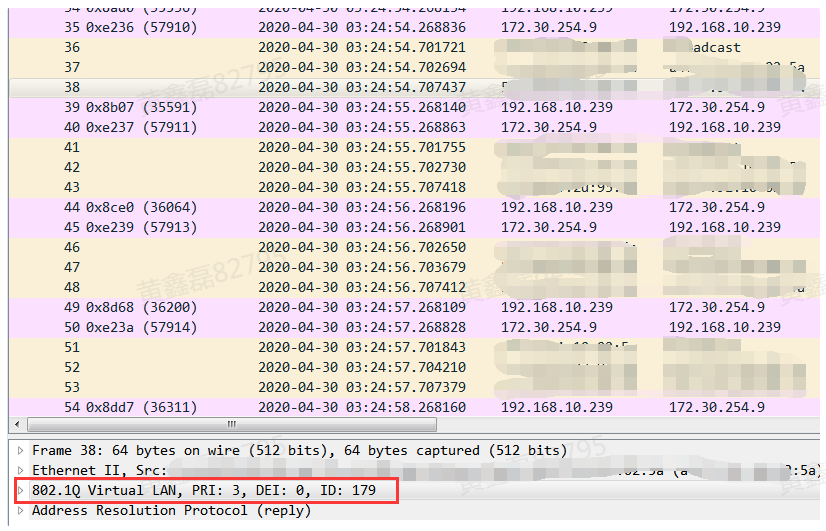
- Then, we captured packets with VLAN tags on Interfaces and found that the ARP reply packet reached the Local. However, it was not recognized because Interfaces was configured as a Layer 3 port:
37405f252d77ac14d.png (81.78 KB)
Root cause
The peer Layer 3 interface is configured as a trunk port, but ours is a Layer 3 port.
solution
Modify our configuration:
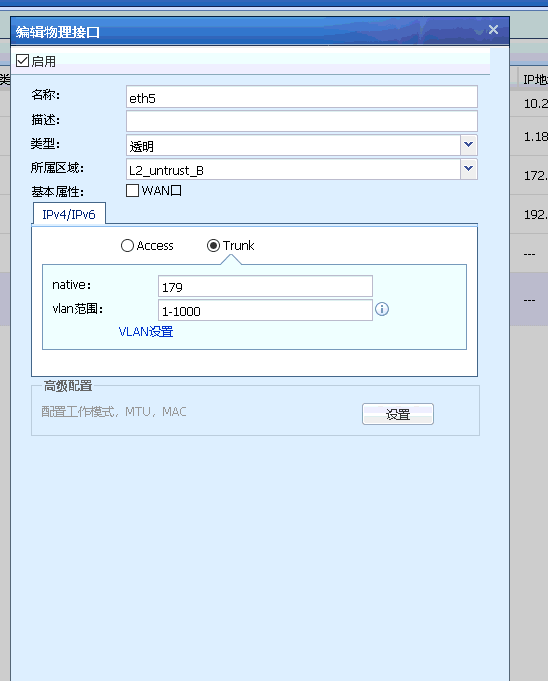
67535f252d8f276e2.png (21.25 KB)
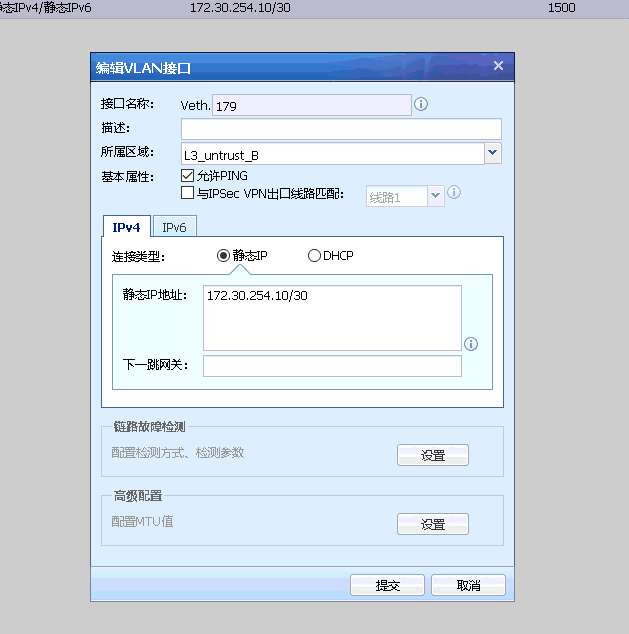
721545f252d9d34a7d.png (26.44 KB)
After that, mac learning is normal and data forwarding is normal
Suggestions and Conclusion
If you encounter the problem of not being able to learn mac, first confirm whether it is caused by the mac binding of the other end. If the other party is excluded, you should consider it from your own perspective. The customer must clearly explain the Network environment and debug it according to the environment.
Original Link
https://support.sangfor.com.cn/cases/list?product_id=13&type=1&category_id=931&isOpen=true