
[AF] Policies Layer 3 does not take effect due to incorrect source Zones configuration
Problem Description
Customers reported that they still could not access Layer 3 Policies routing. They were able to access Layer 3 Internet only after adding the default route.
Process——
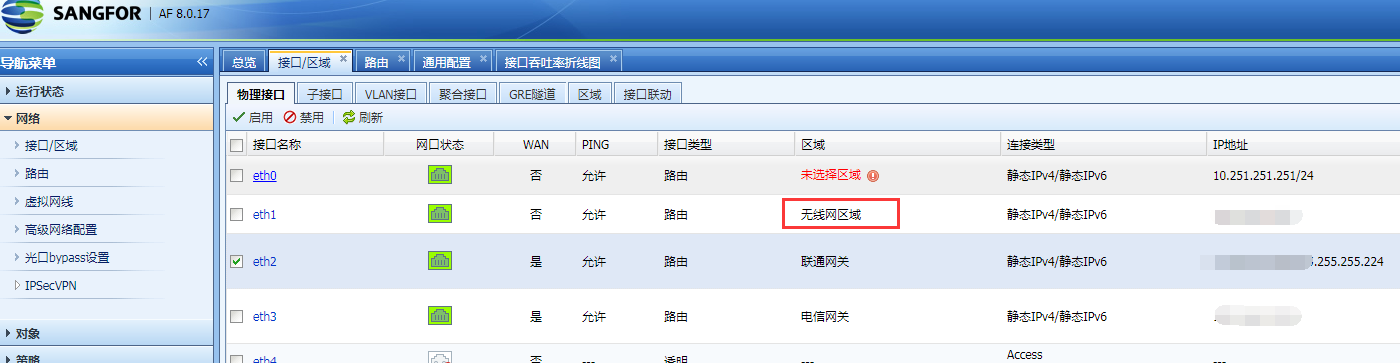
- [Network] – [Interfaces/Zones] Check that the intranet Zones is the wireless network Zones, as shown in the following figure:
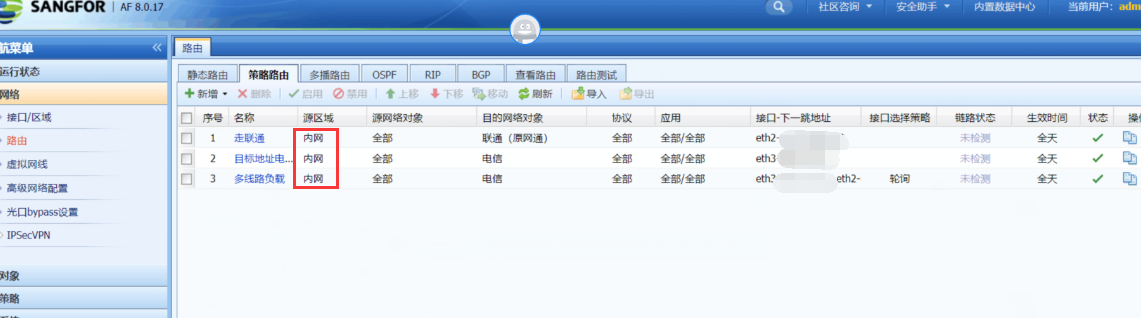
745995ea7e2c75c8ca.png (88.24 KB) - Click [Network] – [Layer 3] to view [Policies Layer 3], and configure the source Zones as the intranet, as shown in the following figure:
738275ea7e30c2a901.png (149.47 KB)
Root cause
Policies source Zones is incorrectly configured, resulting in Policies Layer 3 not matching.
solution
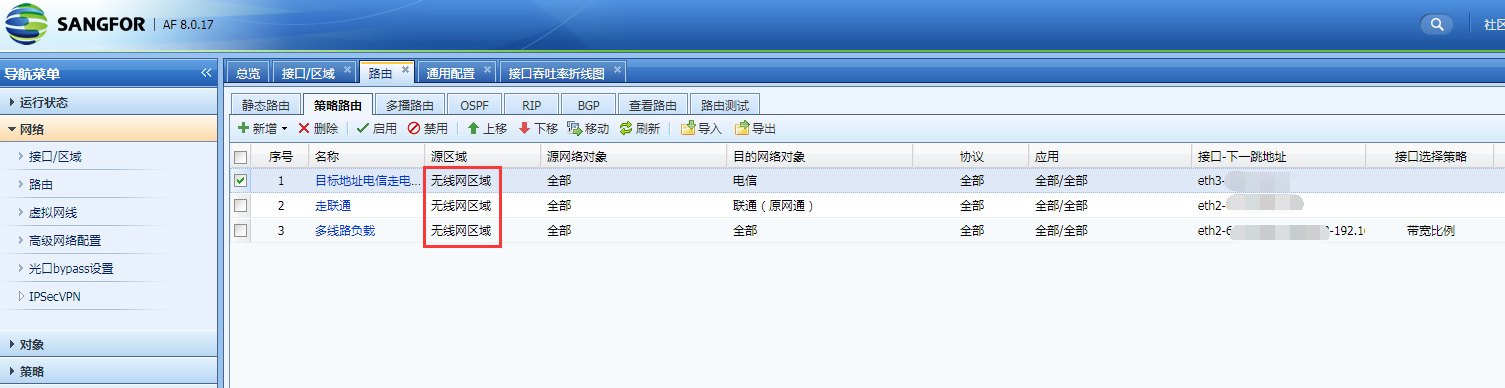
Policies Layer 3 is configured with the correct source Zones, as shown in the following figure:
18865ea7e397a47d1.png (99.56 KB)
Original Link
https://support.sangfor.com.cn/cases/list?product_id=13&type=1&category_id=880&isOpen=true