
[AF] The built-in data center does not have application control to allow log disk size to be less than 32G
Problem Description
Users reported that the application control Policies had a match count, but no Logs records of the application control Policies were found.
Warning Info
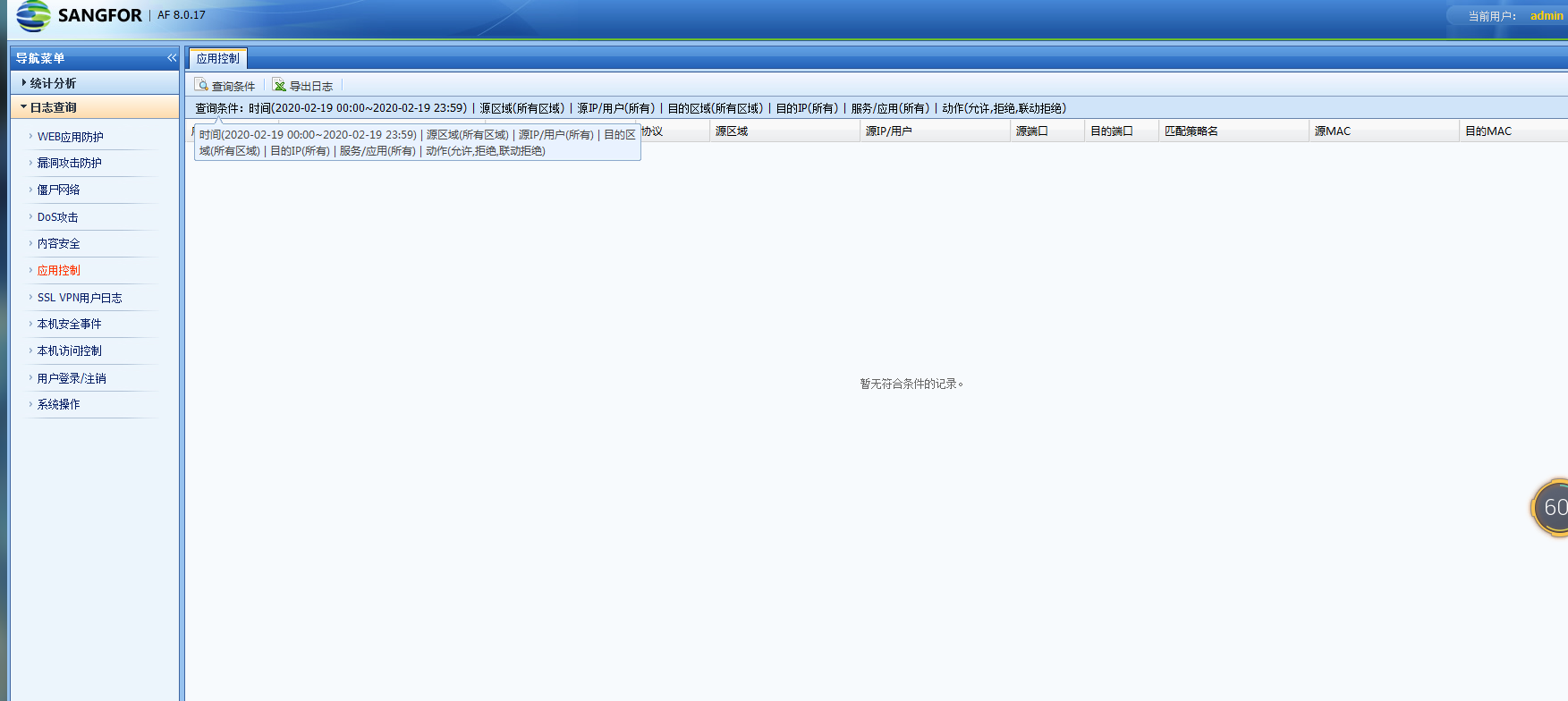
180655e4ce6cb18952.png (118.26 KB)
Process——
- Check the application control Policies configuration and confirm that logging is checked in the Policies.
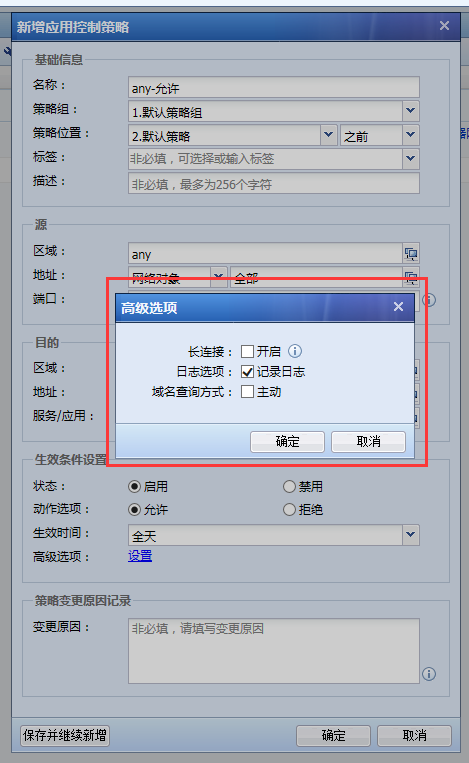
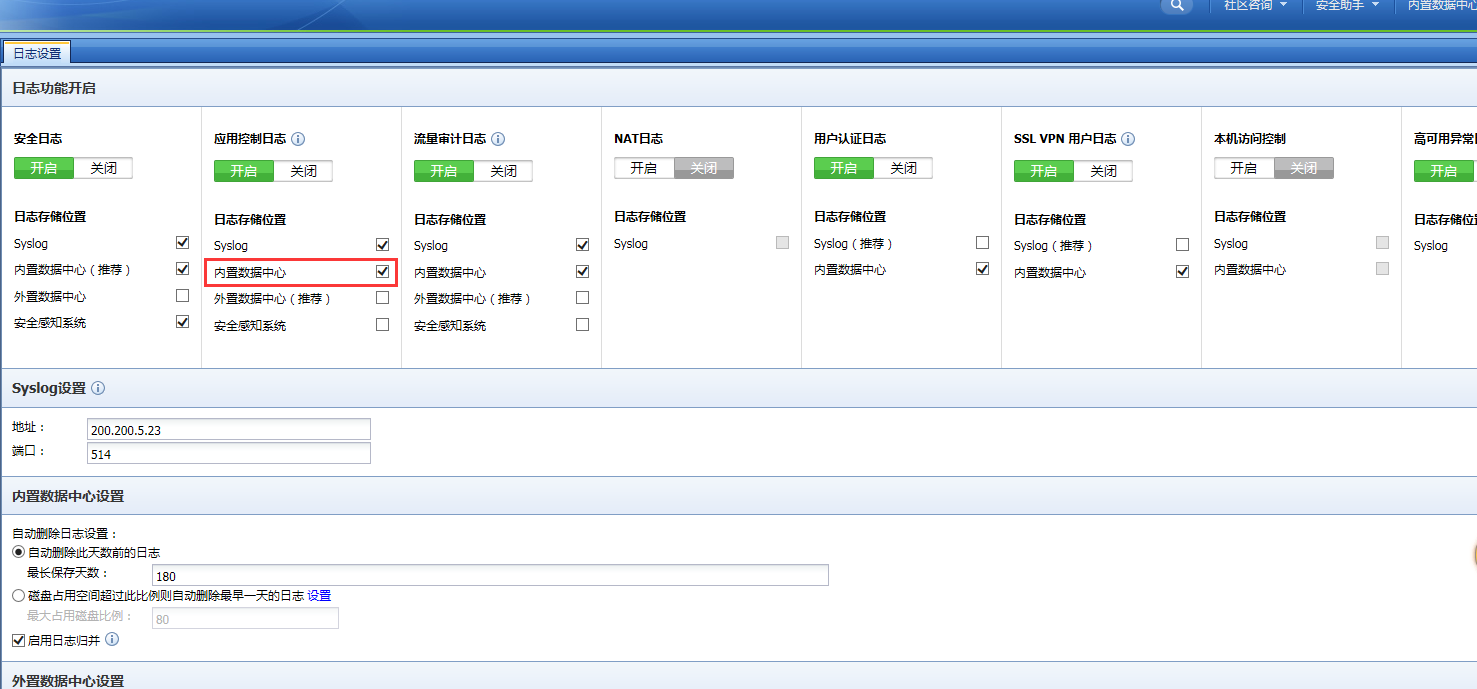
221465e4ce6521594f.png (69.77 KB) - Check the Alert Notification Settings and confirm that the Alert Notification Settingsin data center log record is also checked in the Logs settings.
75485e4ce6e5de79d.png (82.01 KB) - Note that the customer only adds one application control Policies, and it is an application control policy with an action allowed.
- Confirm with the customer that the device's disk is a 32G SSD disk. Currently, it does not support recording logs allowed by the application control Policies. To view the device's disk size, click [Built-in Data Center] in the upper right corner of the device console to open [Home] to view the disk Info.
Root cause
Devices with a disk size of less than 32G do not support logging of application control Policies set to [Allow]
solution
- If the device version is higher than 7.3, you can use the Syslog server to record the logs allowed by the application control Policies.
Suggestions and Conclusion
Prior to AF standard version 7.3, devices with a disk size smaller than 32G do not support logging of application control Policies to [Allow]. An error will be reported when logging is selected.
Starting from AF standard version 7.3, devices with a disk size smaller than 32G only support recording logs with the application control Policies set to [Allow] to the Syslog server, and will not record logs to [Built-in Data Center] and [External Data Center]
The device disk size can be checked by clicking [Built-in Data Center] in the upper right corner of the device console to open [Home]
Original Link
https://support.sangfor.com.cn/cases/list?product_id=13&type=1&category_id=876&isOpen=true