
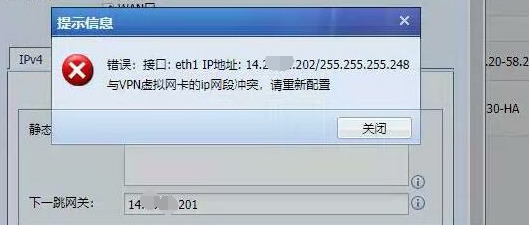
[AF] Error Interfaces IP: Conflict with the IP segment of VPN virtual network card, please reconfigure
Problem Description
Modify the Interfaces IP prompt error: conflict with the VPN virtual network card IP Network Segment, please reconfigure
Warning Info
428525c8d9f9847f40.png (111.07 KB)
solution
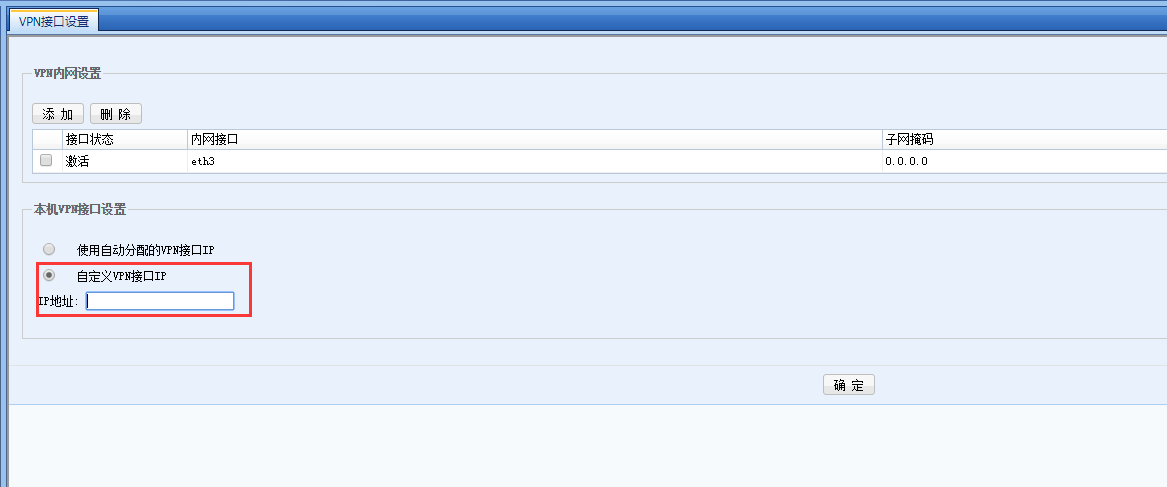
① Take the standard version AF7.3 as an example: In [VPN] – [IPSec VPN] – [VPN Interfaces Settings], select the local VPN Interfaces setting as a custom VPN Interfaces, and fill in an IP segment different from the external network interface.
② Example of the operation path for standard version AF7.4 and later versions: In [Network] – [IPSec VPN] – [VPN Interfaces Settings], select the local VPN Interfaces setting as a custom VPN Interfaces, and fill in an IP segment different from the external network interface.
930545c8da0e21ca27.png (22.28 KB)
Original Link
https://support.sangfor.com.cn/cases/list?product_id=13&type=1&category_id=651&isOpen=true