
[AF] Error message when setting custom VPN Interfaces IP: Conflict with Virtual IP Pool
Problem Description
When saving the custom VPN Interfaces IP, an error message appears: The VPN Interfaces IP cannot be in the virtual IP pool. Please check and modify it.
Warning Info
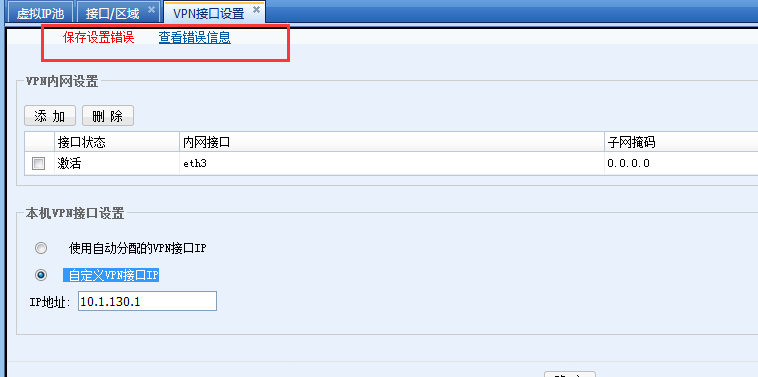
182595b8ba34ca1c91.png (10.81 KB)
Process——
- Check the virtual IP pool in [Network] – [IPSec VPN] – [Virtual IP Pool] to find the Virtual IP Pool segment including the VPN Interfaces. Change the custom VPN Interfaces IP and Virtual IP Pool so that they are not in the same Network Segment:
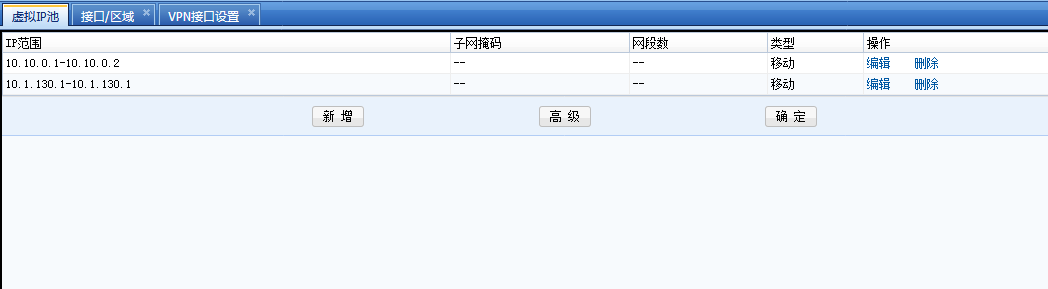
217895b8ba3d92812b.png (8.23 KB)
to modify:
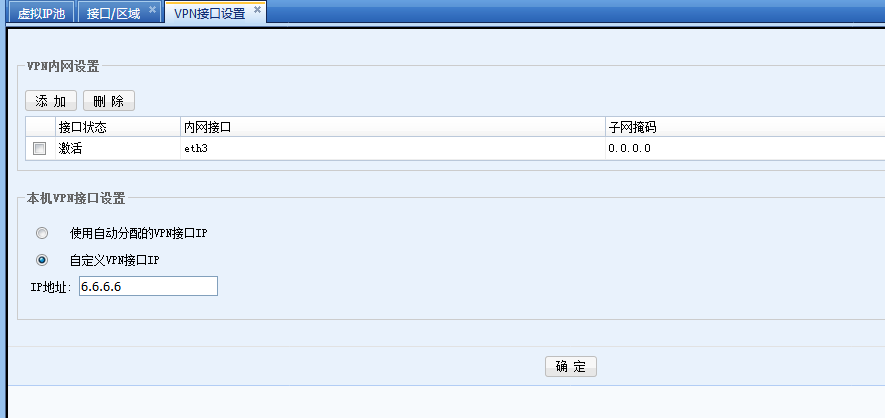
949475b8ba4213e509.png (10.76 KB)
Root cause
Interfaces VPN interface IP cannot conflict with Virtual IP Pool
solution
AF VPN Interfaces sets a custom Interfaces. You can fill in any IP Address, but it should not conflict with the existing Network Segment.
Original Link
https://support.sangfor.com.cn/cases/list?product_id=13&type=1&category_id=336&isOpen=true