
[AF] Adding a default Layer 3 failed: Does the same route already exist on Layer 3
Problem Description
In an environment where AF has multiple external network lines as egress, it is necessary to specify a default route to go through the external network egress with a fixed IP. However, when manually adding a default Layer 3, it prompts "Error: Add failed. Please check whether the Next-Hop IP and the Interfaces address are in the same Network Segment; All Routes and determine whether the same Layer 3 already exists on the default Interfaces."
Warning Info
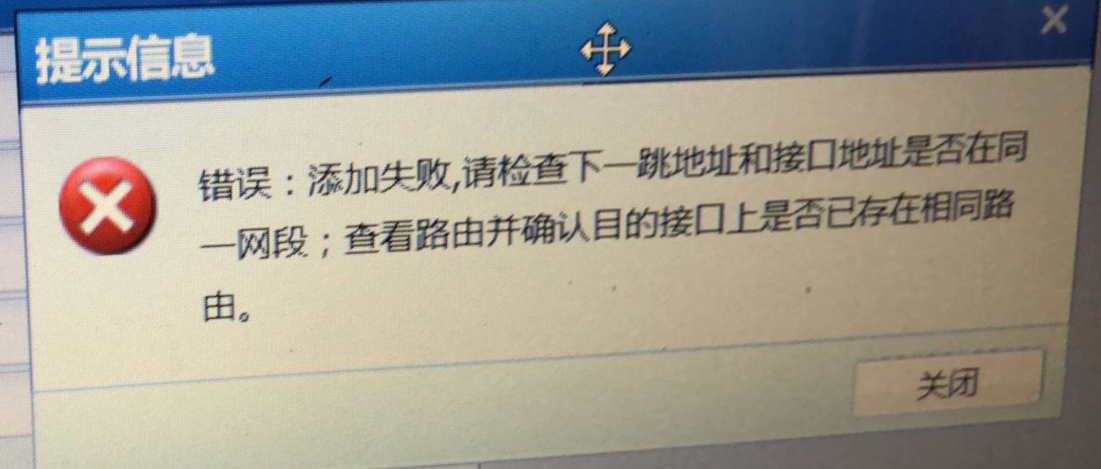
648755c207aa366f8d.png (738.17 KB)
Root cause
The dial-up port has the option to automatically generate a default Layer 3, which causes a conflict between the manually added Layer 3 and the automatically generated one.
solution
Solution 1. Uncheck the option Add Interfaces Network in [Network] – [Interface Zones] – [Physical Interfaces]
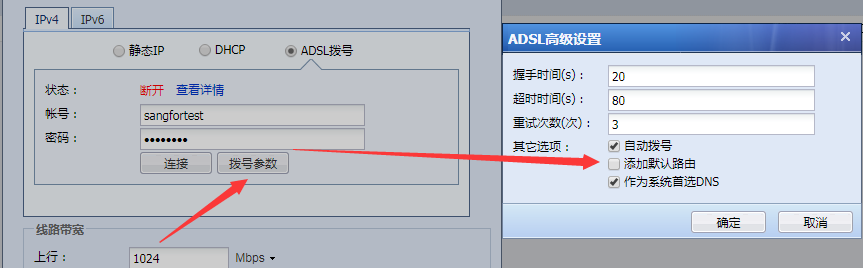
964205c207d29b0ede.png (42.08 KB)
Solution 2. Since Policies Layer 3 Priority is higher than the default routing, you can add source address policy Layer 3 in [Network] – [Layer 3] – [Policies Layer 3] to solve it.
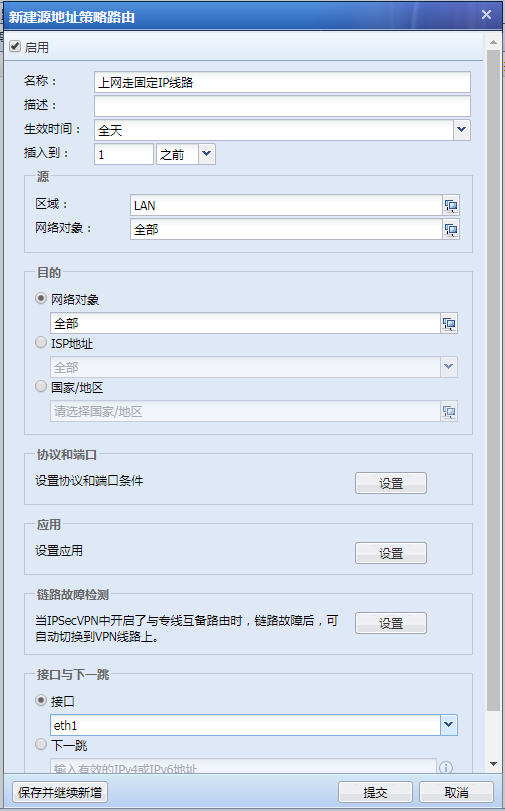
609755c207e409568f.png (63.59 KB)
Suggestions and Conclusion
If manually adding a default Layer 3 fails, first check whether other dial-up ports have the option to add a default Layer 3.
Original Link
https://support.sangfor.com.cn/cases/list?product_id=13&type=1&category_id=605&isOpen=true