
[AF] After upgrading the client, some PCs on the same Network Segment segment cannot log in
Problem Description
Some PCs on the same network Network Segment cannot log in to the client for upgrading
Warning Info
Other computers in the same Network Segment can log in, but some cannot
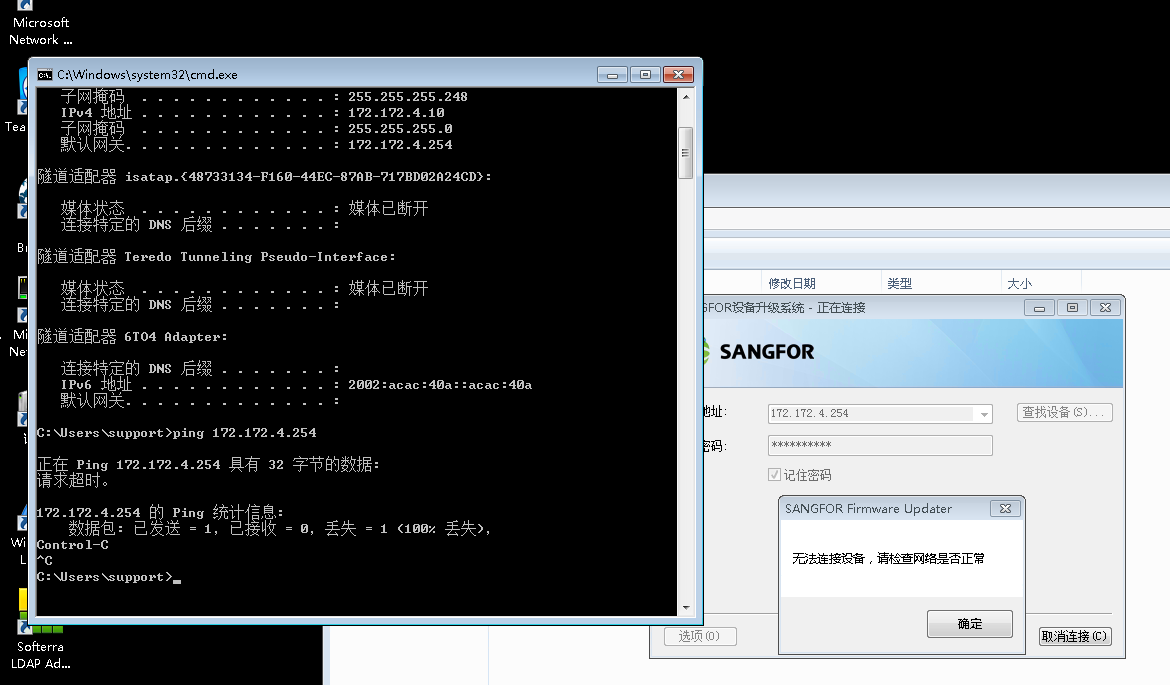
915355c05232f77dfd.png (80.04 KB)
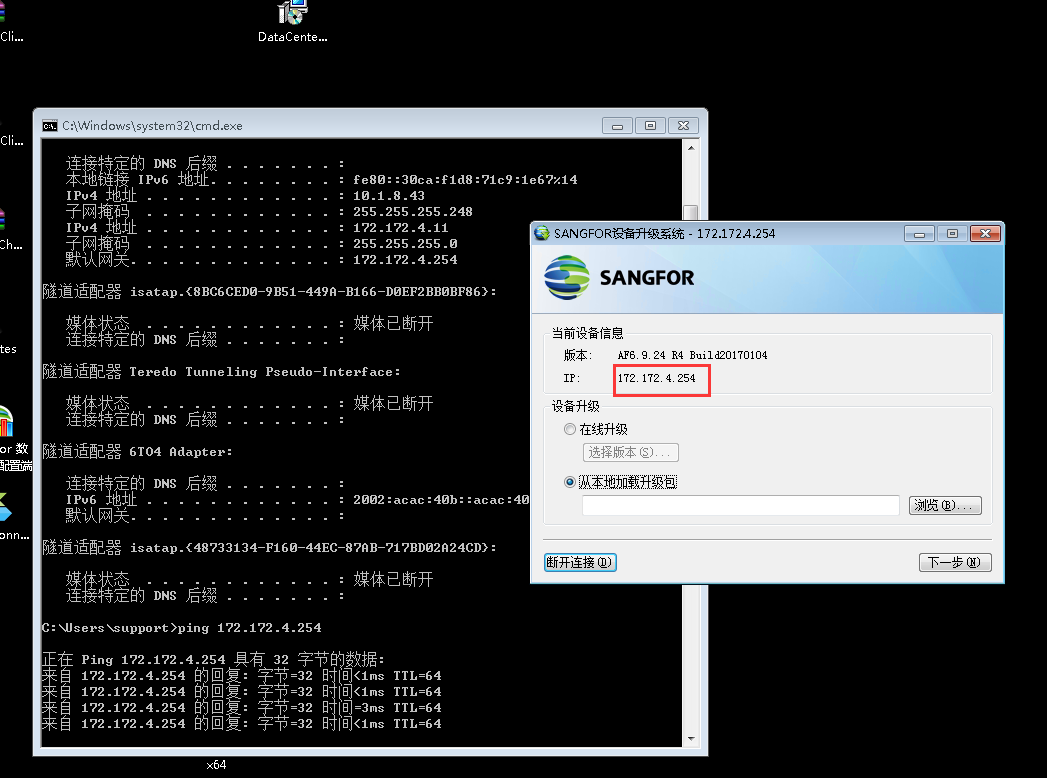
932905c05236ddd6f6.png (90.39 KB)
Process——
- Normal after opening full direct access
682005c0525edde7d5.png (80.84 KB)
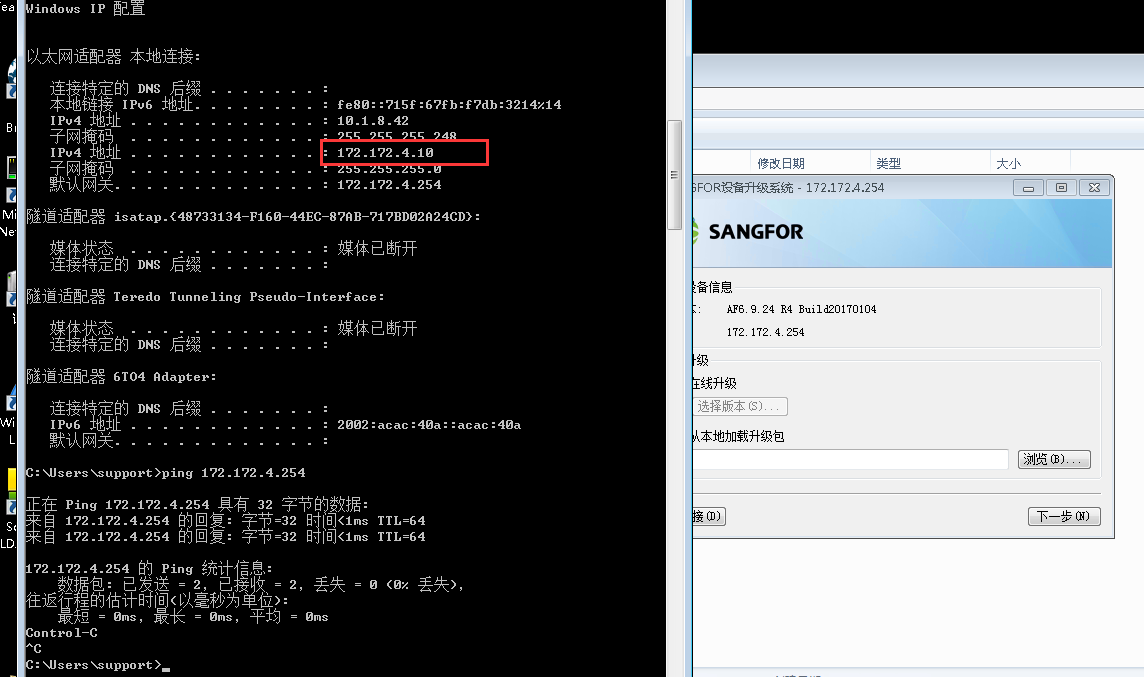
Enable: Click [Enable] to enable real-time interception log and direct access
Close: Close the real-time interception log
① Take the standard version AF7.3 as an example: You can configure it in [Maintenance] – [Packet Interception Log and Direct Passthrough]
② Take the standard version AF7.4 as an example: You can configure it in [System] – [Troubleshooting] – [Packet Interception Log and Direct Access]
2. Open some direct access for computers that cannot log in
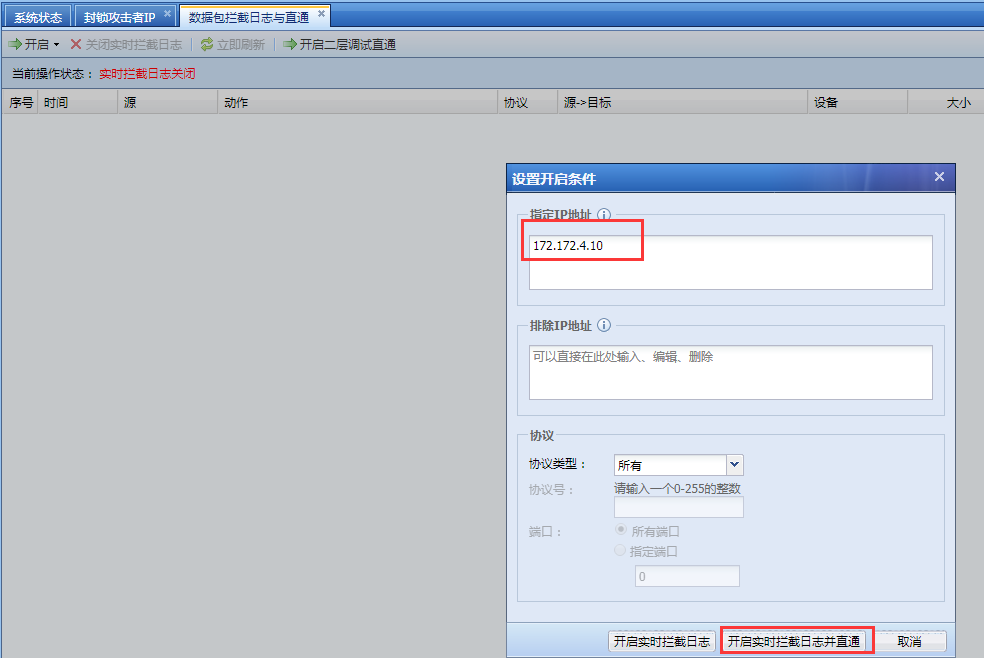
870635c05268f79bd9.png (62.58 KB)
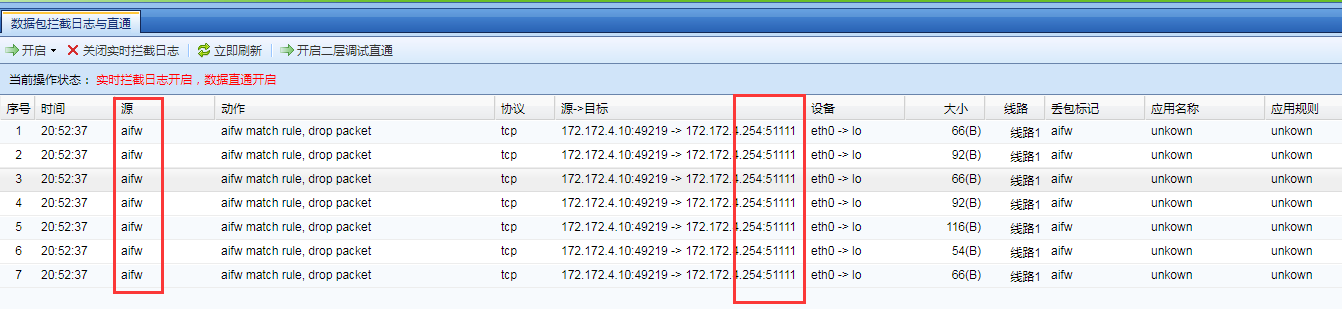
3. Click [Refresh Now] to generate log protocol tcp51111, packet loss mark aifw, application unknown
105865c05278d21aa8.png (65.24 KB)
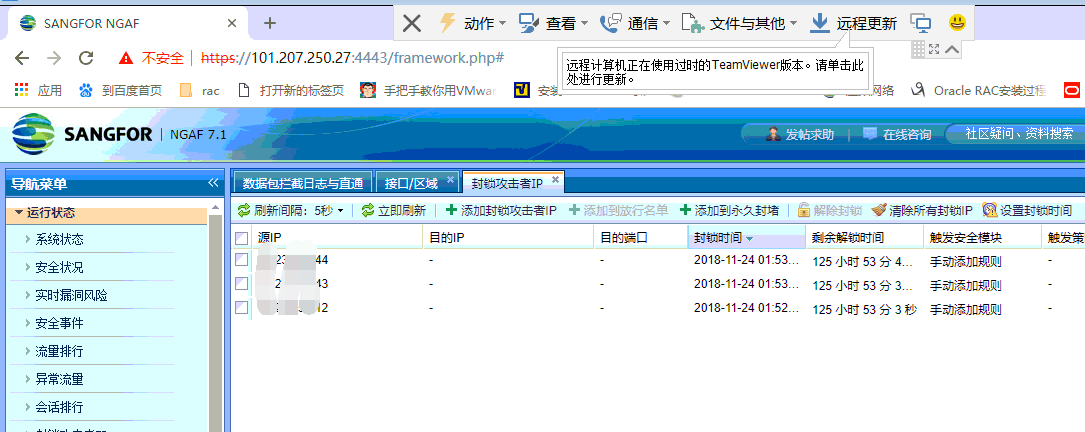
4. Check the IP Blocking status [Running Status] – [Block attacker IP]
514185c0527e102d3f.png (80.14 KB)
5. View manually added
Root cause
IP Blocking source IP, causing some PCs to be unable to interact with the upgraded client
solution
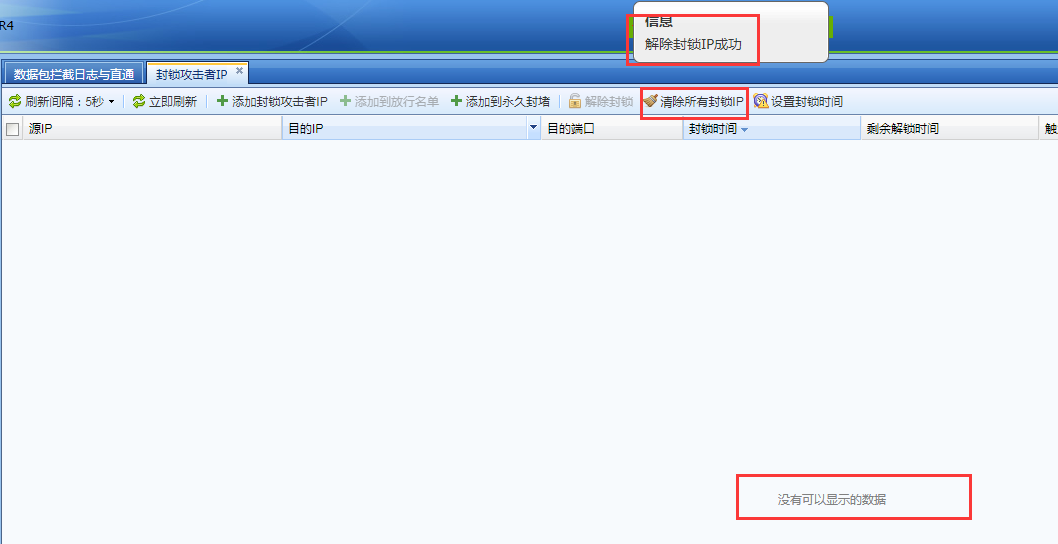
Method 1: Unblock IP Blocking IP
888215c0ce63fb53cd.png (58.99 KB)
Method 2: Add IP to the Whitelist
Original Link
https://support.sangfor.com.cn/cases/list?product_id=13&type=1&category_id=576&isOpen=true