
[AF] The application control Policies interception of the attacker IP in the attacker map does not take effect, but the attacker IP can still be seen attacking the server
Problem Description
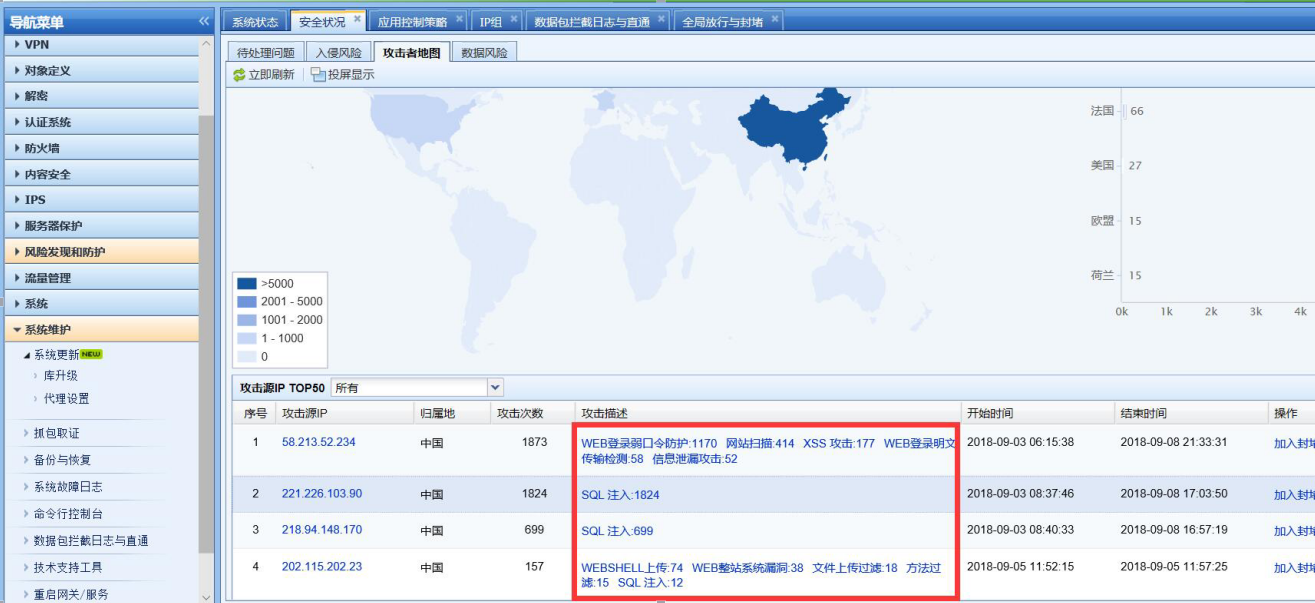
Apply the application control policy to deny access to the server for the attacker IP indicated in the attacker map. However, after this, new attack events will be displayed in the attacker map, as shown in the following figure
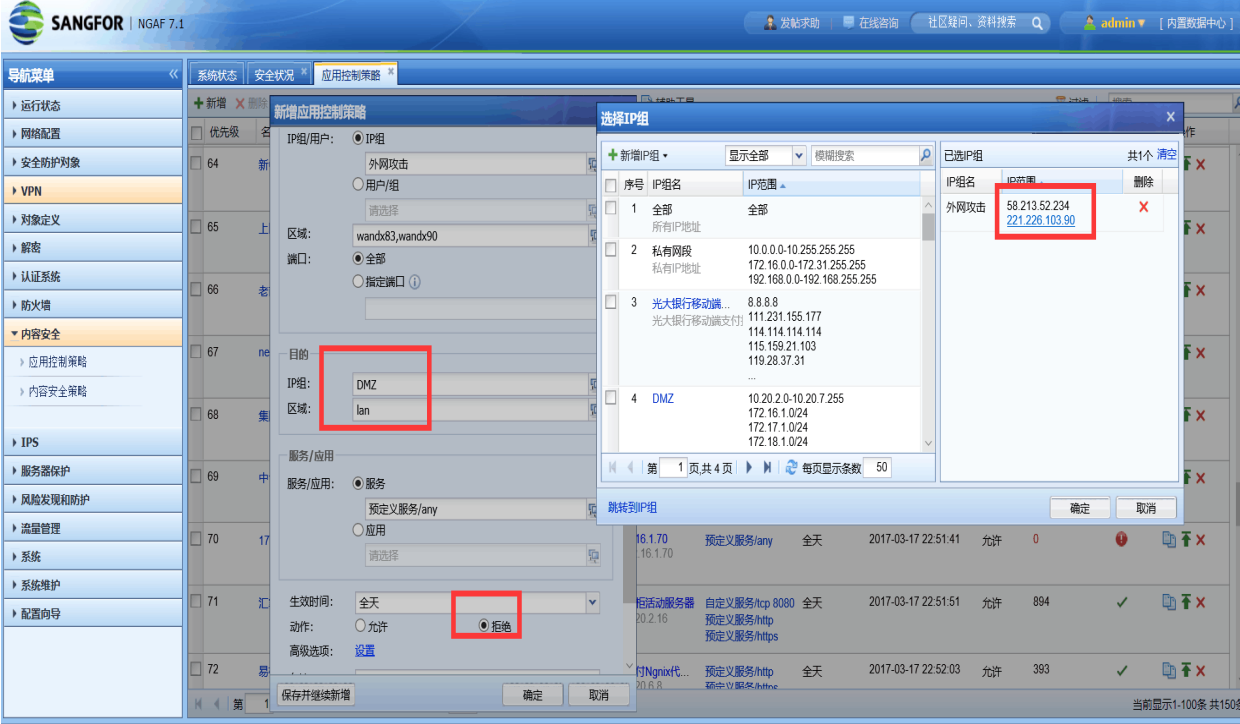
287225b94fcc10fbd0.png (308.75 KB)
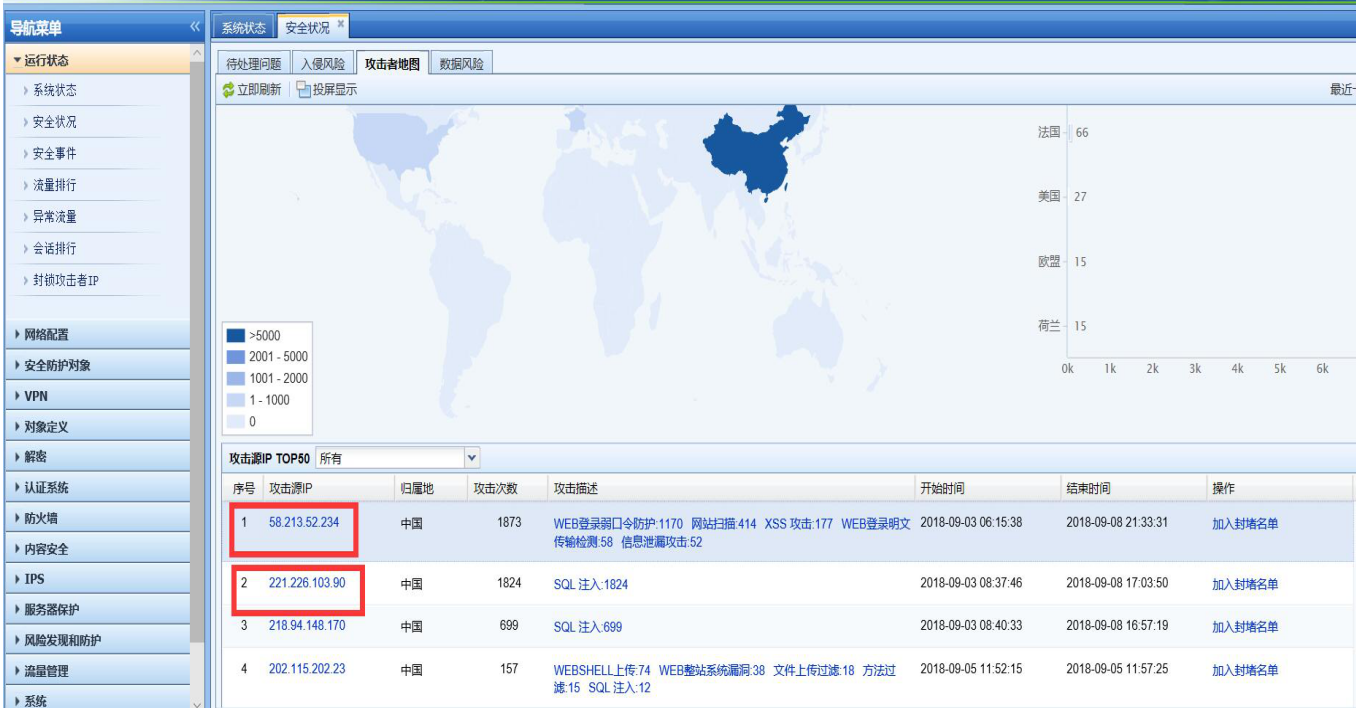
280335b94fce099114.png (513.33 KB)
Process——
- Check whether the server address is excluded in the global exclusion address, or whether the direct access is enabled and the application control Policies not effective. In [Maintenance]–[Packet Interception Log and Direct Access] and [System]–[Global Release and Blocking], the IP address of Services server accessed from the external network is not directly IP Address
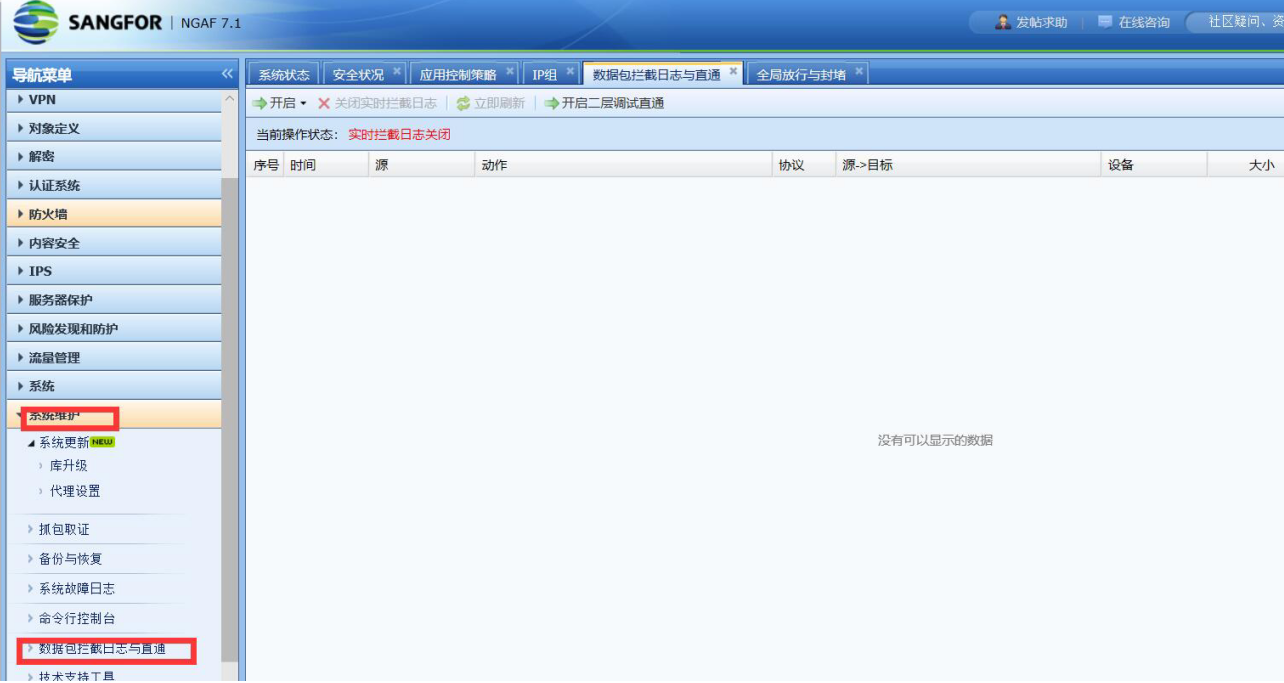
382835b94fd3243295.png (306.4 KB)
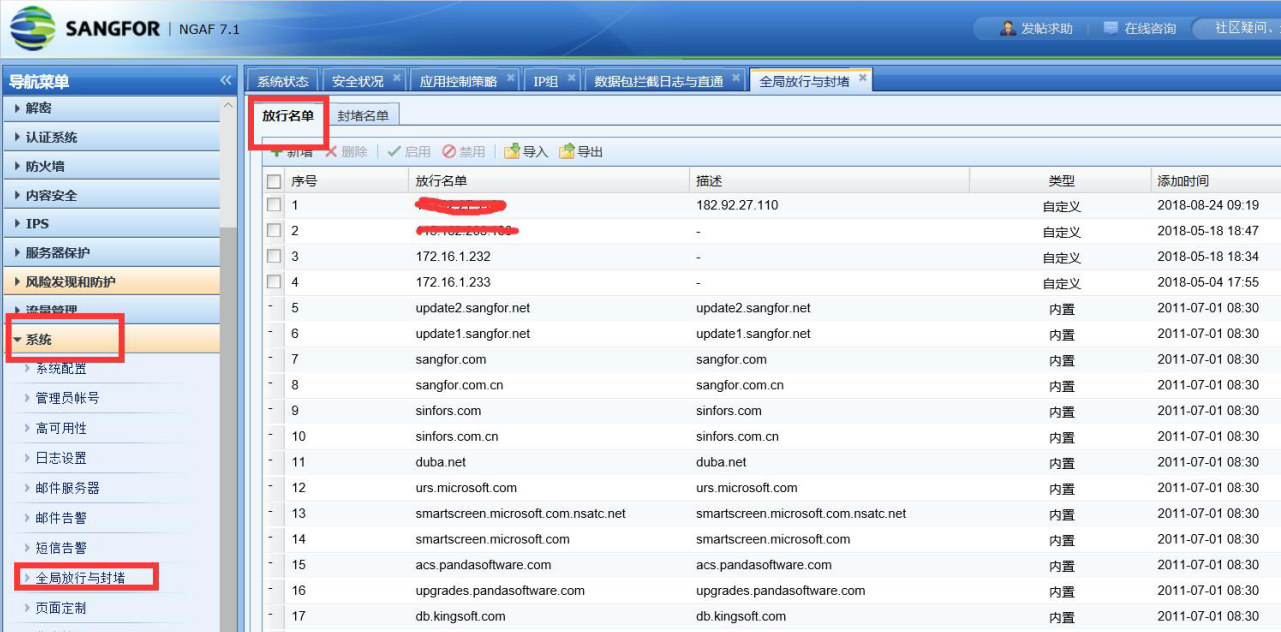
703905b94fd43f21b0.png (504.92 KB)
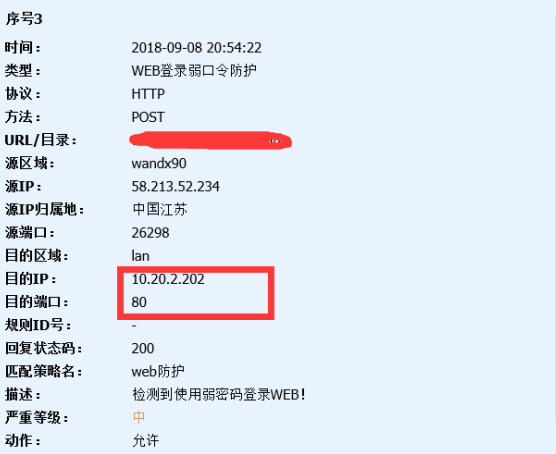
- Click the attack event in the attacker map to view the log. You can see that the attacker attacked port 80 of the server, as shown in the following figure
354115b94fd59e1810.png (491.26 KB)
873125b9685a6bc8e4.png (58.08 KB)
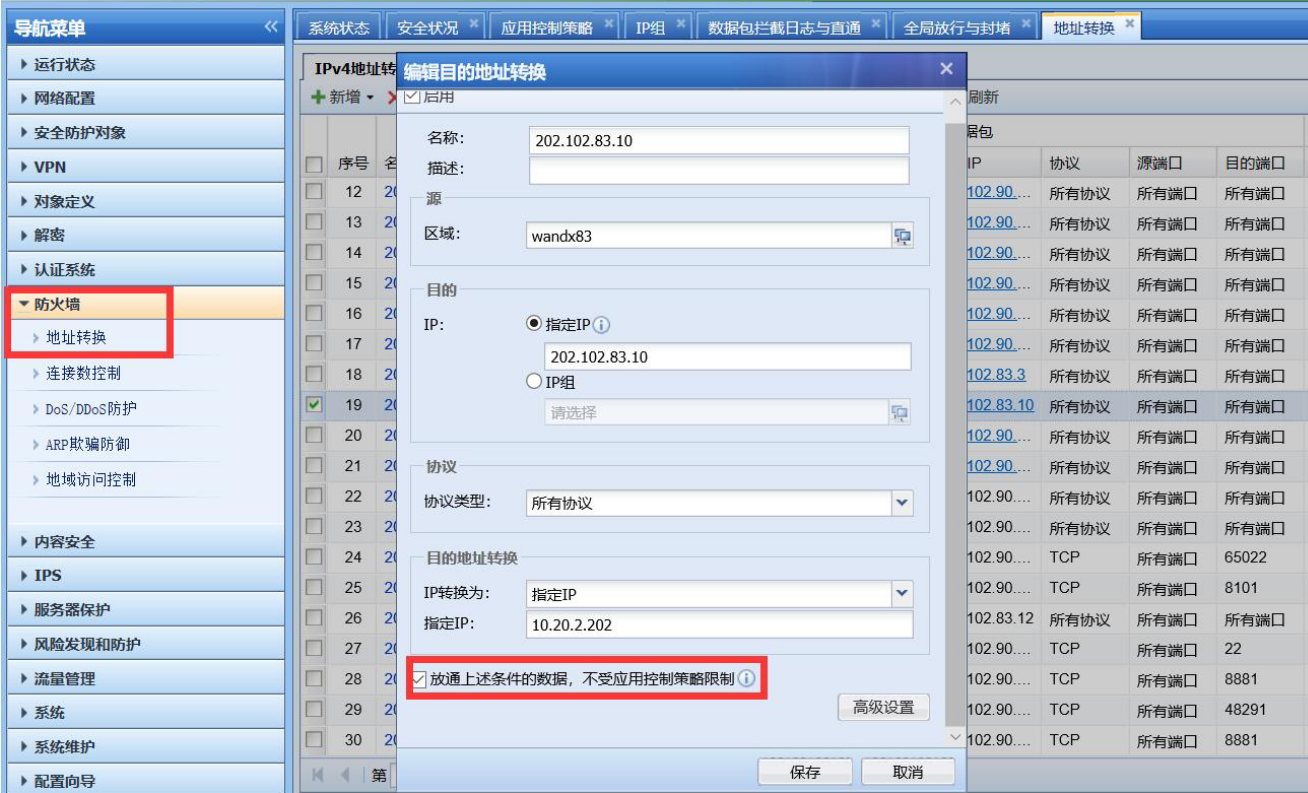
- Port 80 of the server is mapped on AF to provide services to the external network. In [Local]–[NAT], you can see that the mapping is checked in NAT during Policies configuration [Release the data under the above conditions and not be restricted by the application control Policies]
298145b94fd7ece316.png (760.17 KB)
solution
In [Local]–[NAT], uncheck [Allow data under the above conditions to pass, not subject to application control Policies restrictions], and the application control policy will be matchedPolicies
Suggestions and Conclusion
After unchecking the box, the port mapping data will match the default denied application control Policies. If there is no application control policy that allows it before, you need to add a policy to allow it in advance.
Original Link
https://support.sangfor.com.cn/cases/list?product_id=13&type=1&category_id=365&isOpen=true