
[AF] Rule base upgrade failed: Front-end device limitation
Problem Description
AF is deployed in the intranet in routing mode. The rule base cannot be updated, but the upgrade server test is successful.
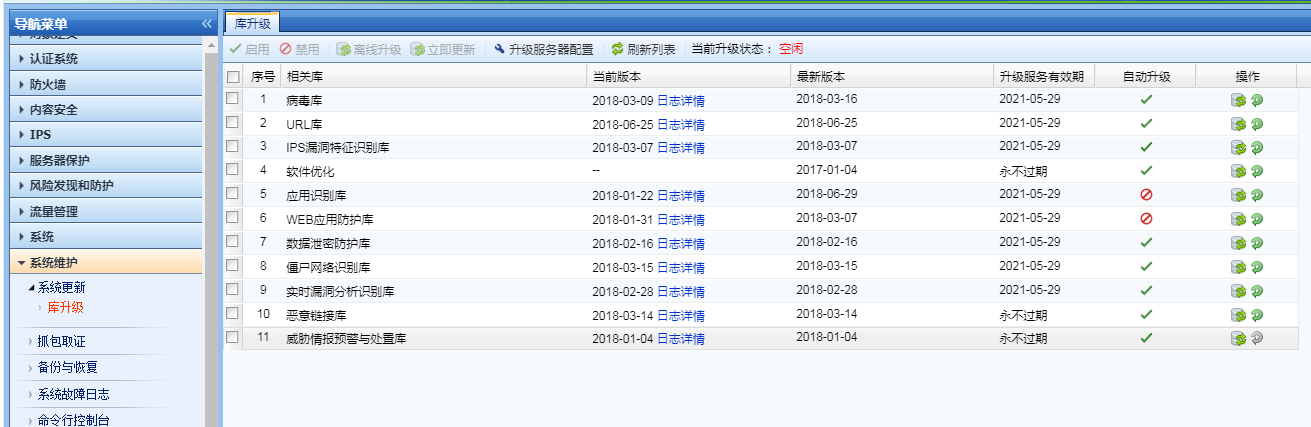
214095b798936627d2.png (117.02 KB)
Process——
-
Check AF Interfaces and IP configuration

18155b7a72b8543d9.png (53.79 KB) -
Test the connectivity of the server.
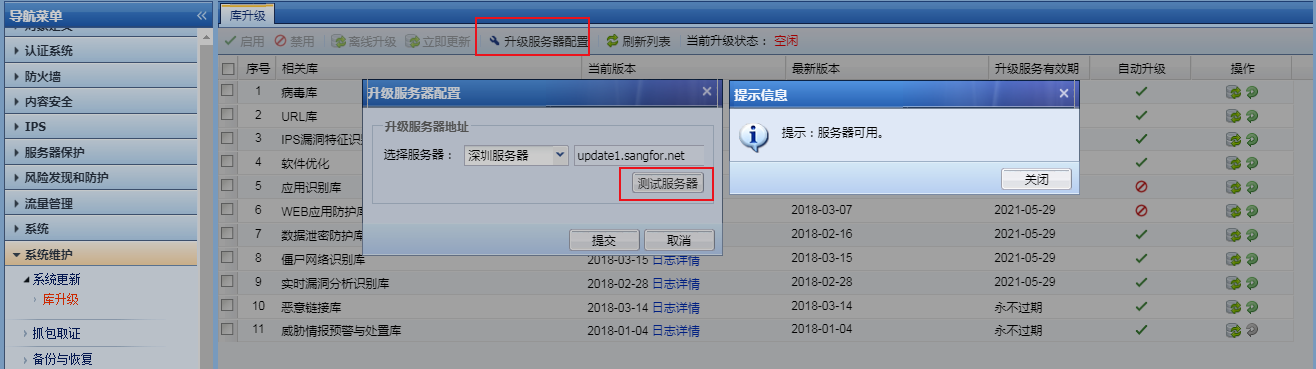
682185b79899d0adf2.png (124.84 KB)
Click [Update Now] and find that it is still the same -
Download log details for analysis
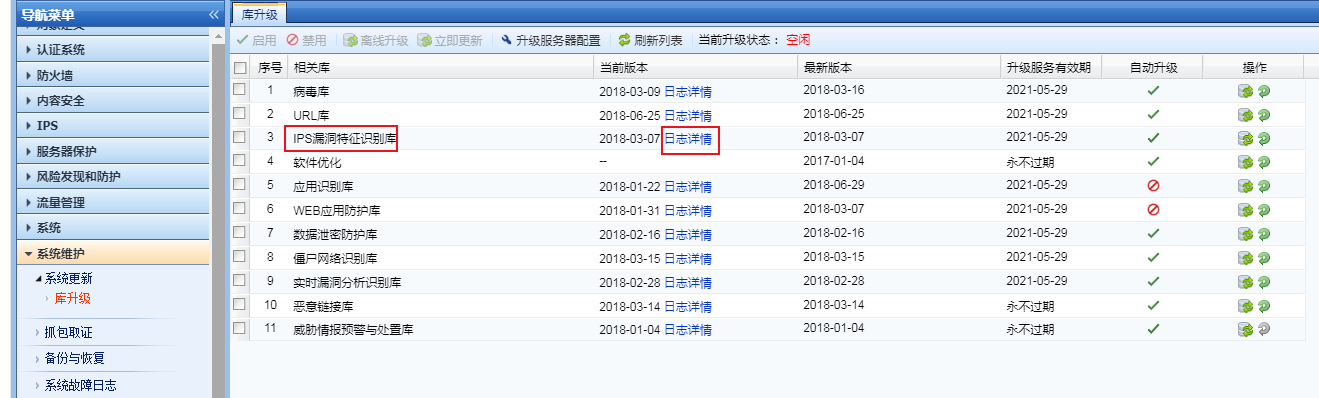
296845b7989d10ef05.png (112.27 KB)
Click [Logs Details], download the rule base update log to your local computer, and open it with notepad++ for analysis.
Through log file analysis, it is found that the rule base file downloaded from Services server to the local computer does not match the md5 of the rule base file on the server, indicating that the rule base file downloaded to the local computer is incorrect.
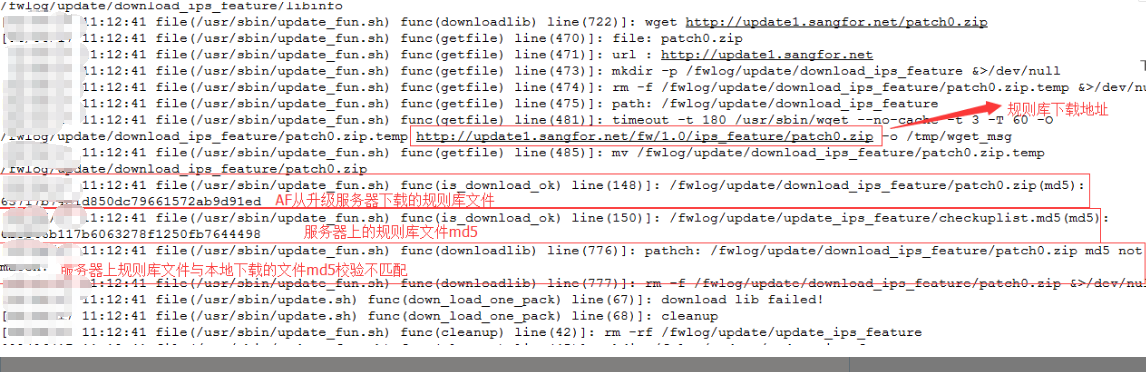
137525b798aaeab2a3.png (290.81 KB)
- I suspected that the library file downloaded to the local computer was incorrect due to Network reasons. I changed the server and updated it again, but the same thing happened. I checked the entire Network environment and found that there was a cache device at the exit. I cancelled the cache control over the AF IP, and then the update was normal.
Root cause
There is a cache device control in the AF external network port direction, which causes the rule base file to be updated abnormally
solution
Cancel the control of the AF Interfaces IP by Network front-end device
Original Link
https://support.sangfor.com.cn/cases/list?product_id=13&type=1&category_id=302&isOpen=true