
[aCloud] When adding iscsi storage, an error message appears: “Storage access exception, please confirm the storage environment”
Problem Description
An error occurs when adding iscsi storage on the interface. Storage access is abnormal. Please confirm the storage access environment. 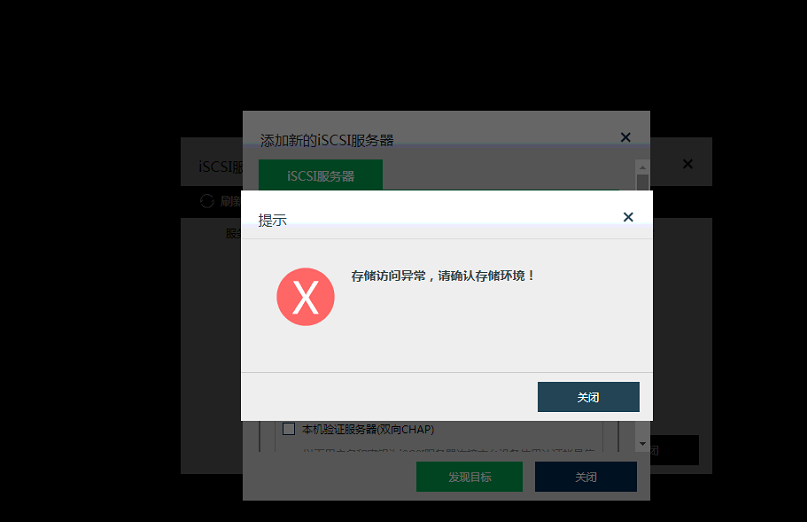
998825e6791a080bdb.png (53.41 KB)
Process –
- Check whether the hyper-convergence to iscsi network can communicate normally
- Test port 3260 can also communicate normally
- Log in to iSCSI server and check that the iscsi initiator is not configured.
Solution
-
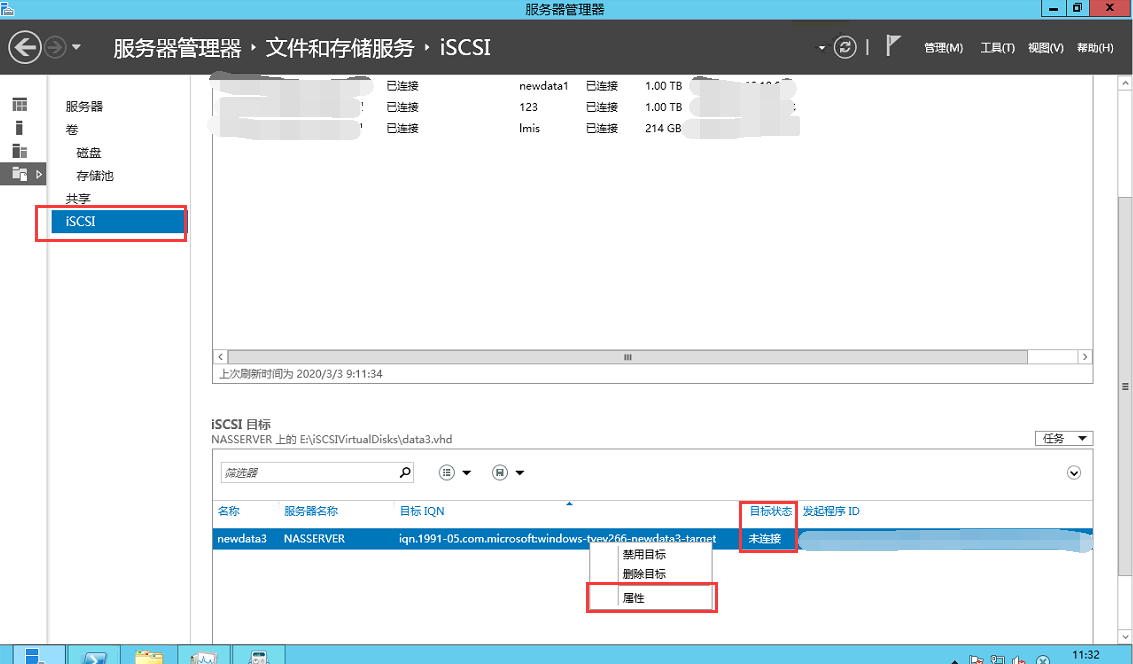
Log in to the iscsi server [Server Manager] – [File and Storage Services] – [iscsi], right-click and select Properties as shown below
647565e67932de813a.png (105.18 KB) -
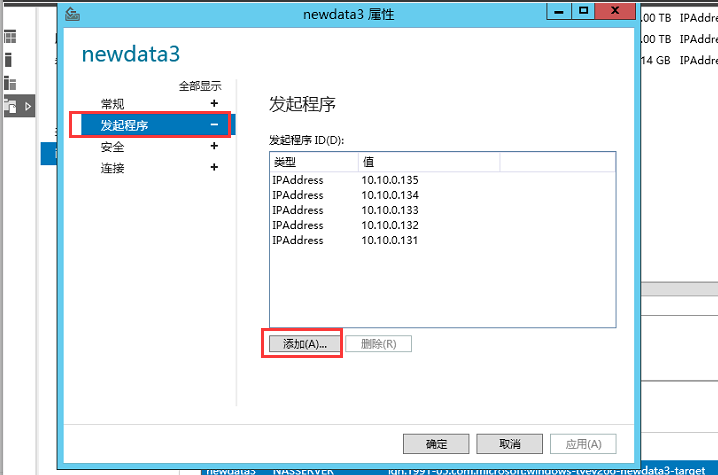
Select [Initiate Program] – [Add]
646565e67935e14786.png (55.59 KB) -
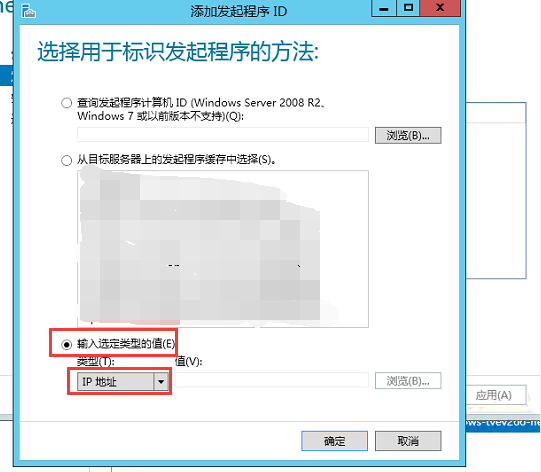
Select the method of identifying the initiator and add the host that needs to be connected to the iscsi storage for hyper-convergence (the IP address is selected here, which can be selected according to the actual situation)
327855e67939d805b4.png (54.23 KB) -
Test addition.
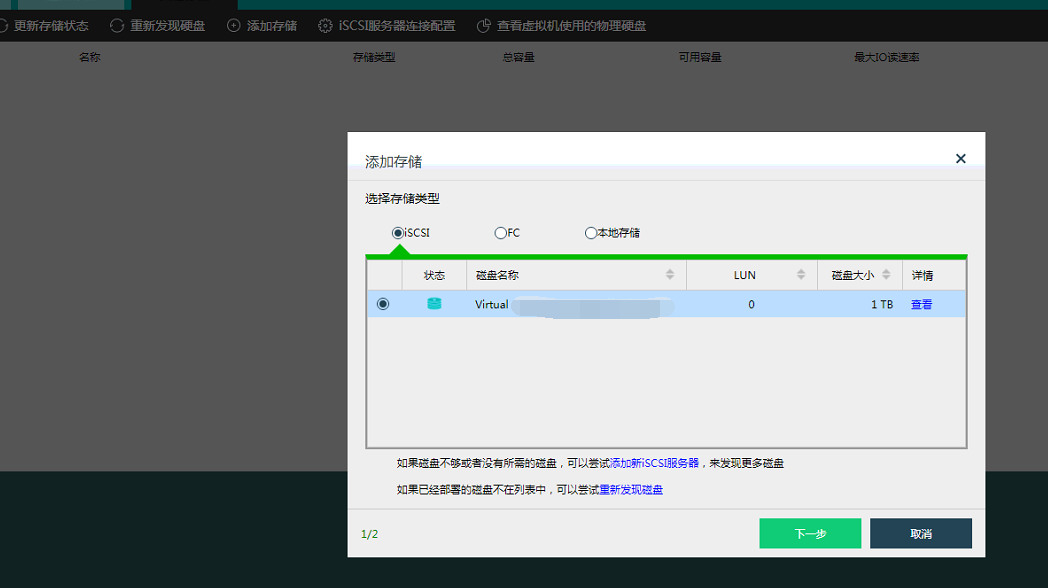
480765e6794343c80b.png (94.17 KB)
Original Link
https://support.sangfor.com.cn/cases/list?product_id=33&type=1&category_id=15916&isOpen=true