
[SCP] Failed to create Virtual Machine. The image was not found in the current storage. The image distribution process has been automatically triggered. Please try again later.
Problem Description
Failed to create the Virtual Machine. The image was not found in the current storage. The image distribution process has been automatically triggered. Please try again later.
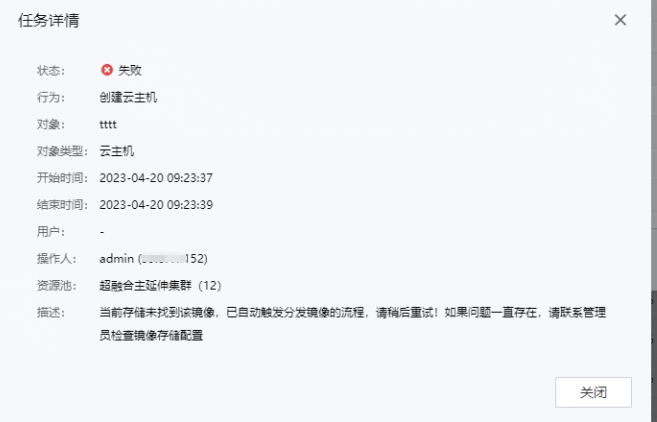
Effective troubleshooting steps
- Check that the public image is normal
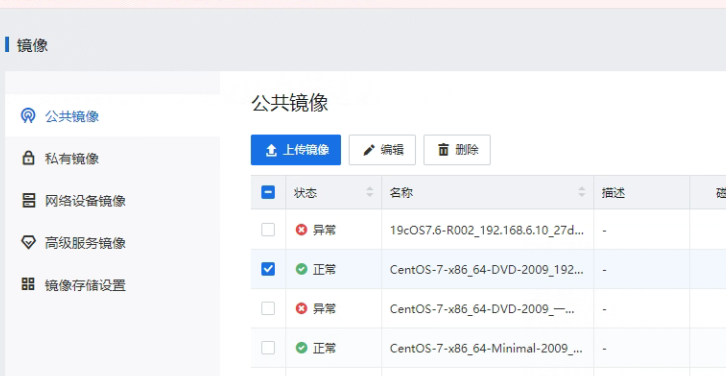
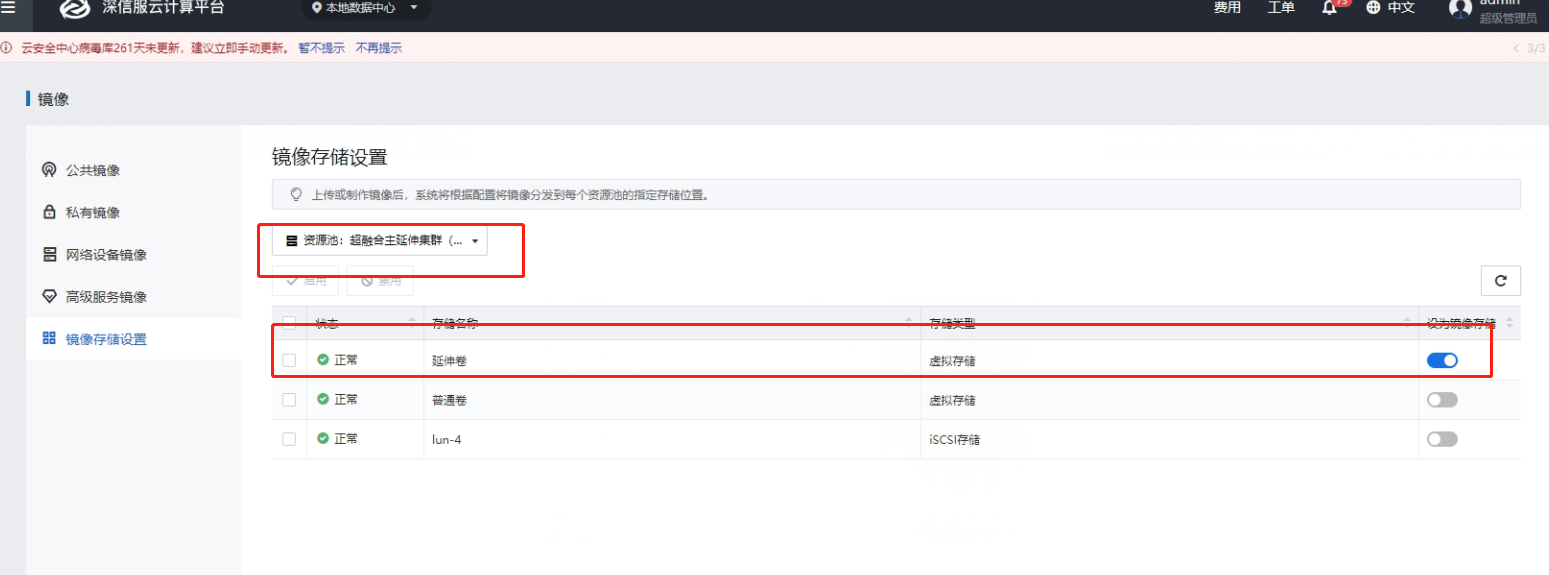
- Check image storage settings, only the extended datastore is turned on
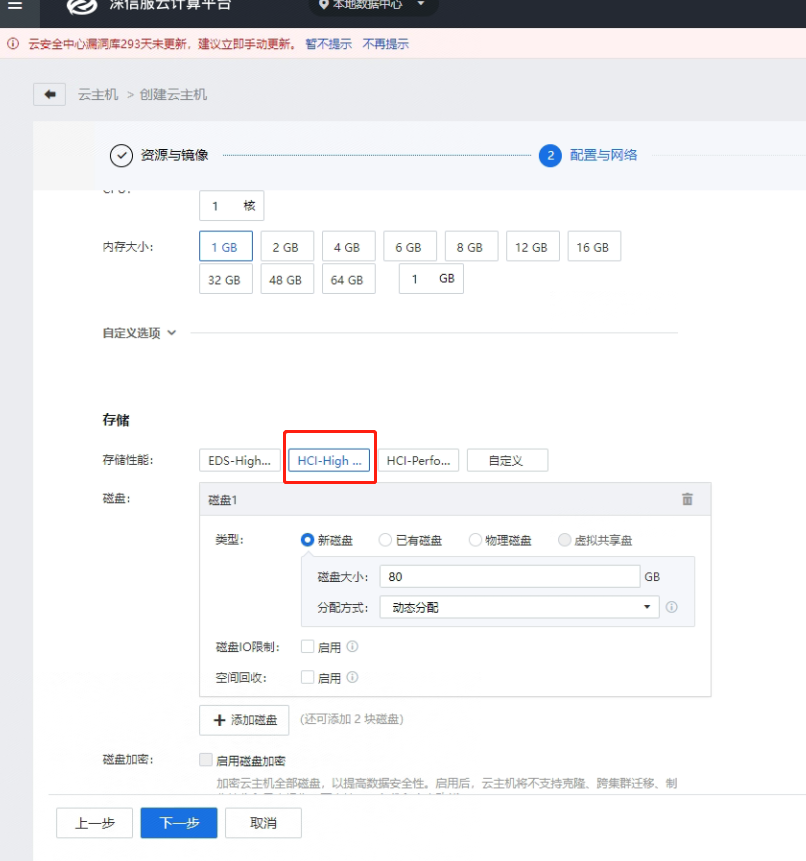
- Check the Cluster storage performance. The extended datastore corresponds to HCI-High performance.
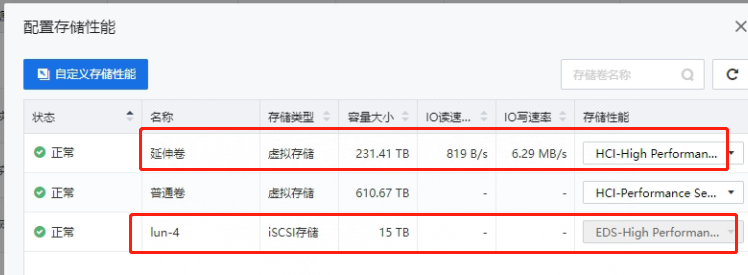
- When creating a Virtual Machine, you can only select HCI-High performance for storage performance to be created successfully. If you select other Tag, it will not be created successfully.
Root cause
The image does not exist in the corresponding storage when the Virtual Machine is created
solution
Select the storage image the corresponding image storage location to create a Virtual Machine
Original Link
https://support.sangfor.com.cn/cases/list?product_id=36&type=1&category_id=19648&isOpen=true