
[IAG] 802.1x authentication failed on the computer side – certificate authentication was enabled
Problem Description
The 802.1x authentication on the computer fails, but the mobile terminal can use the same account to connect to the same network and authenticate successfully.
Effective troubleshooting steps
- Capture the radius data packet and analyze it. It turns out that IAG replied with radius reject
- The fault monitoring center shows that the user cannot be found
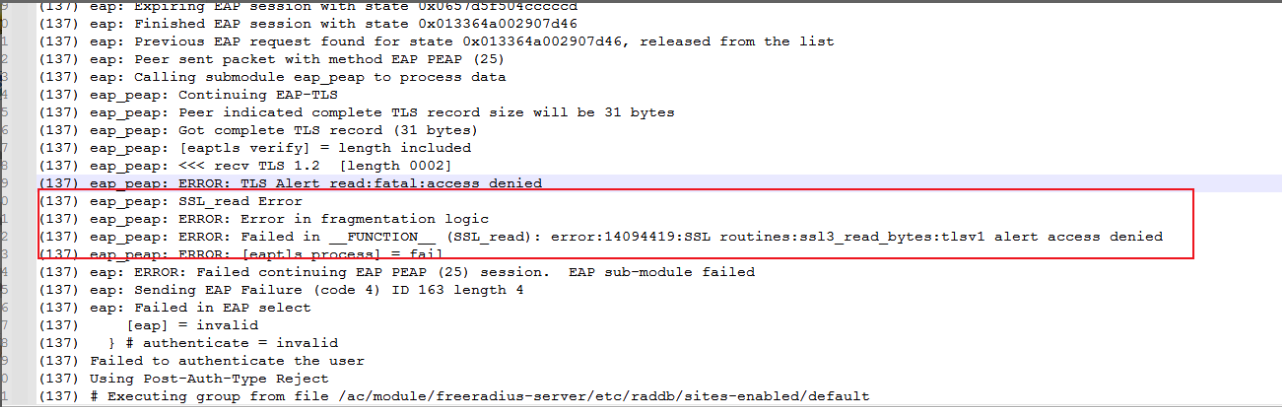
- Check the 802.1x debug log and find certificate-related error alarms
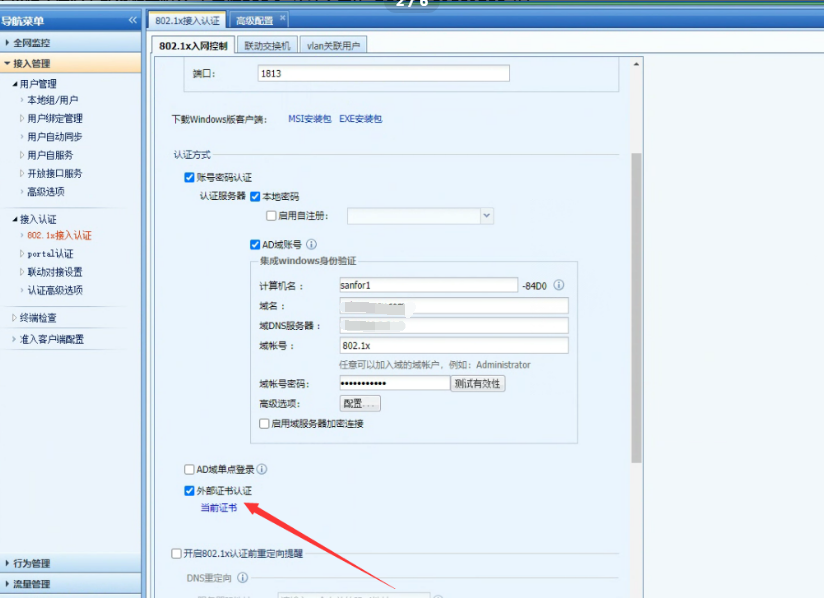
- Check the 802.1x authentication configuration to see if external certificate authentication is enabled. Check the imported server certificate and find that it does not meet the requirements.
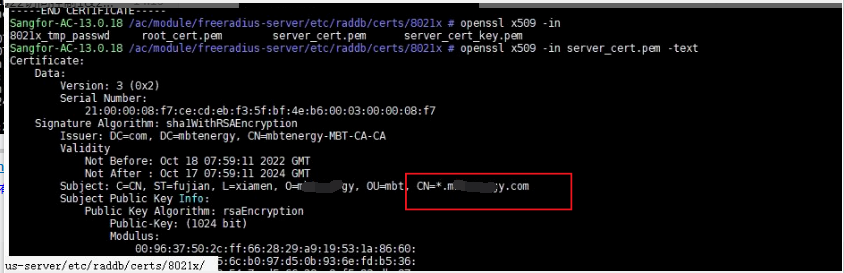
- The server certificate imported on the device is issued to *.xxx.com, which does not meet the requirements; you need to import a certificate issued to a specific domain name, such as www.test.com. —For the requirements of importing certificates, please refer to the attached document
Root cause
External certificate authentication is enabled and the imported server certificate does not meet the requirements
solution
Re-import the server certificate that meets the requirements

802.1x certificate requirements.docx
(2.07 MB)
Original Link
https://support.sangfor.com.cn/cases/list?product_id=22&type=1&category_id=9676&isOpen=true