
【BBC】Disk partition abnormality causes basic image package upload and installation failure
Problem Description
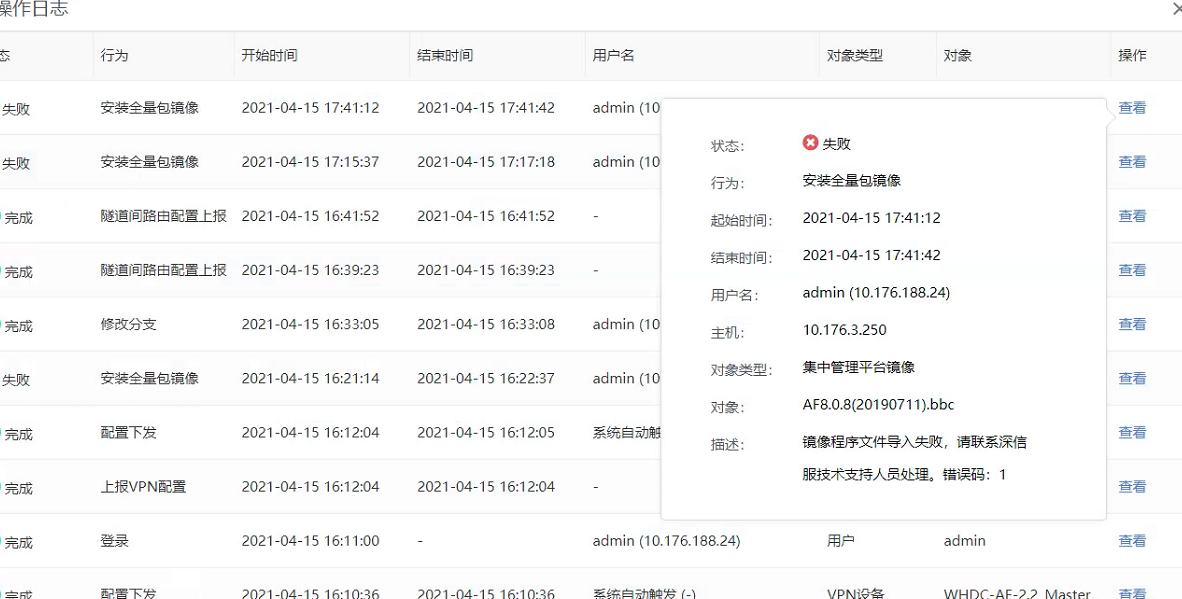
The customer currently uses BBC to upload the basic image template of the product line, and an error is reported during the upload process, as follows:
Warning Information
Effective troubleshooting steps
-
First check the remaining disk space of BBC, and check it with df -h in the background. It is found that there is enough remaining space on the device;
-
By checking the device image log file, it was found that the docker container did not start normally;
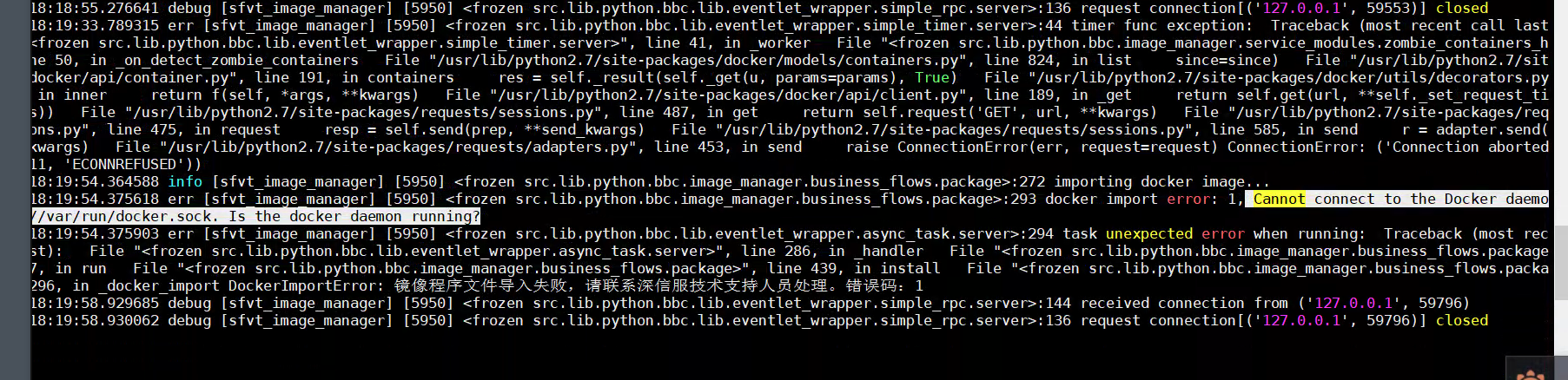
Failed to manually start the docker container in the background, /sf/etc/init.d/docker restart

-
By checking the /sf/log/docker/docker.log log, it is found that the partition is abnormal;

-
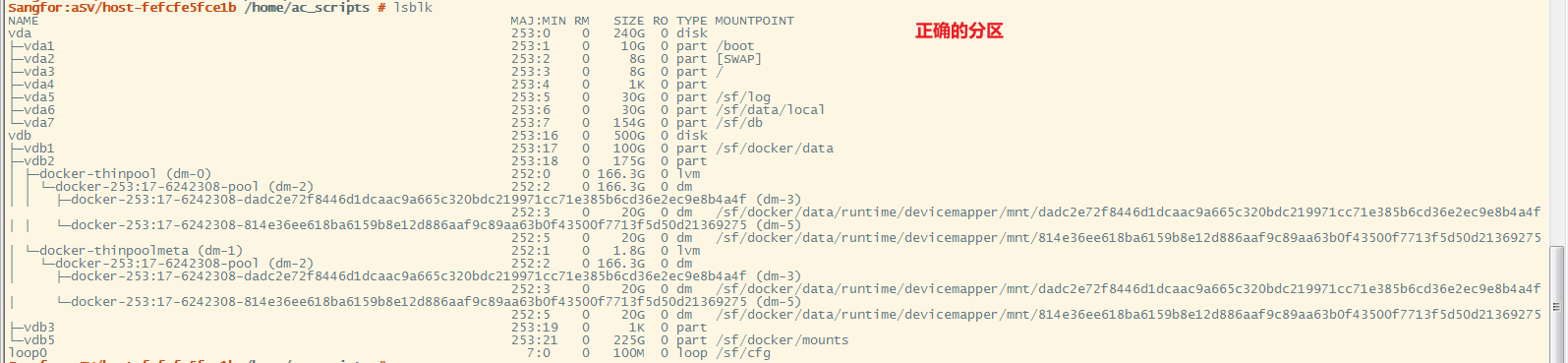
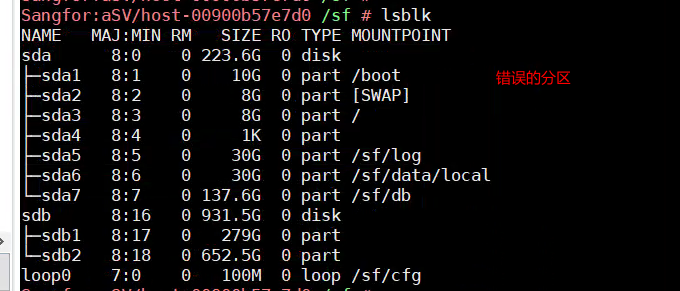
Compare the normal and abnormal partitions and find that the partition is indeed abnormal;
Normal partition:
Abnormal partition:
Root cause
Disk partition abnormality causes Docker container to fail to start
solution
Transfer to maintenance specialist
Original Link
https://support.sangfor.com.cn/cases/list?product_id=63&type=1&category_id=19736&isOpen=true