
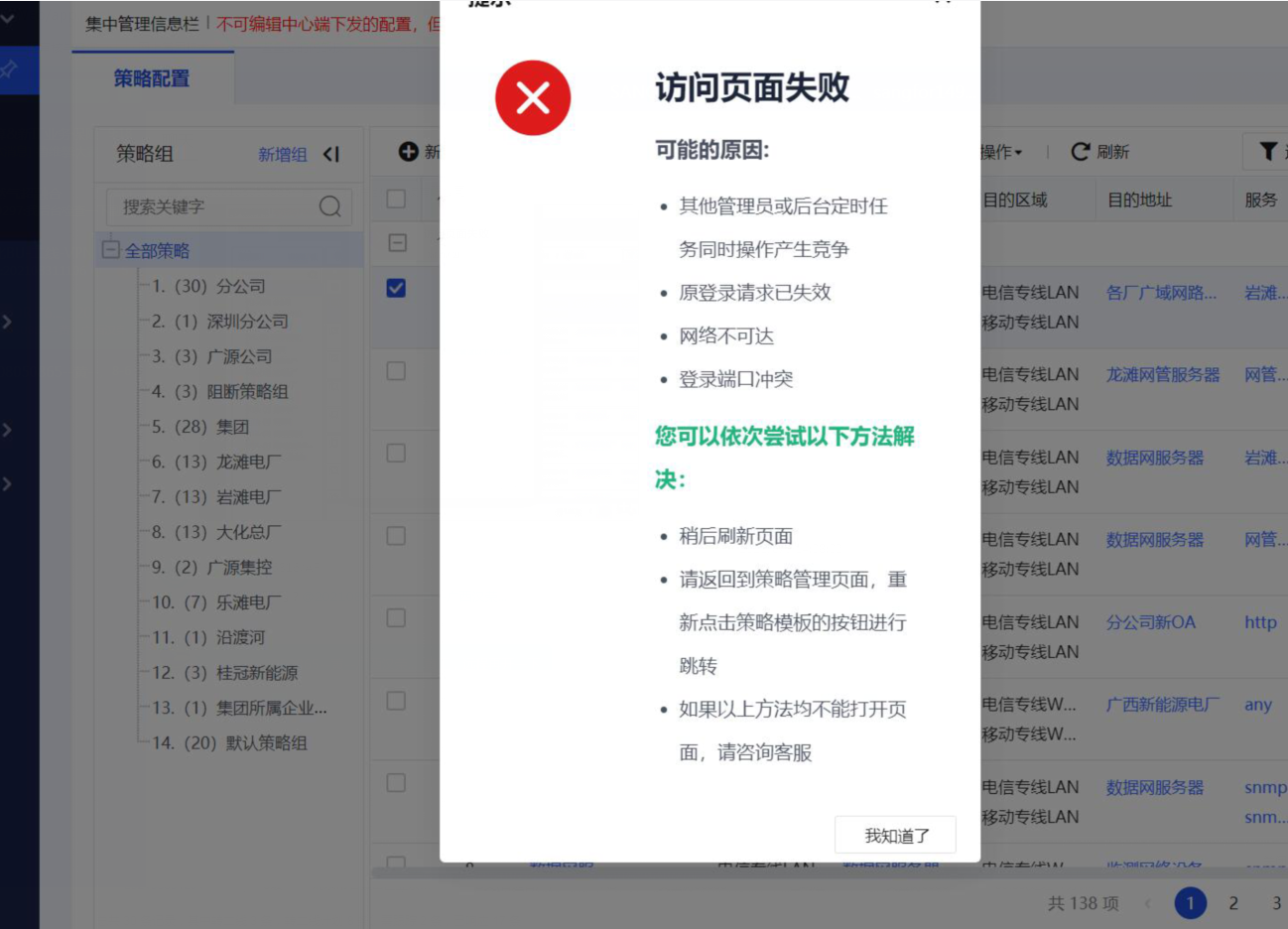
【BBC】Editing AF policy of version 8.0.35 reports an error message indicating that the page access failed
Problem Description
When editing the AF policy of version 8.0.35, an error message is displayed indicating that the access page failed.
possible reason:
● Other administrators or backend scheduled tasks are operating at the same time, causing competition
●The original login request has expired
●Network unreachable
●Login port conflict
You can try the following solutions in turn:
●Refresh the page later
●Please return to the policy management page and click the policy template button again to jump
●If the above methods cannot open the page, please contact customer service
Effective troubleshooting steps
-
Test whether the editor will report an error after other devices are connected to BBC. If so, check whether TCP port 5530 is mapped. If not, continue to troubleshoot.
-
Use IP to log in to the 8.0.35 version of AF to test whether the editing will report an error. If an error is reported, AF colleagues will check their own equipment problems. If no error is reported, you can continue to check.
-
Confirm whether the version of AF matches that of BBC.
Root cause
The client's current BBC version 2.5.16 is not compatible with AF8.0.35.
solution
The highest version (2.5.16) released by BBC only supports the control of AF versions 8.0.32 and below. This problem requires upgrading the BBC version to 2.5.18.
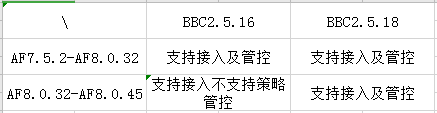
Note: The upgrade process will not affect the configuration received by the controlled end (that is, it will not affect the service). The BBC device will restart after the upgrade is completed. It only supports upgrades from BBC2.5.0 and later versions.
Original Link
https://support.sangfor.com.cn/cases/list?product_id=63&type=1&category_id=19743&isOpen=true