
【BBC】Failed to jump to AC console on BBC, the remote access button is gray
Problem Description
Failed to jump to AC console on BBC. Edited the corresponding AC device and found that the remote access button was gray.
Warning Information
- Edit the corresponding AC device on BBC and find that the remote access button is gray, and no other abnormal errors are reported

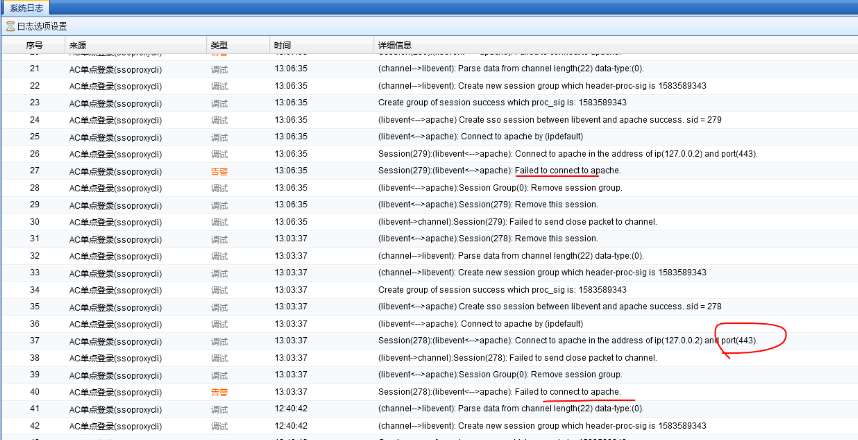
- Check the system log on AC as follows
Effective troubleshooting steps
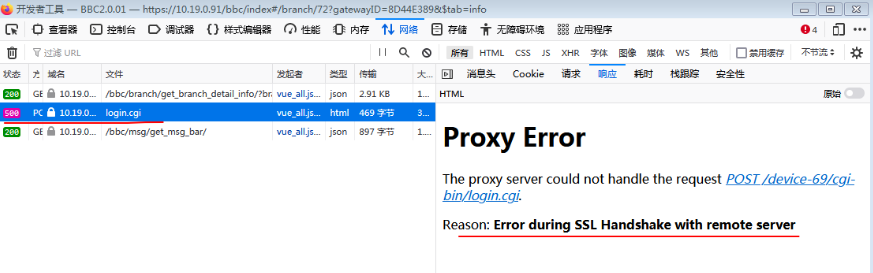
- BBC presses F12 to go to the debug interface to view the 500 error returned
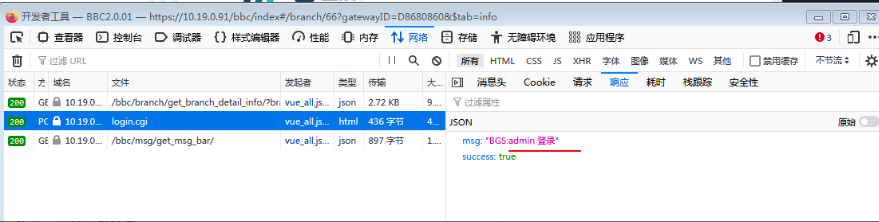
-
The port BBC sends the probe request to is 443, which will be forwarded to the AC device. If the AC responds normally, the remote access button will be lit.
-
Check other AC devices that can be remotely accessed normally. The console port is 443. The remote access is a gray AC device, and the port is 4433
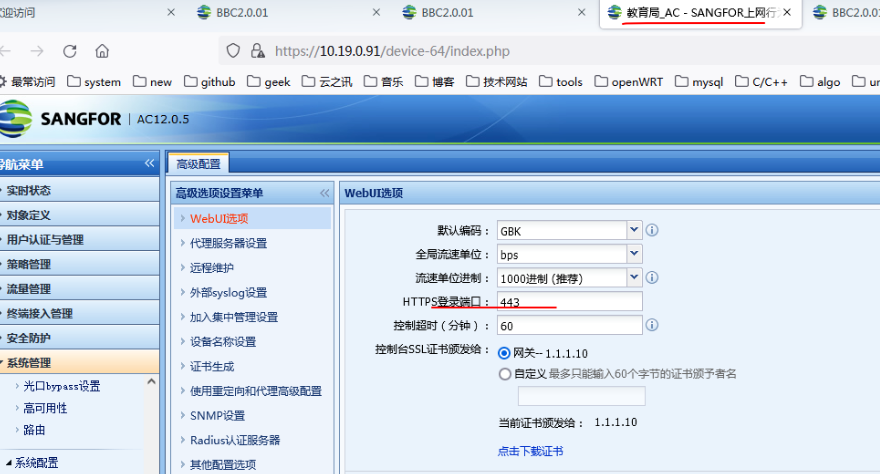
- After changing the console port to 443 on the AC, remote access is normal
Root cause
The default port for single sign-on is 443. Changing the console login port to another port will cause an exception.
solution
After changing the console port to 443 on the AC, remote access is normal
Original Link
https://support.sangfor.com.cn/cases/list?product_id=63&type=1&category_id=19762&isOpen=true