
【BBC】Failed to log in to AF device console from BBC
Problem Description
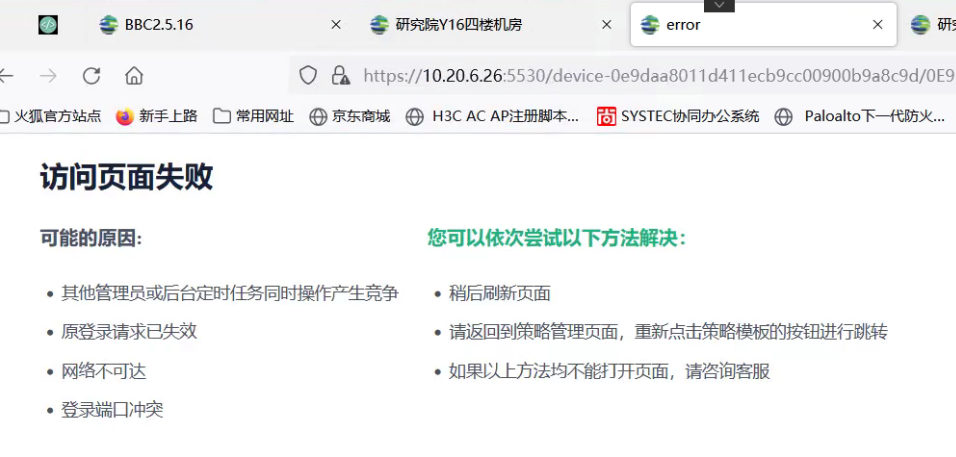
Failed to log in to the AF device console from BBC, and the message "Access page failed" was displayed
Warning Information
Failed to access the page
possible reason:
● Other administrators or backend scheduled tasks are operating at the same time, causing competition
●The original login request has expired
●Refresh the page later
●Network unreachable
You can try the following solutions in order:
●Please return to the policy management page and click the policy template button again to jump
●If the above methods cannot open the page, please contact customer service
●Login port conflict
Effective troubleshooting steps
- There is no obvious abnormality in the browser F12 debugging results. The web page data shows the possible cause of failure. The content is returned by BBC. It is inferred that there is a problem between the BBC proxy and the branch AF device.
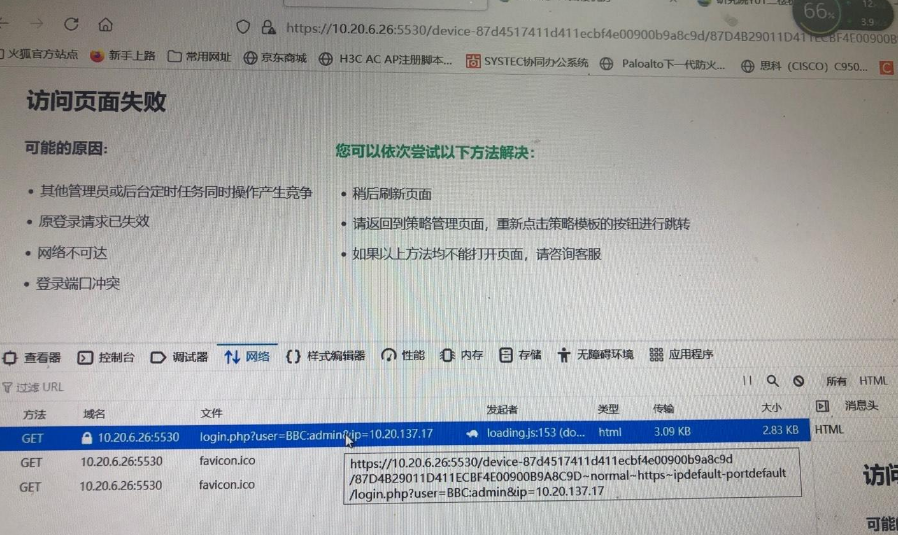
- Comparative analysis shows that logging into other devices in BBC is normal. After obtaining the network topology, it is found that BBC needs to pass through the AC device to go to the branch AF. After adjusting the BBC to log into the AC, it is normal. After communicating with the customer and trying to exclude the AF address in the AC device, logging into the AF in BBC is normal.
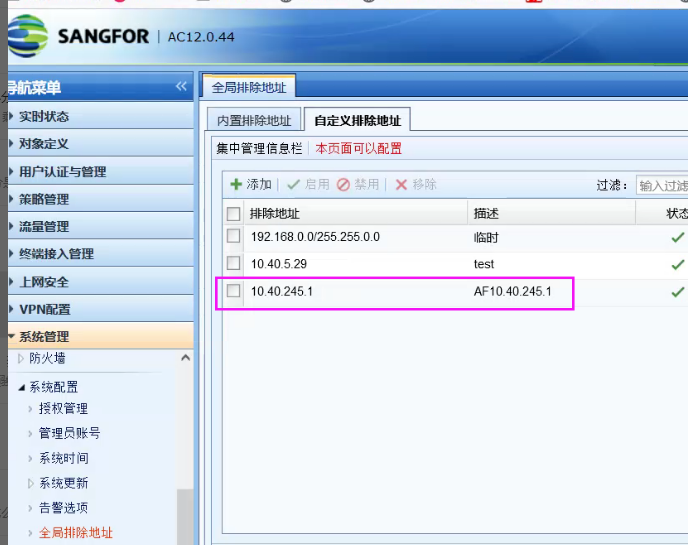
Root cause
The security device intercepted the data accessed by the BBC proxy, resulting in abnormal jump login
solution
The security device only needs to allow data exchanged between BBC and branches to pass through
Suggestions and Conclusion
-
Compare the differences in network environments and see whether the same BBC can log in to different branch devices in the same environment.
-
Obtain the communication network environment between the branch device and the BBC.
Original Link
https://support.sangfor.com.cn/cases/list?product_id=63&type=1&category_id=19745&isOpen=true