
【SC】Remotely log in to the branch device through the SC online outlet and it prompts that the page cannot be connected securely
Problem Description
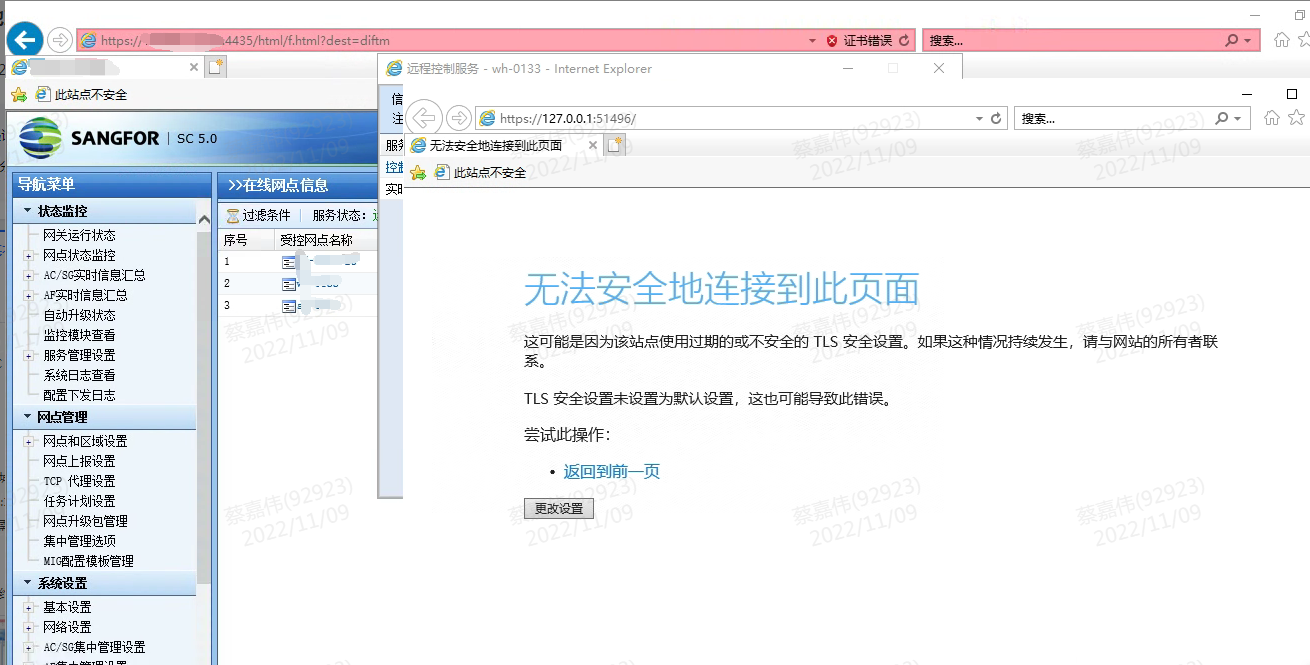
Log in to the branch device remotely through the SC online outlet and it prompts that you cannot connect to this page securely
Warning Information
Effective troubleshooting steps
-
Check that the network between SC and VPN device is normal
-
According to the prompt, check the TLS protocol in the advanced options of the IE browser and access the console normally
Root cause
The browser does not check the corresponding TLS protocol.
solution
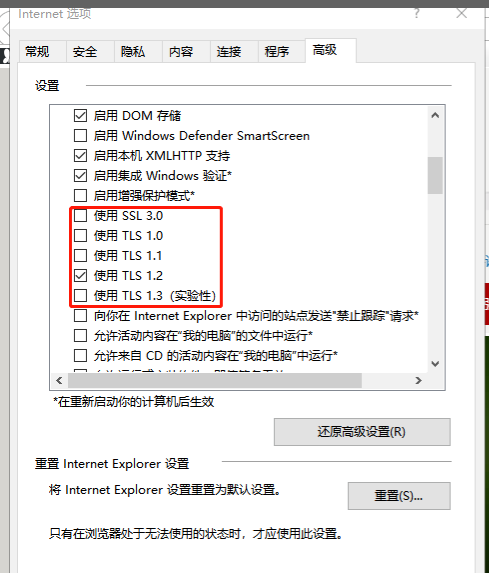
Check the corresponding TLS protocols
Original Link
https://support.sangfor.com.cn/cases/list?product_id=63&type=1&category_id=19801&isOpen=true