
[BBC] An error occurred when filling in the serial number authorization – the device ID and the authorization serial number were entered in reverse order
Problem Description
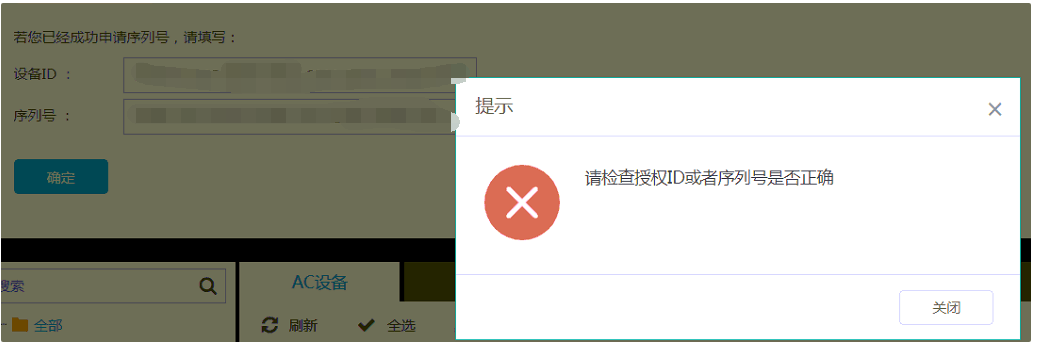
When obtaining the BBC serial number authorization, an error message appears when filling in the relevant information on the authorization interface. The prompt is to check whether the authorization ID and serial number are filled in correctly.
Process——
- Fill in the form and check the corresponding error. If you find that it is prompted, please check whether the authorization ID and serial number are filled in correctly.
839795d58f23368855.png (45.52 KB)
-
When encountering such an error, the first reaction is to check whether the device ID and serial number are filled in correctly, and confirm with the sales authorization whether it is a mistake. After confirming that everything is correct, check if there are any errors.
-
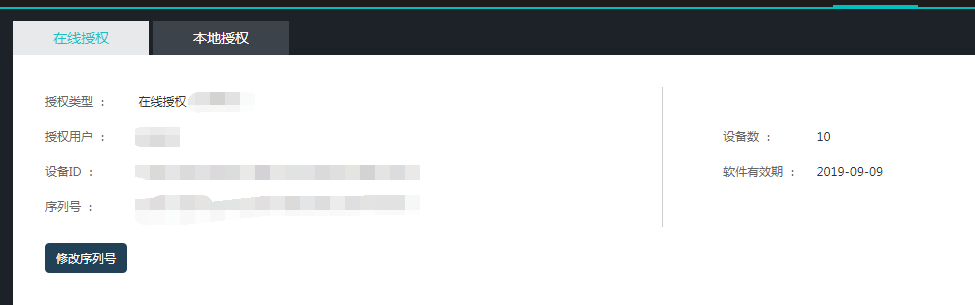
Check again and find that the authorization ID and serial number are filled in reverse. Fill in the authorization ID and serial number correctly and the problem is solved.
298075d57a0f5c0af7.png (19.15 KB)
solution
The authorization ID and serial number were filled in reverse, and the problem was solved after filling them in correctly
Suggestions and Conclusion
When filling in the authorization ID and serial number, be sure to clearly see which is the authorization ID and which is the serial number to avoid such problems.
Original Link
https://support.sangfor.com.cn/cases/list?product_id=63&type=1&category_id=19665&isOpen=true