
[BBC] Cloud deployment failed, prompting an error message about insufficient subnet allocation
Problem Description
Cloud deployment fails, prompting an error message about insufficient subnet allocation
Warning Information

Effective troubleshooting steps
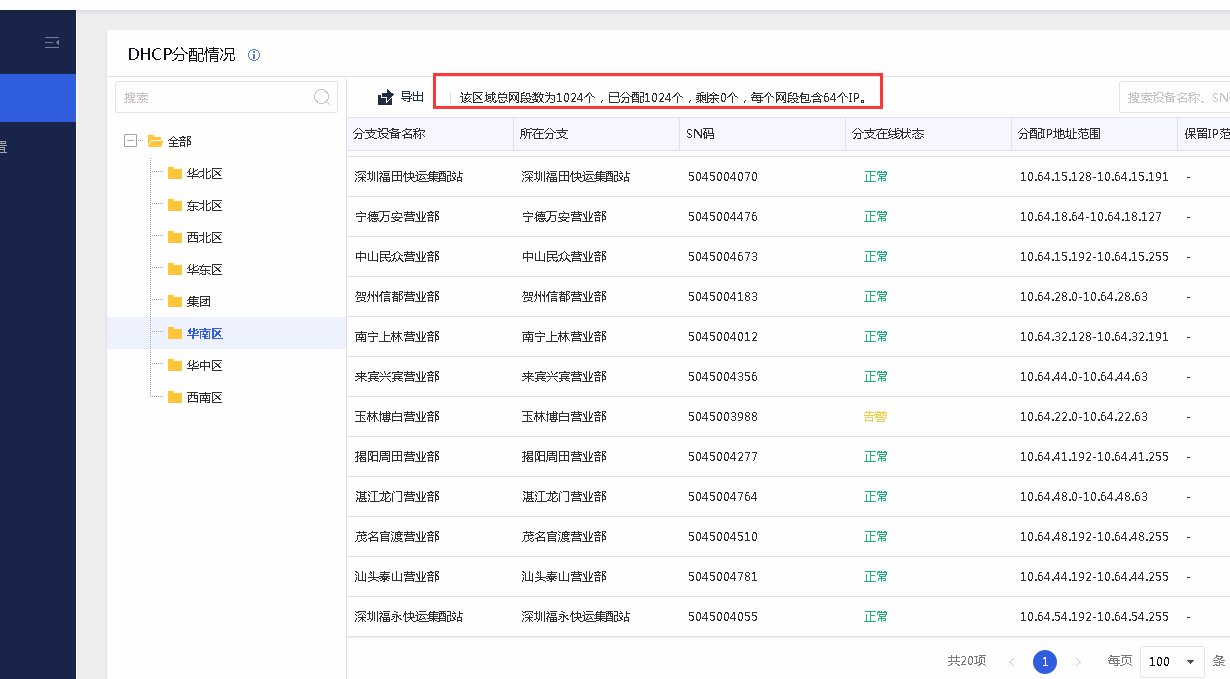
- Log in to the device and click [Management] – [Address Pool Centralized Management] – Check the DHCP allocation status. There are 0 addresses left in this area, and there is no option to configure the allocable subnet in this area under the address pool centralized management.
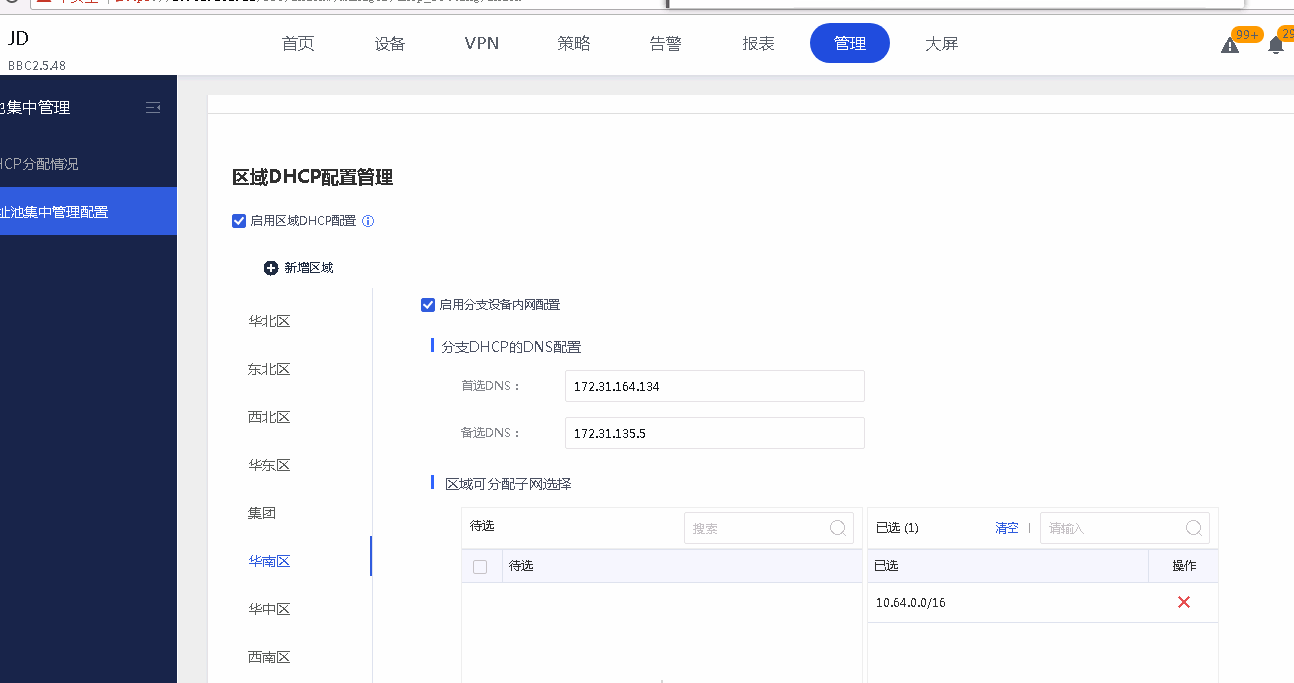
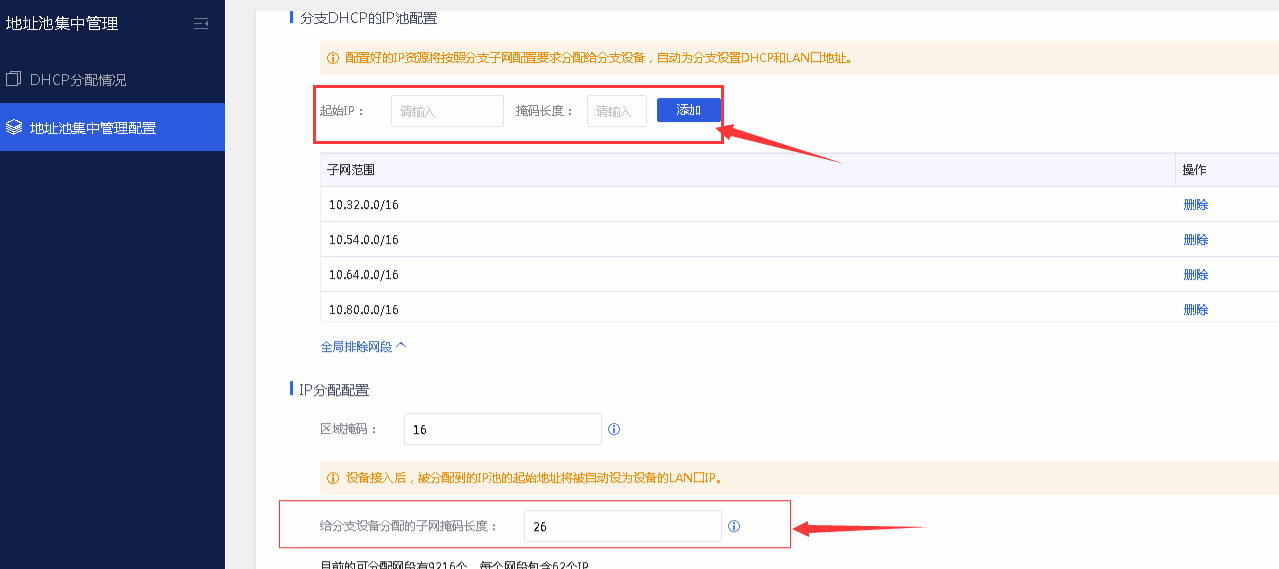
- Assign another network segment to the branch** (It is recommended that the subnet mask length assigned to the branch device be consistent with the previously configured mask. When **** data is damaged or lost, emergency batch collection of all device assigned network segments may cause abnormalities)**
Root cause
Insufficient DHCP subnet for branch devices
solution
[Management] – [Address pool centralized management] Add available network segments
Operation Impact Scope
No impact
Is this a temporary solution?
no
Suggestions and Conclusion
As above
Original Link
https://support.sangfor.com.cn/cases/list?product_id=63&type=1&category_id=19791&isOpen=true