
[BBC] MailEasy deployment failed because there were too many spaces in the BBC branch network segment mask configuration.
Problem Description
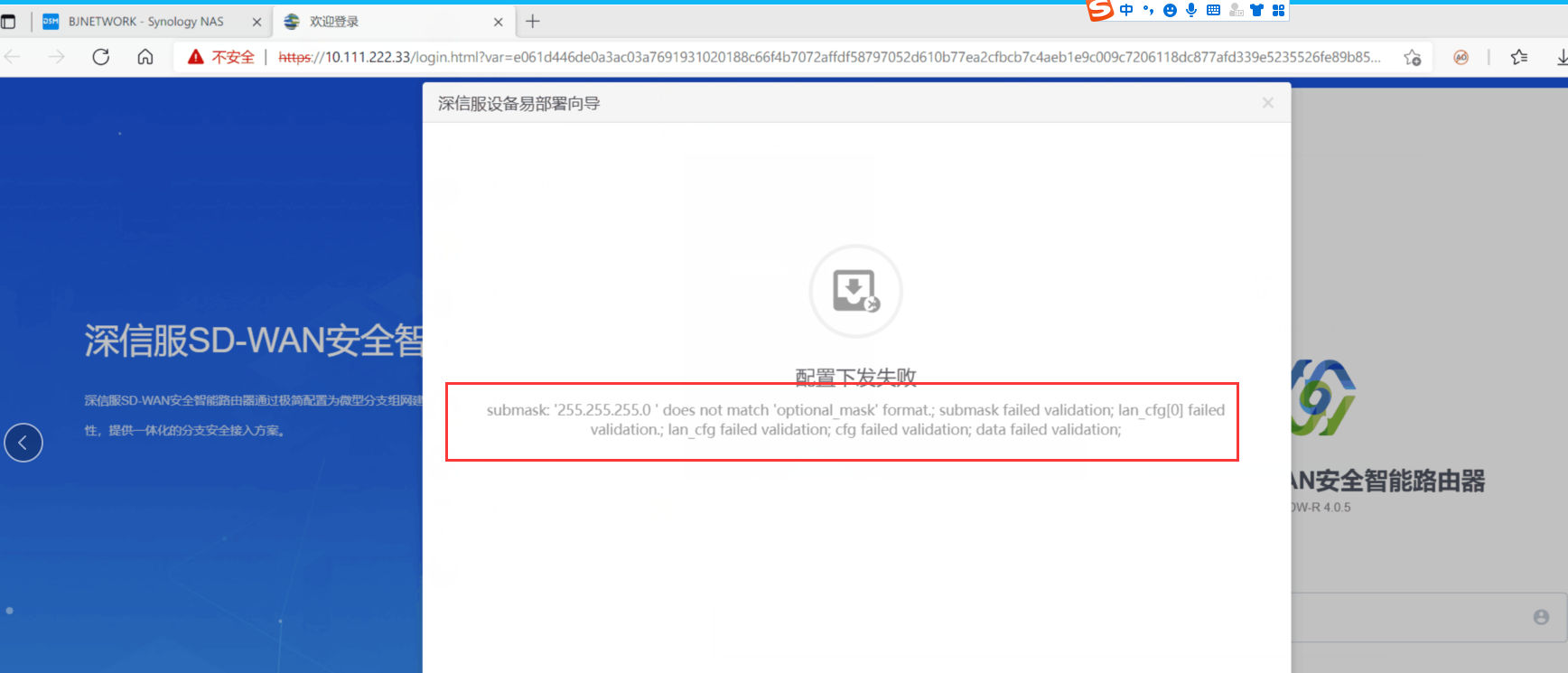
BBC configured email easy deployment, and sent email easy deployment to SDW-R device. The deployment failed and the error message "submask:'255.255.255.0 'does not match 'option_mask' format" was displayed.
Effective troubleshooting steps
-
Check the error message and infer that the LAN port mask configured by BBC through email easy deployment failed to be sent to the SDW-R LAN port.
-
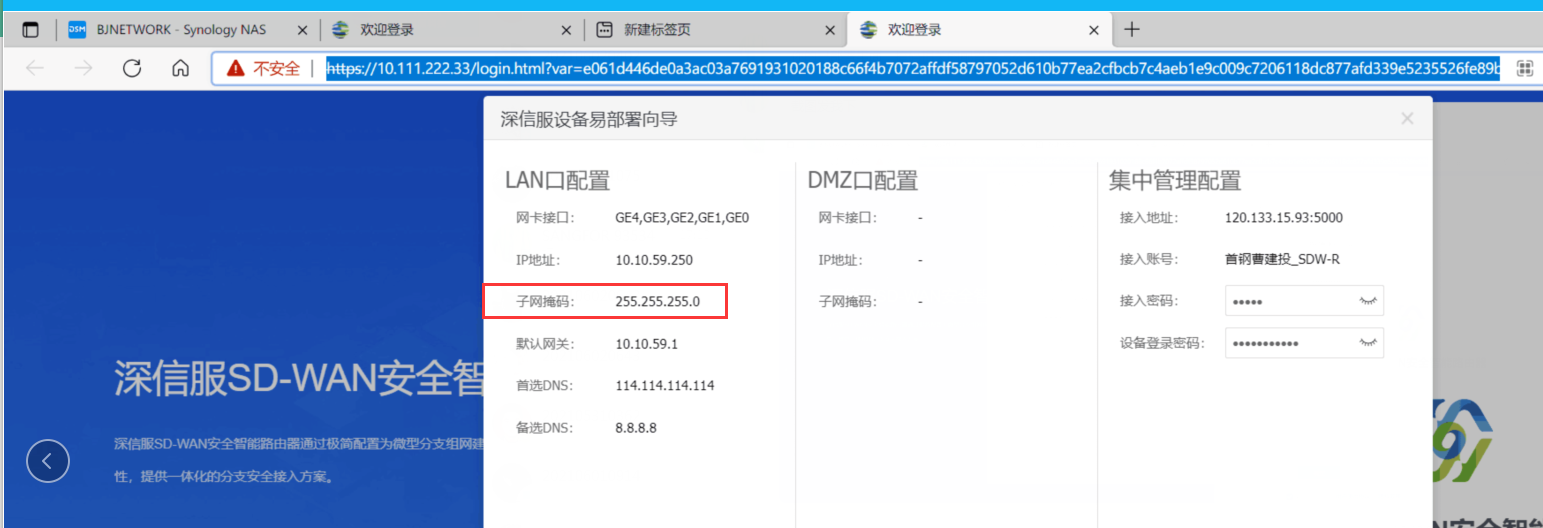
Check the Sangfor Device Easy Deployment Wizard and do not see any abnormal LAN port mask
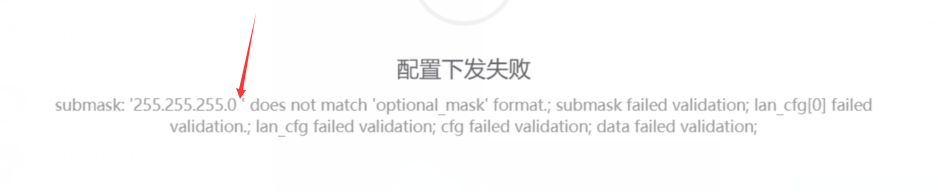
- Carefully analyze and check the failure information. It is found that there is an extra space between '255.255.255.0' and the single quotation mark '0' in the failure information.
Root cause
In the email deployment configured on BBC, there is an extra space after the configured branch LAN port mask 255.255.255.0, which causes the configuration of the LAN port mask of SDW-R to be sent via email to fail.
solution
Log in to the BBC console and delete the extra space after the LAN port mask of the branch. After re-sending the easy deployment email, the computer re-emailed the easy deployment successfully.
Original Link
https://support.sangfor.com.cn/cases/list?product_id=63&type=1&category_id=19729&isOpen=true