
[BBC] Unable to delete VPN topology, branch device associated with inter-tunnel routing caused
Problem Description
The customer deleted a VPN topology, and it prompted that the VPN topology was associated with the inter-tunnel routing configuration. Please remove it first.
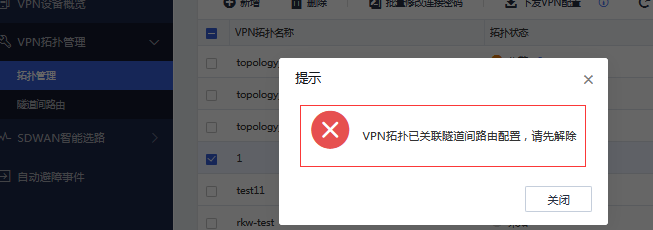
Effective troubleshooting steps
-
Check the headquarters woc device associated with this VPN topology. No relevant inter-tunnel routing association is configured on bbc.
-
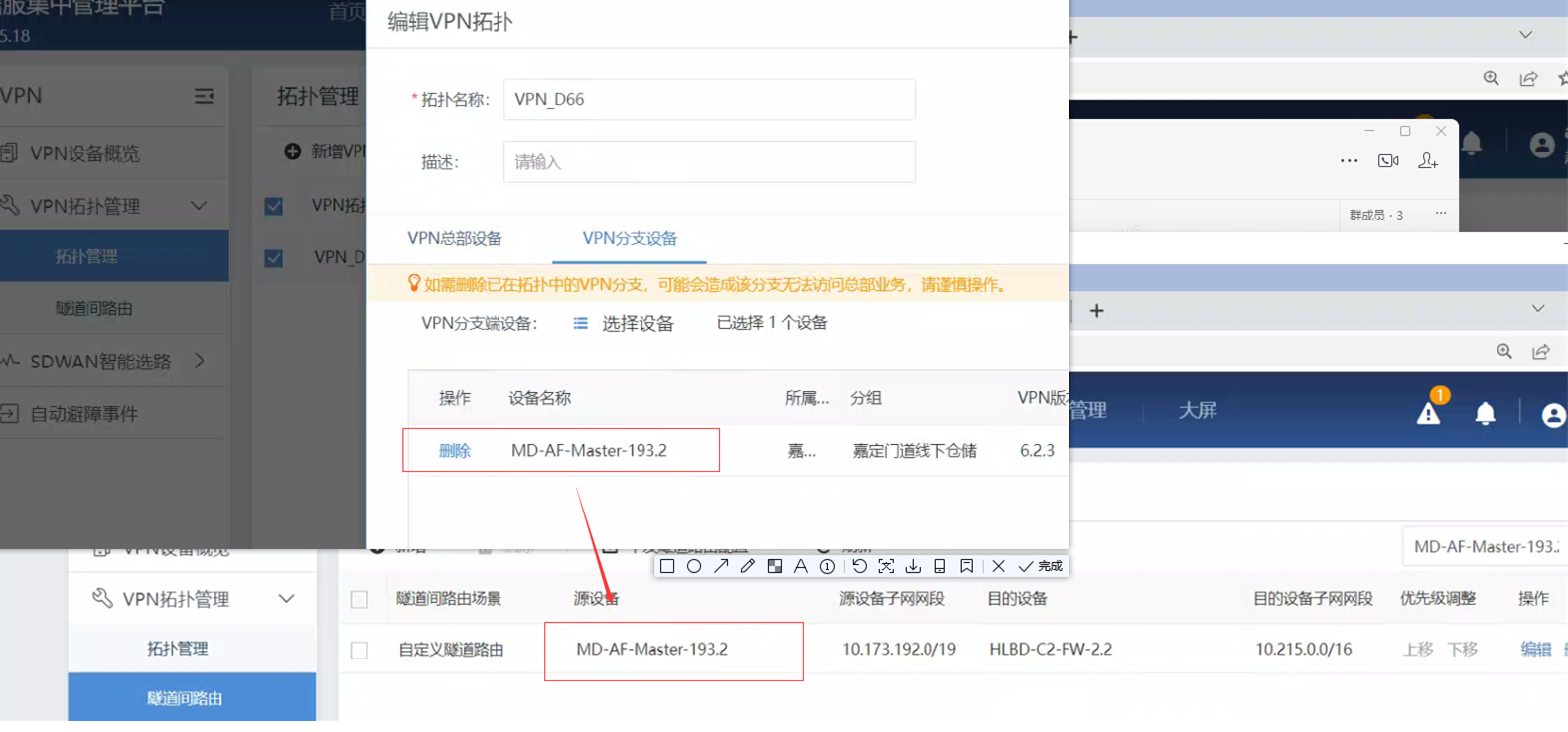
Check the branch device associated with this VPN topology. This branch has associated inter-tunnel routing.
Root cause
The branch device associated with this VPN topology cannot be deleted because this branch has associated inter-tunnel routing.
solution
Solution 1: Delete the inter-tunnel routing configuration of the branch, delete the VPN topology, and add the inter-tunnel routing of the branch back (this operation will affect the branch's services)
Solution 2: Create an empty branch account on bbc, remove the branch devices in this topology, add the empty bbc account to this topology, save it, delete this vpn topology, and finally delete the empty bbc branch account (this operation does not affect the business)
Original Link
https://support.sangfor.com.cn/cases/list?product_id=63&type=1&category_id=19786&isOpen=true