【Cyber Command】FortiGate Firewall Integration Guide_V3.0.65
Requirements
-
Only FortiGate Firewall is supported in this document.
-
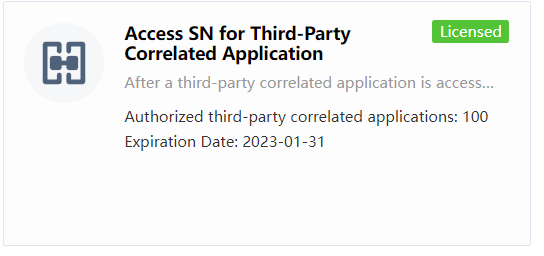
Must activate the Access SN for Third party Correlated Application.
-
The zip file application must be imported into the CC to support.
Configuration on FortiGate Firewall
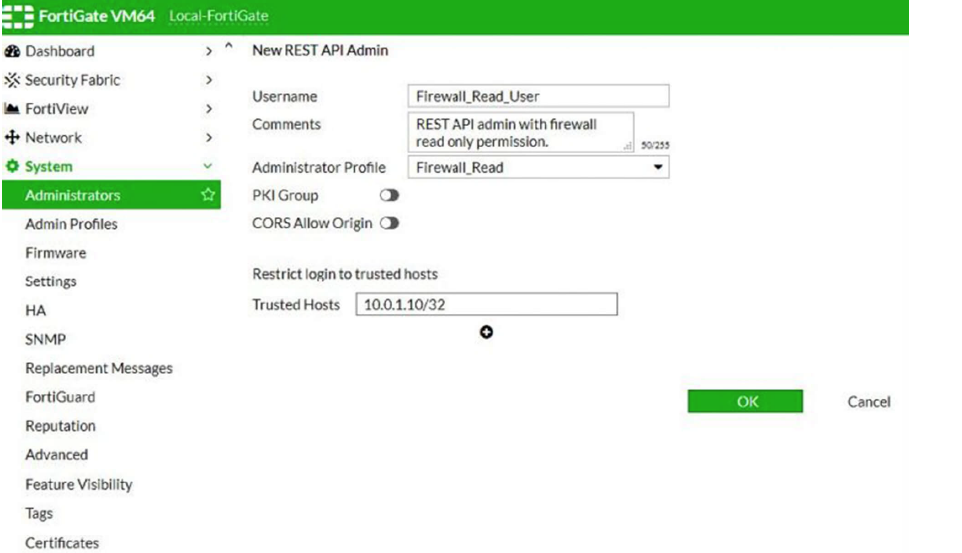
It is required to enable the API feature on the FortiGate firewall and input the CC’s IP address as the Trusted Hosts.
Configuration on Cyber Command
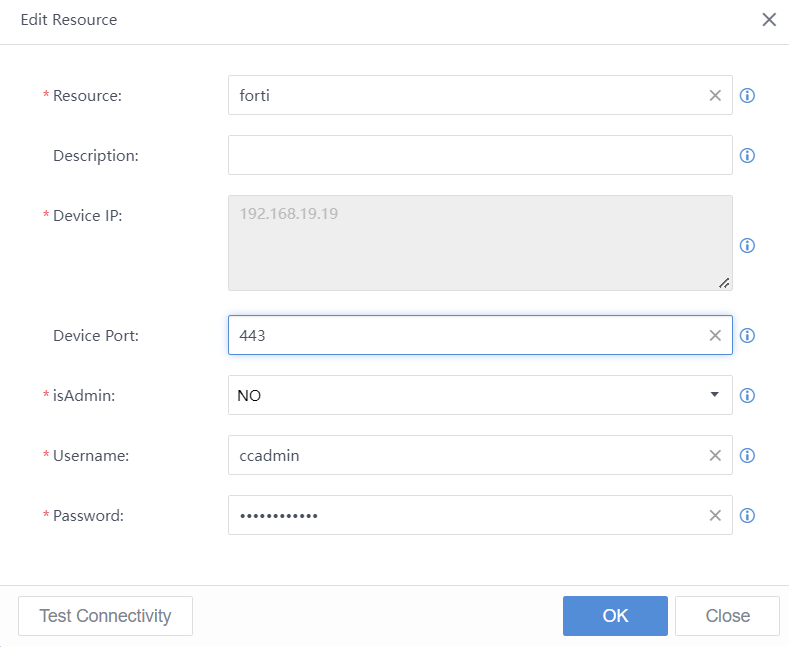
Navigate to System > Device > Response Apps > FortiGate Firewall to configure the FortiGate.
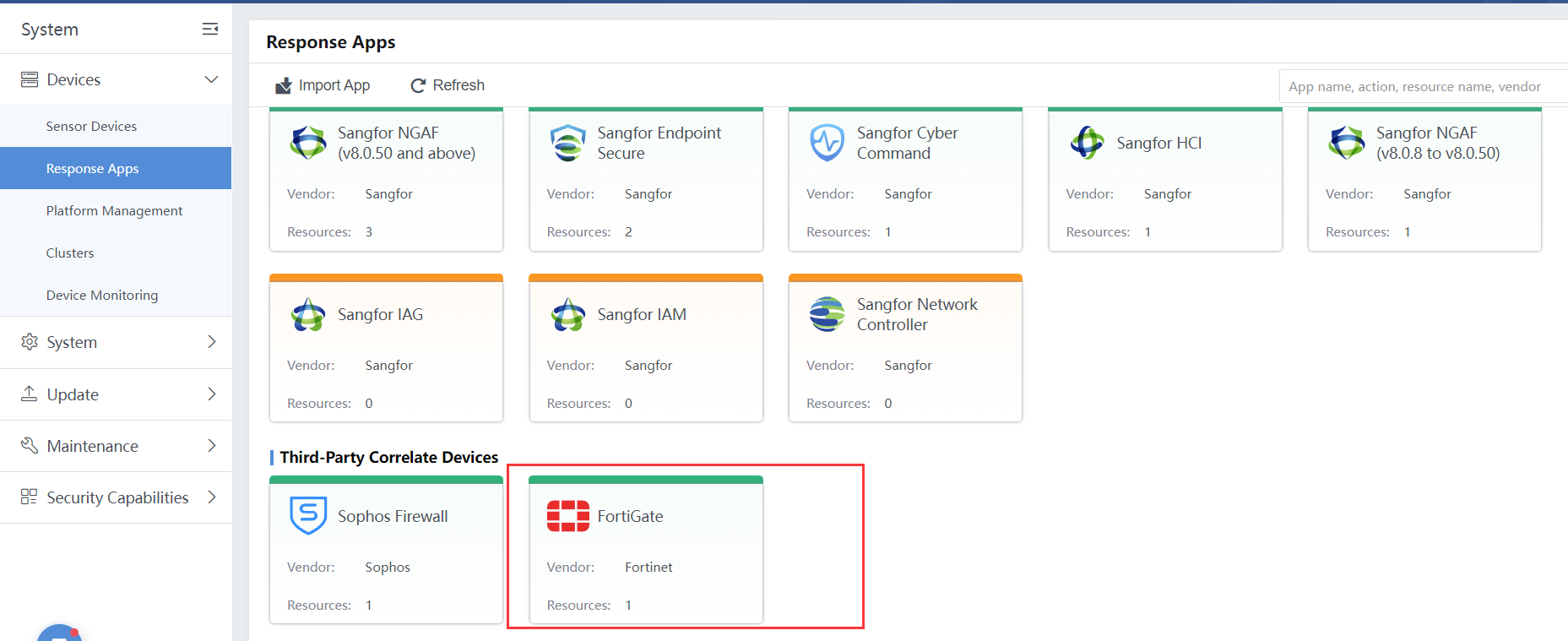
Below is an example. The Device IP is the FortiGate firewall IP address, the Device port is the FortiGate firewall’s web console listening port (by default is 443), if using the RESTFUL API Admin account, the isAdmin required to configured as NO, username and password is RESTFUL API admin.
Function Supported in FortiGate Response Apps
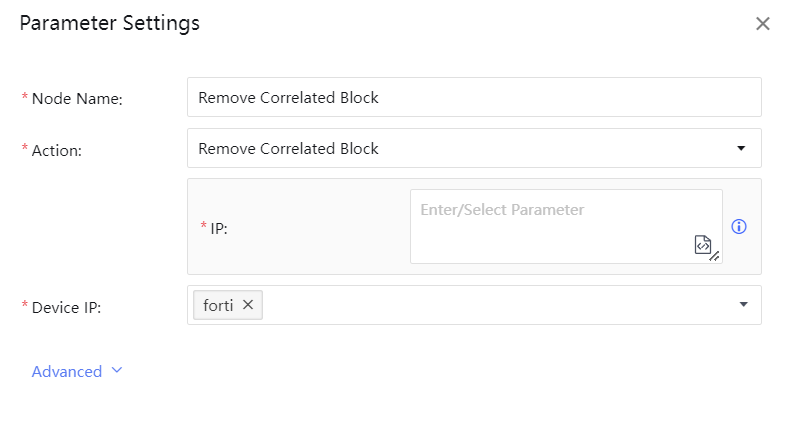
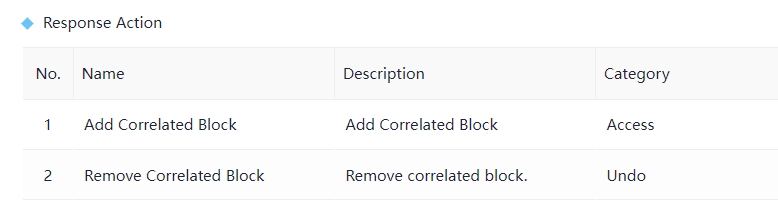
The supported functions are: Add Correlated Block and Remove Correlated Block.
-
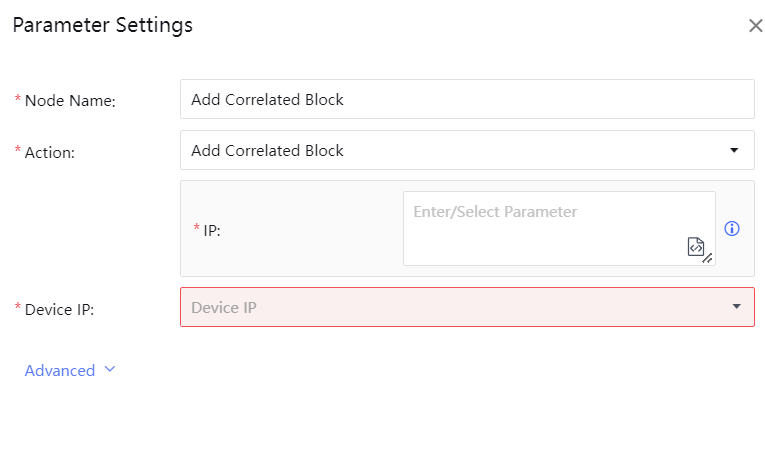
Configuring the Add Correlated Block can block the Source or Destination.
-
Remove Correlated Block support to remove the IP address blocked by FortiGate.